
 The polls are open, the ballots are rolling in, and our team is casting its vote for another exciting week of updates. Let’s see what’s on the ballot!
 Our engineers have shared:
 Workflow Updates
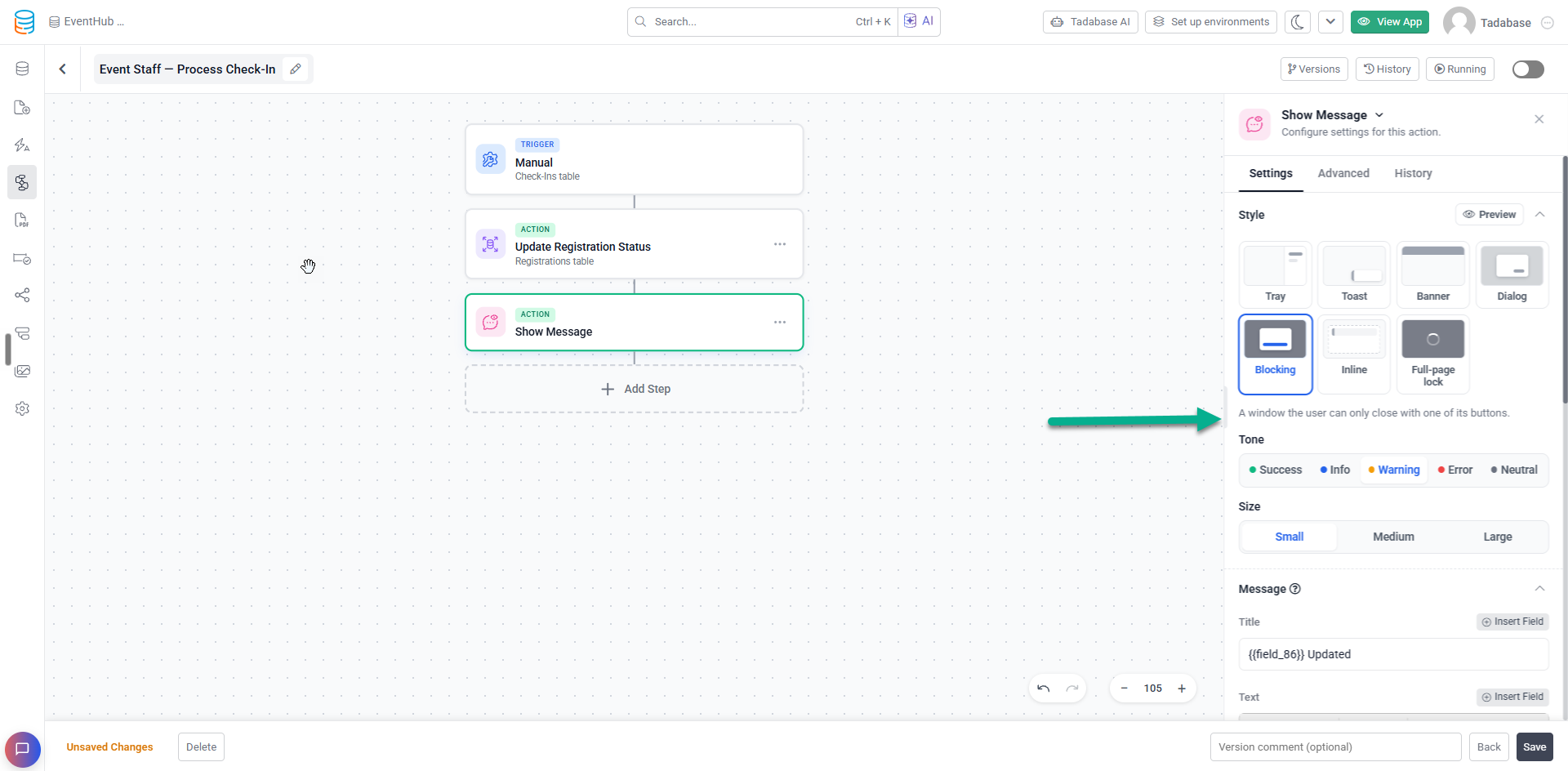
 A Completely Rebuilt Show Message Action
The Show Message action has been redesigned with more ways to communicate with users, including toasts, banners, dialogs, inline messages, and full page notifications. Messages can include dynamic values, interactive buttons, and even questions that pause a Workflow until the user responds. You can also control who receives each message.
 More Control Over Workflow Runs
You can now rerun completed Workflows for all records, only failed records, or specific selected records. Scheduled Workflows can also be run or tested directly from the editor without waiting for their next scheduled execution.
 Better Workflow Monitoring & History
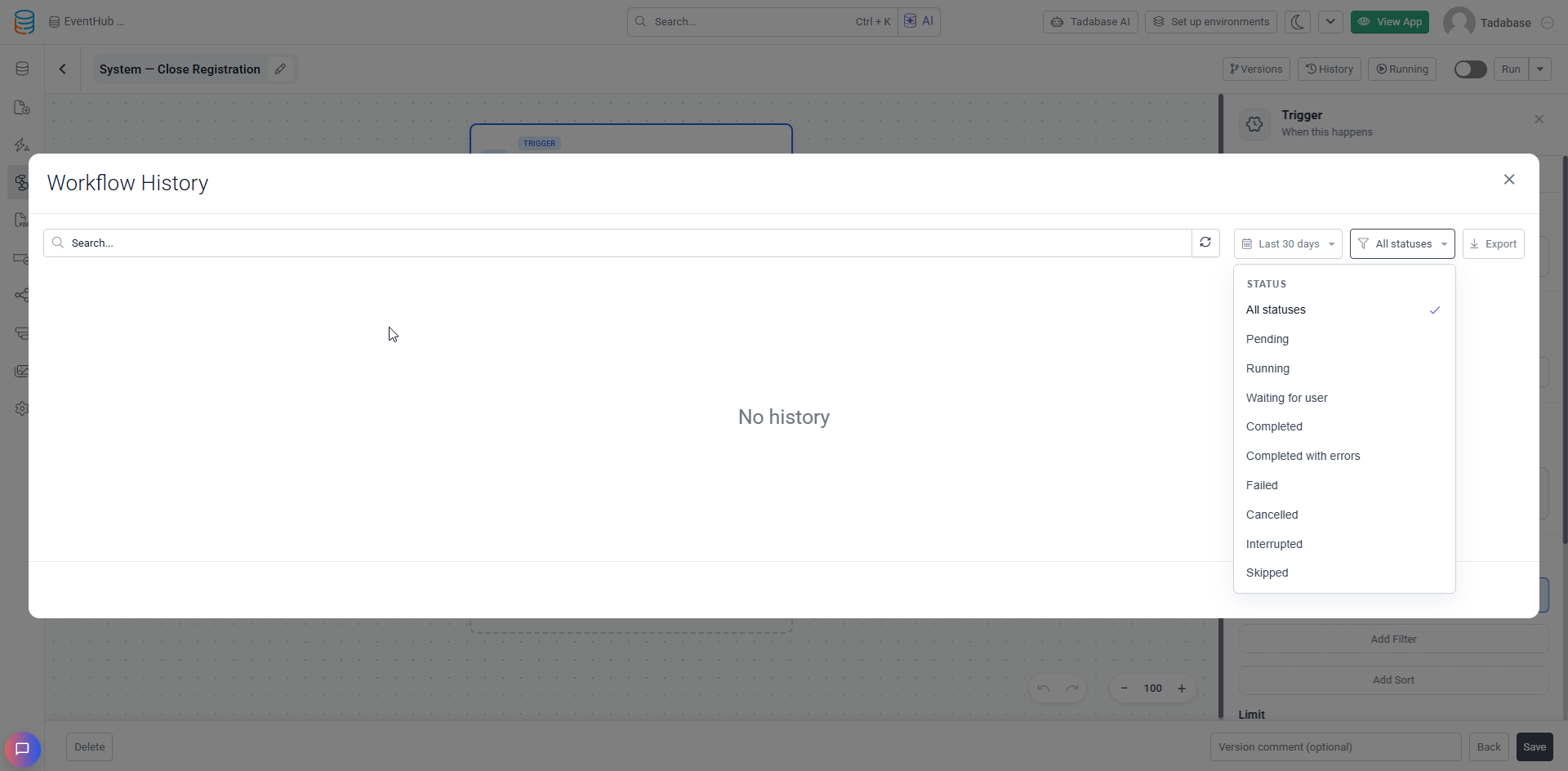
The Workflows list now displays live run statuses and progress, with options to view or cancel active runs. Record Logs have also been redesigned for easier navigation, and individual steps now include performance history to help identify slow or failing actions.
 More Workflow Improvements
You can now trigger Workflows on selected records in Universal Components. Workflows without any steps are also automatically skipped, with a reminder to add a step before running.
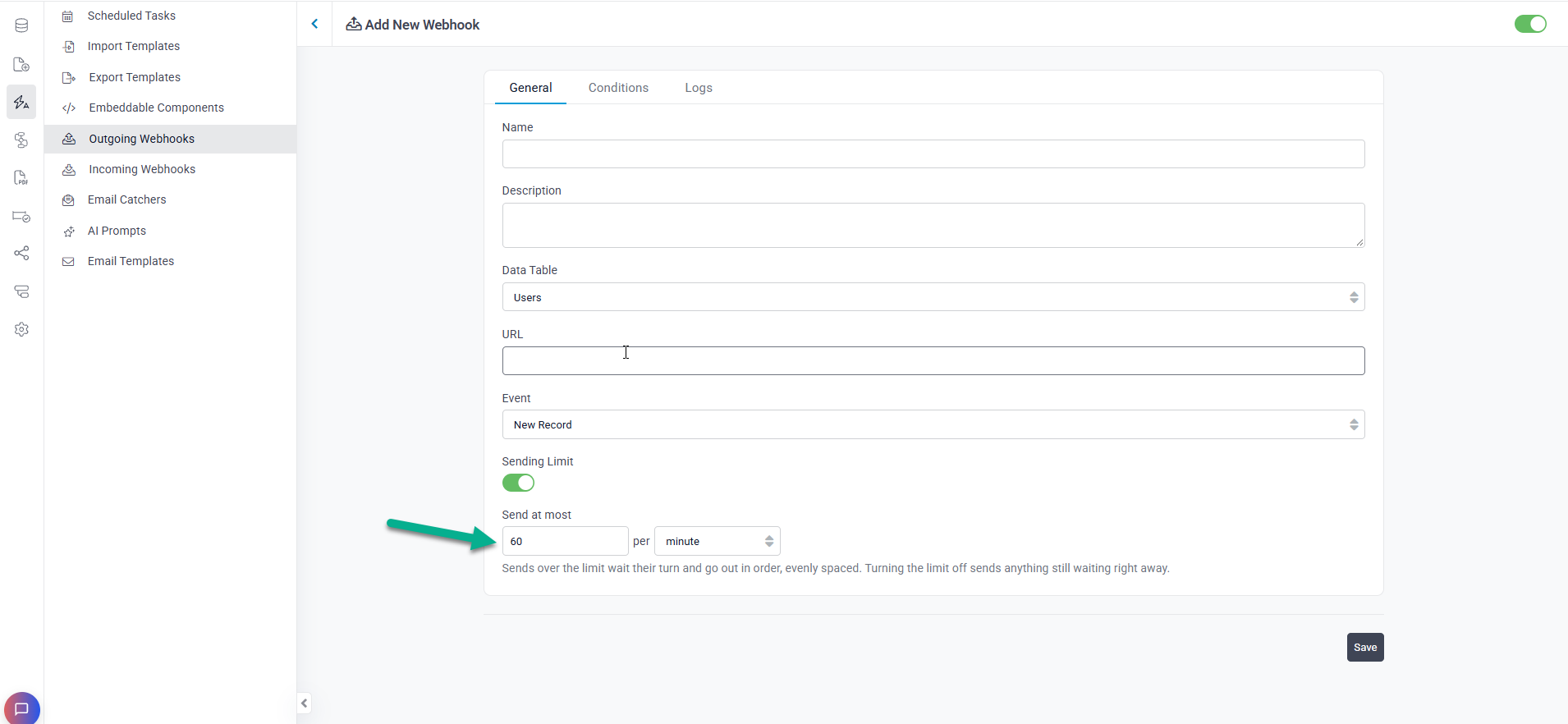
 Outgoing Webhook Throttling
New throttling controls for Outgoing Webhooks help manage how frequently requests are sent to external services, reducing the risk of hitting API rate limits.
 Scheduled Task Updates
 Run Tasks on the Last Day of the Month
Monthly Scheduled Tasks now include a Last Day of Month option, automatically adjusting to the final day of each month, whether it has 28, 29, 30, or 31 days.
 Preview Upcoming Runs
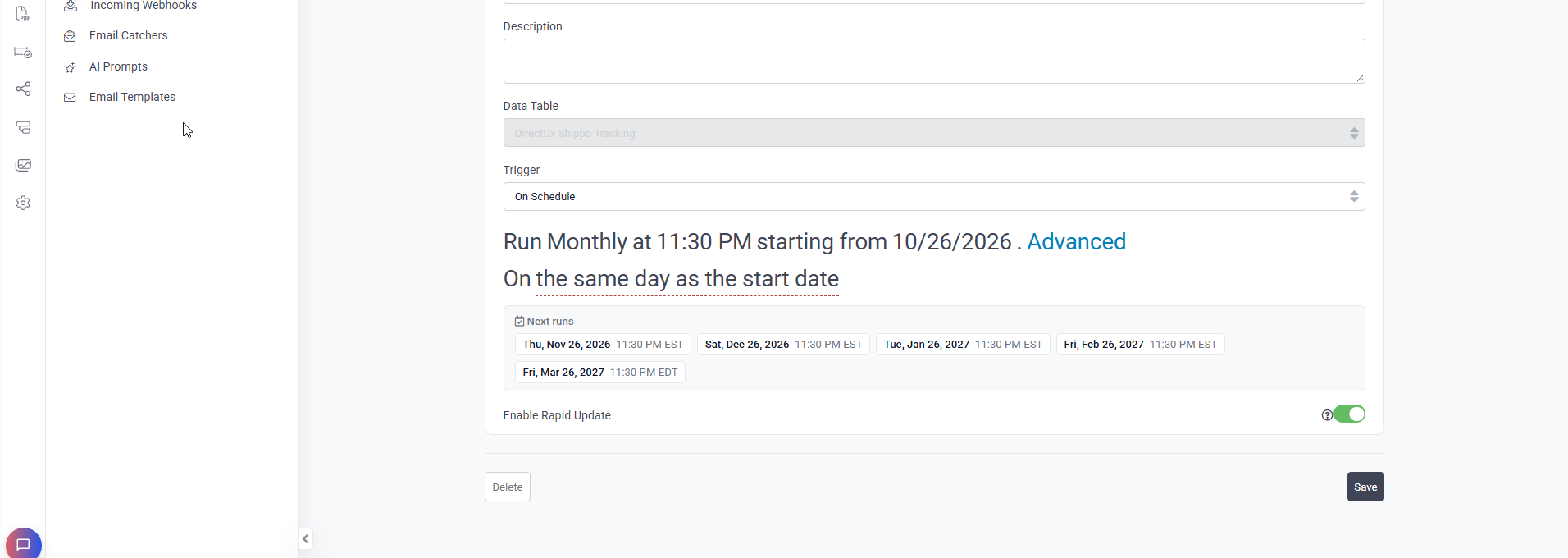
You can now preview the next five scheduled runs directly in the schedule form, making it easier to verify your schedule before saving.
Records, Data Tables & Forms
Search Between Dates
Search Forms now include an is between option for Date, Date/Time, and Calendar fields, allowing users to filter records within a selected date range.
 More Flexible Search Form Layouts
You can now drag and drop Search Form fields between groups directly in the Builder Preview, making it easier to organize your search forms.
 Record ID in Formula Fields
Formula fields now support a new Record ID - Encoded variable, making it easier to use record IDs in links and API calls.
 Significantly Faster Rollups
We’ve made major performance improvements to Rollup calculations on large tables. Functions like Running Total, Rank, Row Number, and Previous/Next Value now recalculate only the affected groups instead of the entire table, resulting in dramatically faster record updates.
 Page Builder
 Smoother Page Builder Experience
We’ve made additional performance improvements to the Page Builder, especially on pages with many components. Components also expand and collapse more smoothly while editing.
 API & Security Updates
Improved Batch Updates
The REST API’s Batch Update endpoint now supports field slugs in addition to encoded field IDs, making it easier to update multiple records using the same field references supported elsewhere in the API.
 Stronger Two Factor Authentication
Email verification codes used for app sign ins are now single use and expire after 10 minutes , adding an extra layer of security to the login process.
 Clearer Error Messages
When something goes wrong on our end, you’ll now see a simple error message with a reference code instead of technical details. This code can be shared with our support team to help identify and resolve the issue faster.
 Bug Fixes
- Fixed Batch Update and Batch Delete not recognizing selected records in Universal Tables.
- Fixed Search Form validation errors when searching for multiple values using OR conditions.
- Fixed Cards with Auto Refresh refreshing increasingly frequently the longer a page remained open.
- Fixed secure file downloads not working correctly in certain components.
- Fixed Forms and Tables failing to load when a saved filter contained an empty condition.
- Fixed Lookup Record filters inside For Each loops incorrectly using the loop item instead of the source record.
- Fixed Lookups that returned no matching records incorrectly failing the loop item.
- Fixed Send Email content disappearing when switching between Workflow steps.
- Fixed Workflow step settings occasionally overwriting settings from another step.
- Fixed Undo and Redo not preserving Workflow schedules and tags.
- Fixed opening a PDF Form step clearing its field mappings.
- Fixed Unsaved Changes warnings appearing when no changes had been made.
- Fixed cancelled Workflow runs not correctly displaying their records as Cancelled.
For a complete list of fixes, see our release notes here.
 The votes are in, and that’s a wrap on this week’s update, Tadabasers. Happy building and see you next week!
