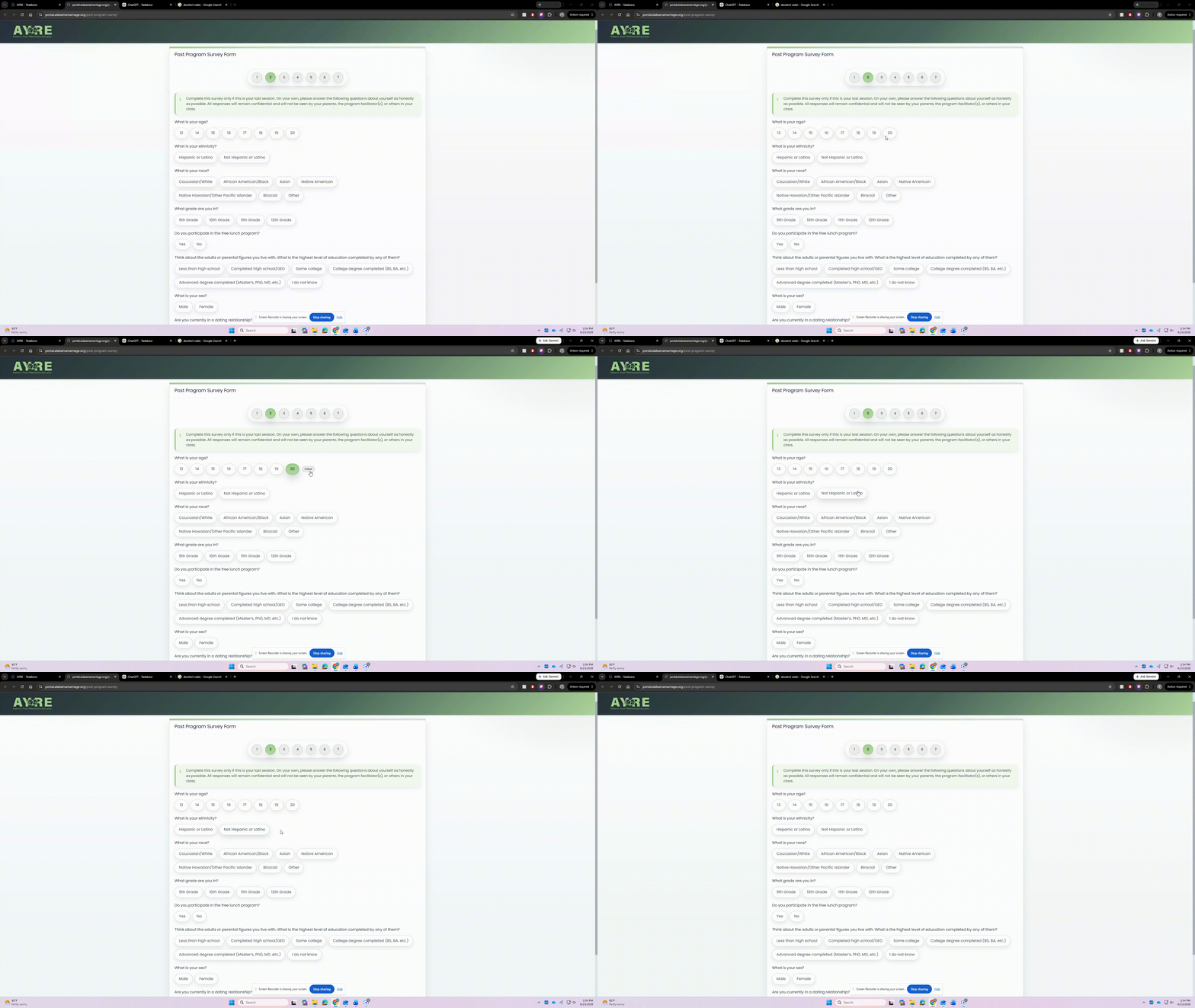
Some simple code to allow radio options to be deselected via a “clear” button. We run online surveys, and one piece of feedback we received from our partners is that participants have to restart the survey to deselect an option (all questions are optional).
Place the code on the layout level and all forms will have the clear button applied.
CSS
/* Radio Clear option */
.t-form-radio .tb-radio-clear {
  display: none;
  align-items: center;
  justify-content: center;
  margin: 6px 0 6px 2px;
  padding: 6px 10px;
  border-radius: var(--radius-pill);
  border: 1px solid rgba(31,41,51,.14);
  background: rgba(31,41,51,.06);
  color: rgba(31,41,51,.58);
  font-size: 12px;
  font-weight: 800;
  line-height: 1;
  cursor: pointer;
  user-select: none;
  transition: background-color .18s ease, color .18s ease, border-color .18s ease, transform .08s ease;
}

.t-form-radio .tb-radio-clear.is-visible {
  display: inline-flex;
}

.t-form-radio .tb-radio-clear:hover {
  background: rgba(31,41,51,.10);
  color: rgba(31,41,51,.82);
  border-color: rgba(31,41,51,.22);
  transform: translateY(-1px);
}

.t-form-radio .tb-radio-clear:focus {
  outline: none;
  box-shadow: var(--ring);
}

/* Backup selected state so green highlight always follows checked radio */
.tb-radio:has(input[type="radio"]:checked) {
  background: linear-gradient(180deg, rgba(162,207,141,1), rgba(162,207,141,.85));
  border-color: rgba(29,122,50,.45);
  color: var(--black);
  box-shadow: 0 16px 34px rgba(31,41,51,.22);
}
JS
/* Layout-level Radio Clear for Tadabase */
(function () {
  let timer;

  start();
  new MutationObserver(queueScan).observe(document.body, { childList: true, subtree: true });

  $(document)
    .on('change click', '.t-form-radio input[type="radio"]', function () {
      sync($(this).closest('.form-group[data-field-slug]'));
    })
    .on('click', '.tb-radio-clear', function (e) {
      e.preventDefault();
      e.stopPropagation();
      clearRadio($(this).closest('.form-group[data-field-slug]'));
    })
    .on('keydown', '.tb-radio-clear', function (e) {
      if (e.key === 'Enter' || e.key === ' ') {
        e.preventDefault();
        clearRadio($(this).closest('.form-group[data-field-slug]'));
      }
    });

  function start() {
    document.readyState === 'loading'
      ? document.addEventListener('DOMContentLoaded', scan)
      : scan();
  }

  function queueScan() {
    clearTimeout(timer);
    timer = setTimeout(scan, 100);
  }

  function scan() {
    $('.form-group[data-field-slug] .t-form-radio').each(function () {
      const $wrap = $(this);
      const $field = $wrap.closest('.form-group[data-field-slug]');

      if (!$wrap.find('input[type="radio"]').length) return;

      if (!$wrap.children('.tb-radio-clear').length) {
        $wrap.append('<span class="tb-radio-clear" role="button" tabindex="0">Clear</span>');
      }

      sync($field);
    });
  }

  function sync($field) {
    const $checked = $field.find('.t-form-radio input[type="radio"]:checked');

    $field.find('.tb-radio').removeClass('selected');
    $checked.closest('.tb-radio').addClass('selected');

    $field.find('.tb-radio-clear').toggleClass('is-visible', !!$checked.length);
  }

  function clearRadio($field) {
    const slug = $field.attr('data-field-slug');
    const $inputs = $field.find('.t-form-radio input[type="radio"]');

    $inputs.prop('checked', false);
    $field.find('.tb-radio').removeClass('selected');

    try {
      const input = $inputs.get(0);
      const ng = angular.element(input);
      const model = ng.controller('ngModel');
      let scope = ng.scope();

      while (scope && !scope.record) scope = scope.$parent;

      const applyClear = function () {
        if (scope && scope.record) scope.record[slug] = '';
        if (model) {
          model.$setViewValue('');
          model.$render();
        }
      };

      scope && !scope.$root.$$phase ? scope.$apply(applyClear) : applyClear();
    } catch (e) {}

    setTimeout(function () {
      sync($field);
    }, 0);
  }
})();