How can I add and an iframe with *allow="camera *; microphone " in it? when I add it into an HTML component, it delete that part of the iframe automatically.
Thanks!
How can I add and an iframe with *allow="camera *; microphone " in it? when I add it into an HTML component, it delete that part of the iframe automatically.
Thanks!
While I don’t have a specific solution for you (sorry), the HTML component will not allow for those tags. Any access to camera and/or microphone needs to be added with JavaScript.
@tim.young, thanks for your reply!
I 'm trying to integrate a vide conference inside an iframe and you other information in the same window.
I’m don’t know a lot of javascript… Do you have any idea or workaround?
Thanks
It would be great to have some insights on this!
Here’s some code you can use to add this via JavaScript
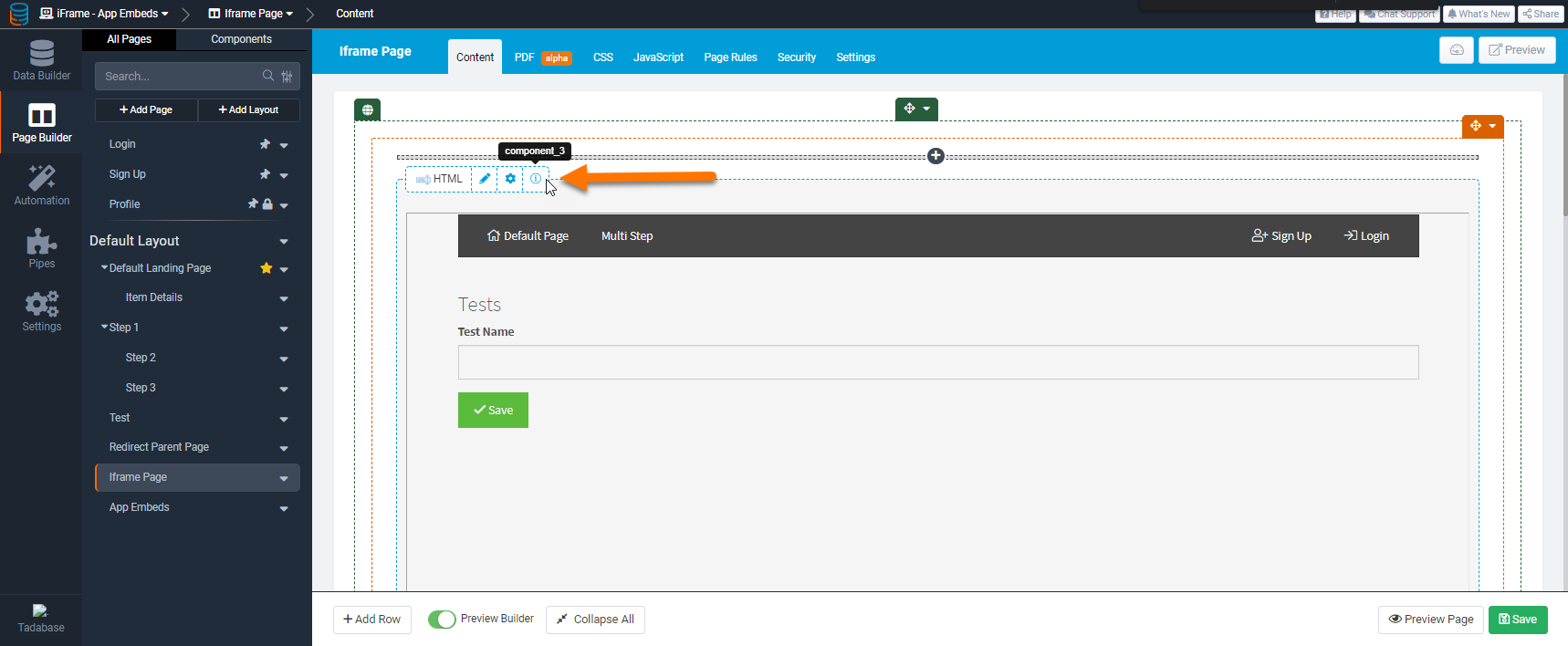
Important note: You will need to change ‘component_X’ to your HTML components ID.
TB.render('component_X',function(data){
    data.ele.find('iframe').attr('allow','camera; microphone');
});
Your component ID can be found by hovering over the info (i) icon as shown in the image below