April is showering us with a rainfall of updates. Let’s watch what our team is pouring in.
Our engineers have:
Subforms:
We’re rolling out a new feature this week called Subforms, allowing you to add multiple child records directly within a parent form in a single, seamless flow.
For example, when creating an Invoice, you can add all related Line Items directly within the Invoice form, without needing to navigate away or create records separately.
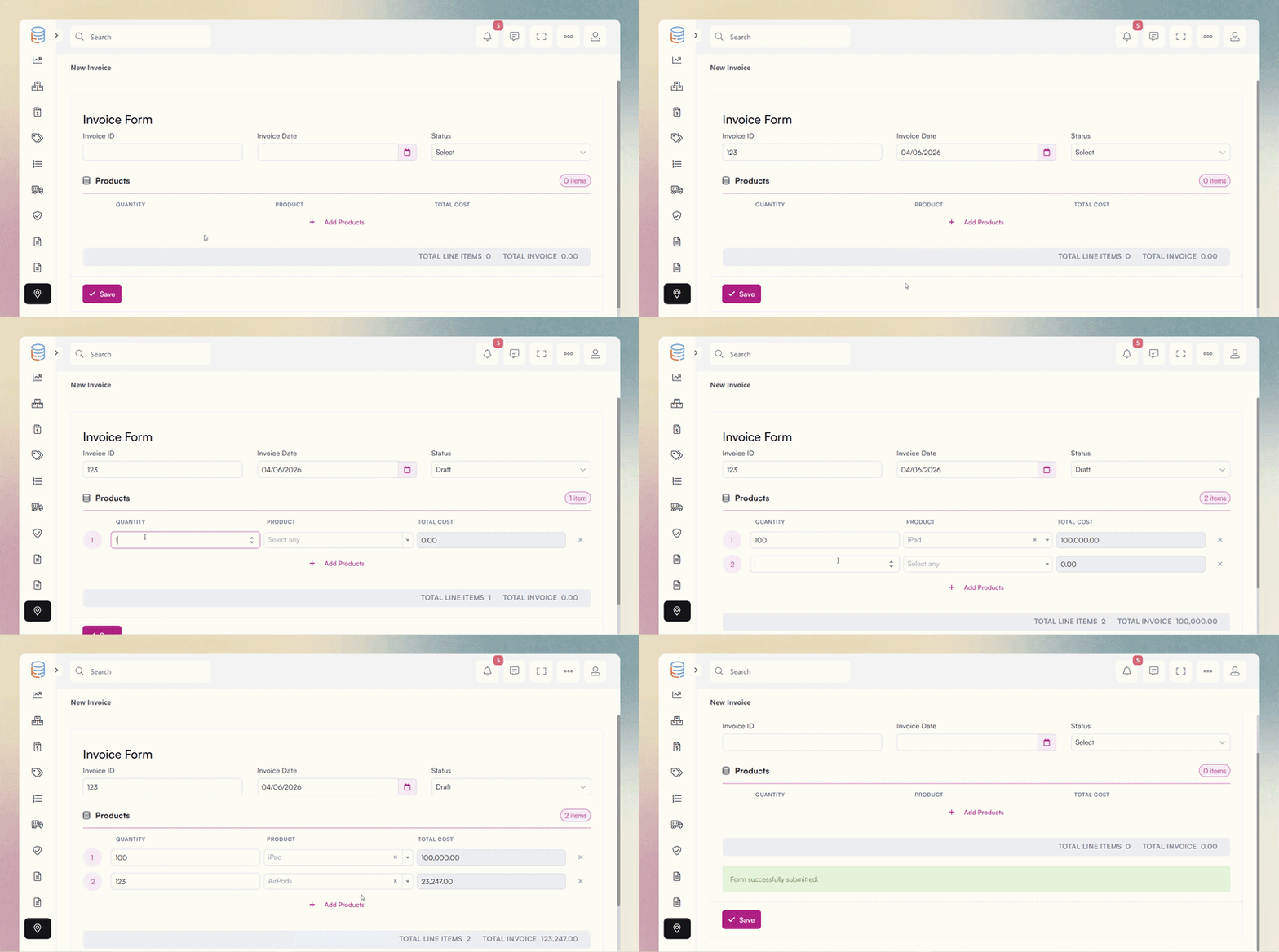
Any Rollup fields in the parent table can be displayed with real time calculations, and any equation or formula fields in the child table will automatically update as new child records are added.
This means totals, counts, and calculated values update instantly as users input data, creating a seamless and dynamic experience.
Here’s an example of this in action :
Display Rules on Options:
You can now apply display rules directly to field options, allowing you to show or hide specific choices within fields like Radio, Select, and Multi Select based on values from other fields.
This makes forms more dynamic and responsive, ensuring users only see the options that are relevant to their input.
The subforms is absolutely wonderful! Thank you for the continual updates…WOW, just WOW…the last few months of development has resulted in many game changing enhancements.
Looks great! One enhancement I’d love to see is a more straightforward way to hide fields, without needing workarounds like creating display rules (e.g., “if Created At is before today, then hide fields X, Y, Z”), which is what we’re currently relying on.
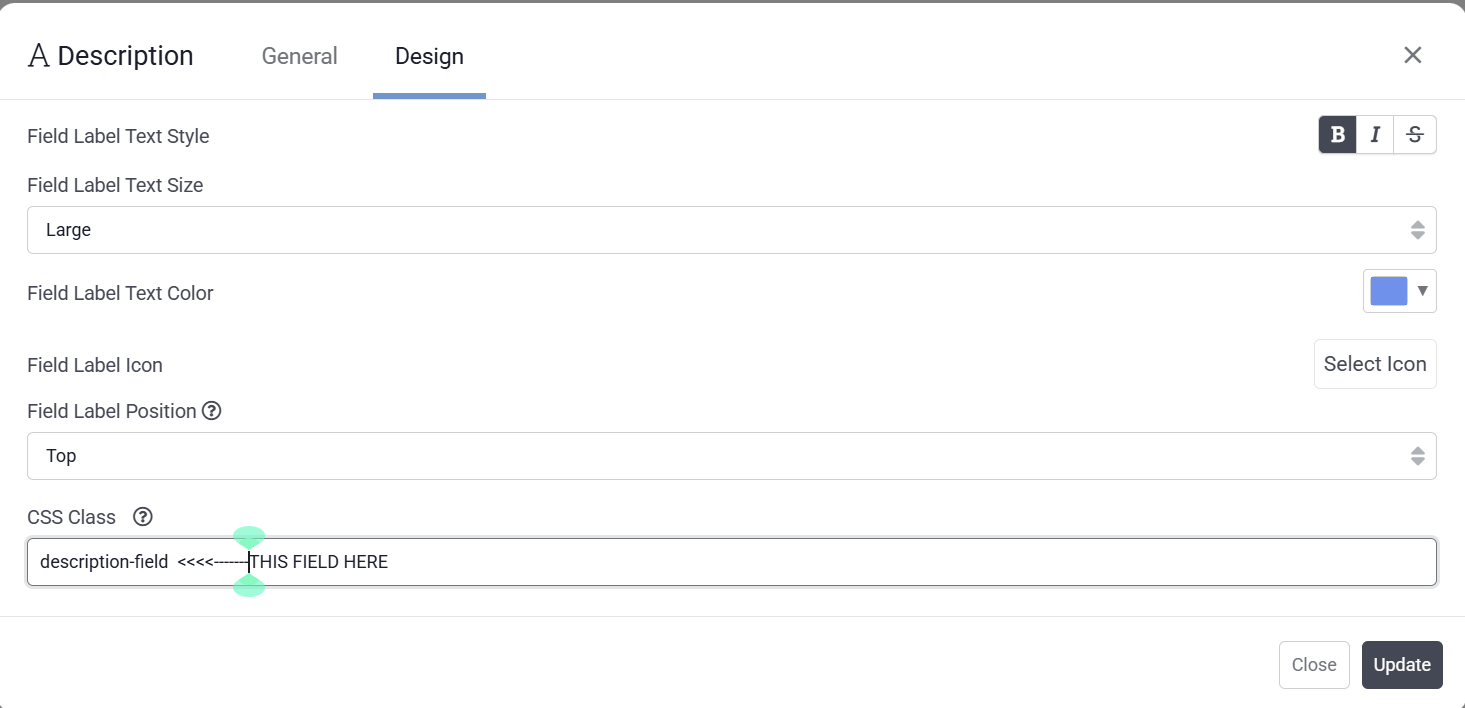
Yes, this is available across all fields and various components. It is not a dropdown option. You need to manually enter the value.
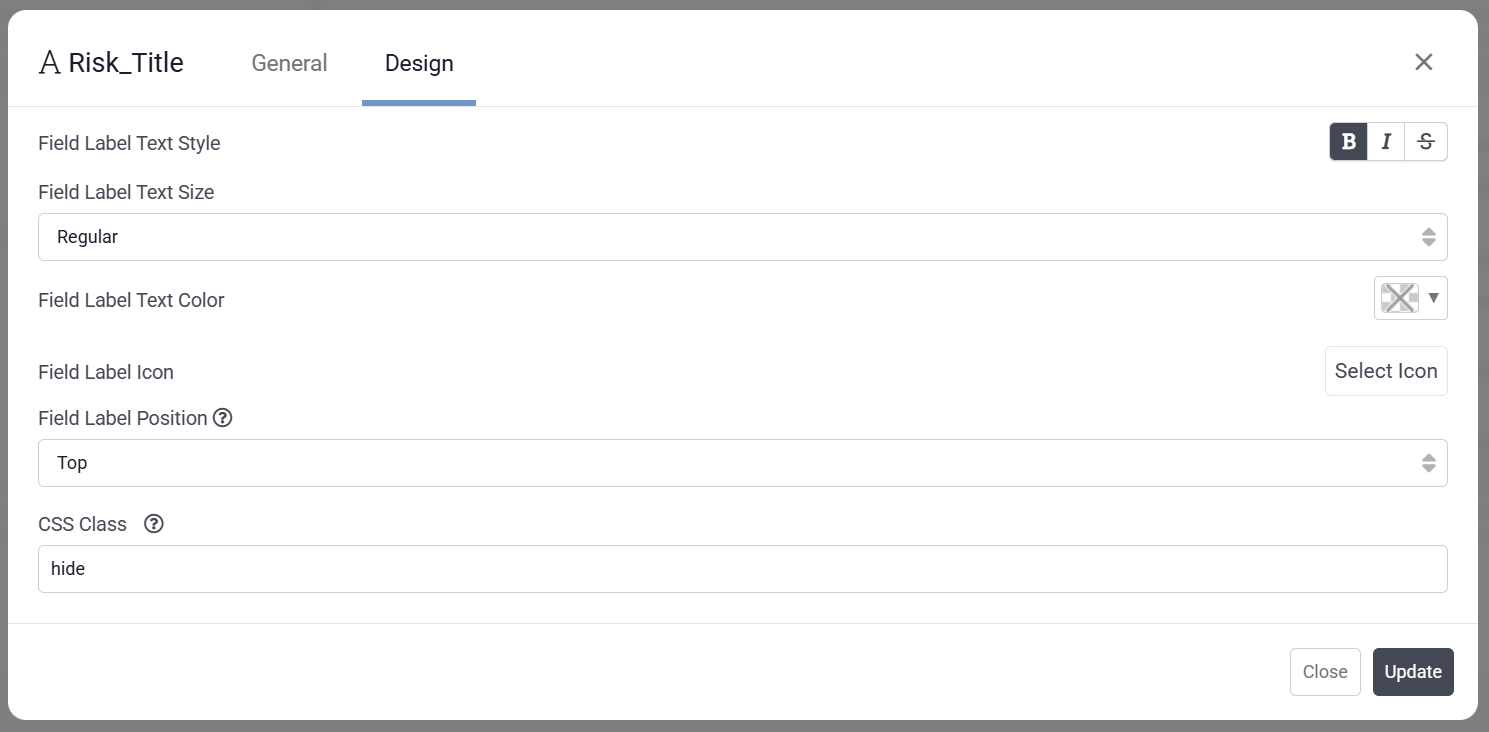
“Hide” is a TB keyword that can be typed into the CSS Style field. However, there is an important caveat: when you use “hide,” the component is removed from the DOM (the Document Object Model you see when pressing F12 in your browser while viewing your live app). This means any custom code targeting that component will no longer be able to locate it.
If you need the component to remain accessible in the DOM while being visually hidden, you should instead apply custom CSS to the page. For example:
.qs-return-nav { display: none !important;
In this example, qs-return-nav is a custom class that I created and assigned to the component via the CSS Class field. The location of the CSS Class field varies depending on the component and may appear on different tabs within the page editor. In this instance, the CSS style is used to pinpoint the component’s location in the DOM so the code can find the correct component, so it is no longer visible.

 April is showering us with a rainfall of updates. Let’s watch what our team is pouring in.
 Our engineers have:
 Subforms: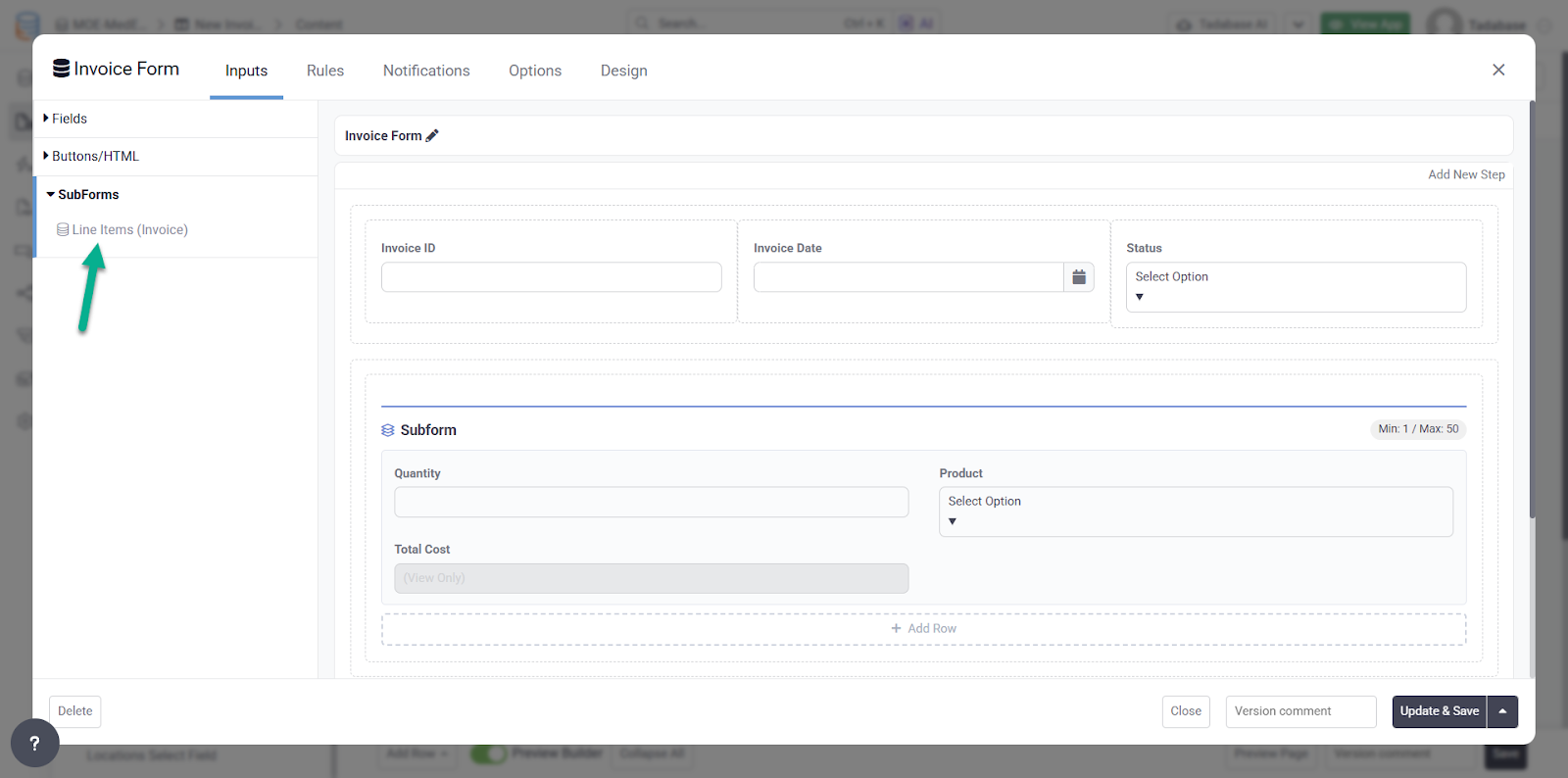
 :
:
 Display Rules on Options: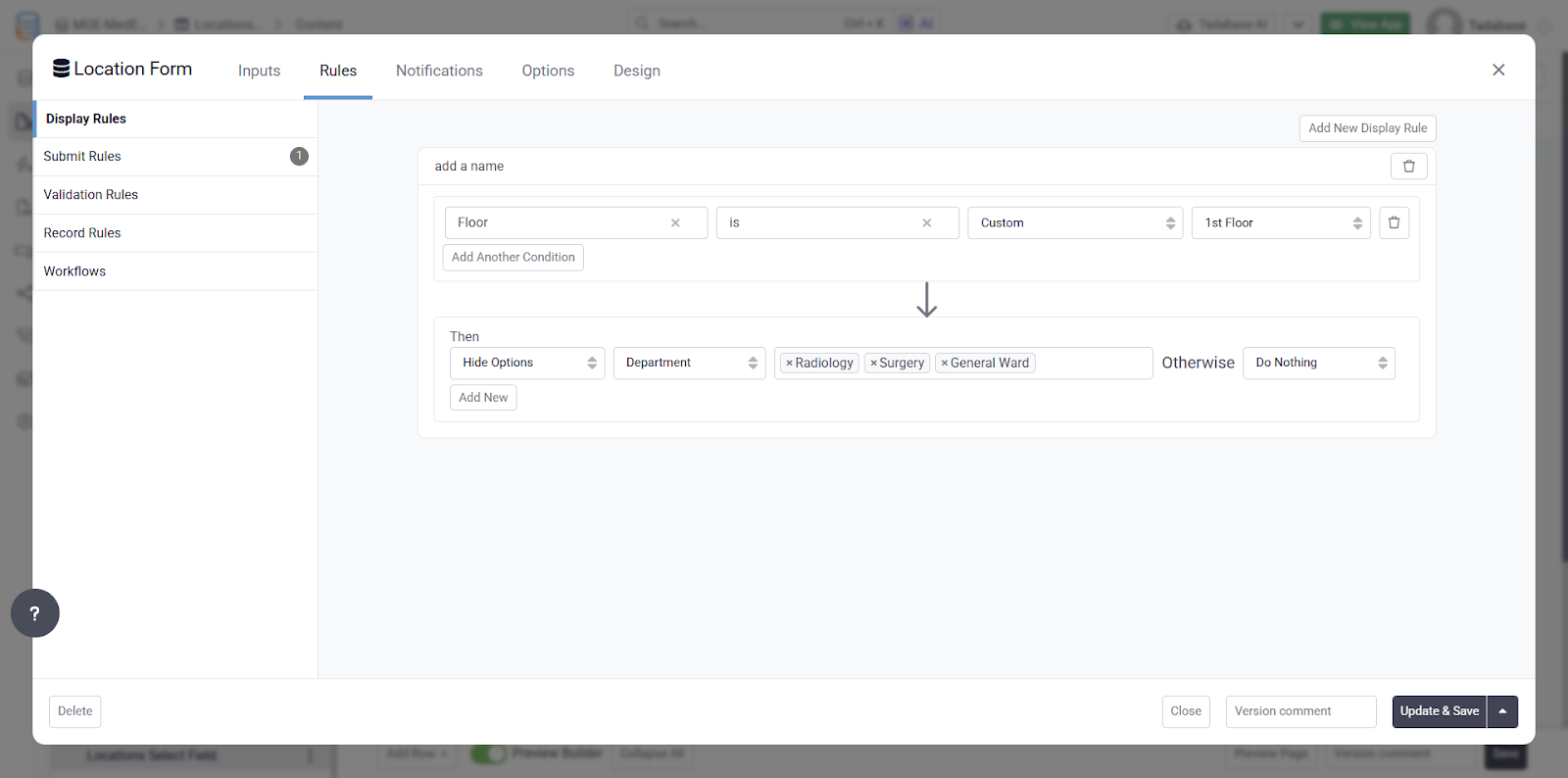
 Bug Fixes:
 The rain has ebbed away on this one, Tadabasers. Happy building and see you next week!