 …
…  …
…  …The final Tuesday of 2025 is upon us and we’re ringing in the new year with another stellar update. Let’s start the countdown
 Our
Our 

 Timeline:
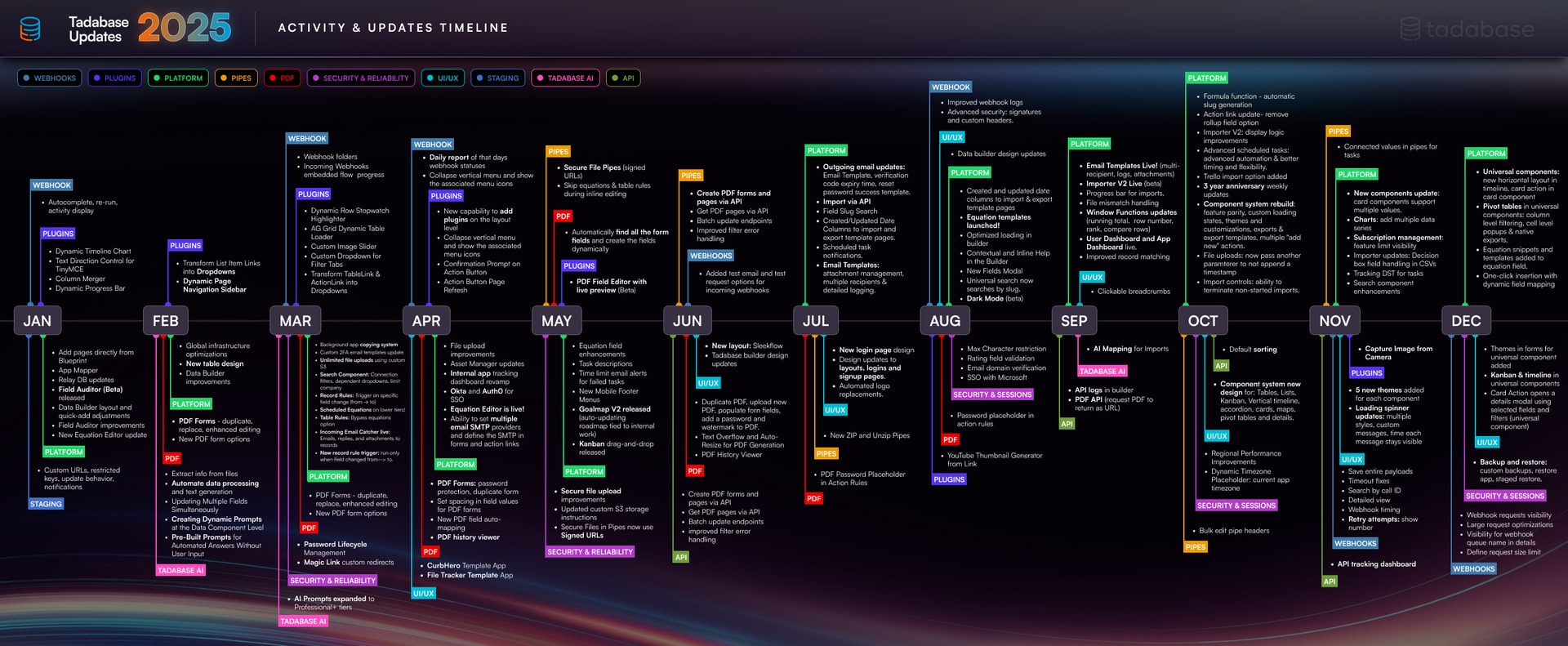
Before we begin this update, here’s a timeline of what we’ve accomplished in 2025 so far. This year brought a wide range of meaningful updates and improvements to Tadabase, all focused on making the platform more powerful, flexible, and easier to use.
 Our engineers have added:
 New Search Component (Enterprise search):
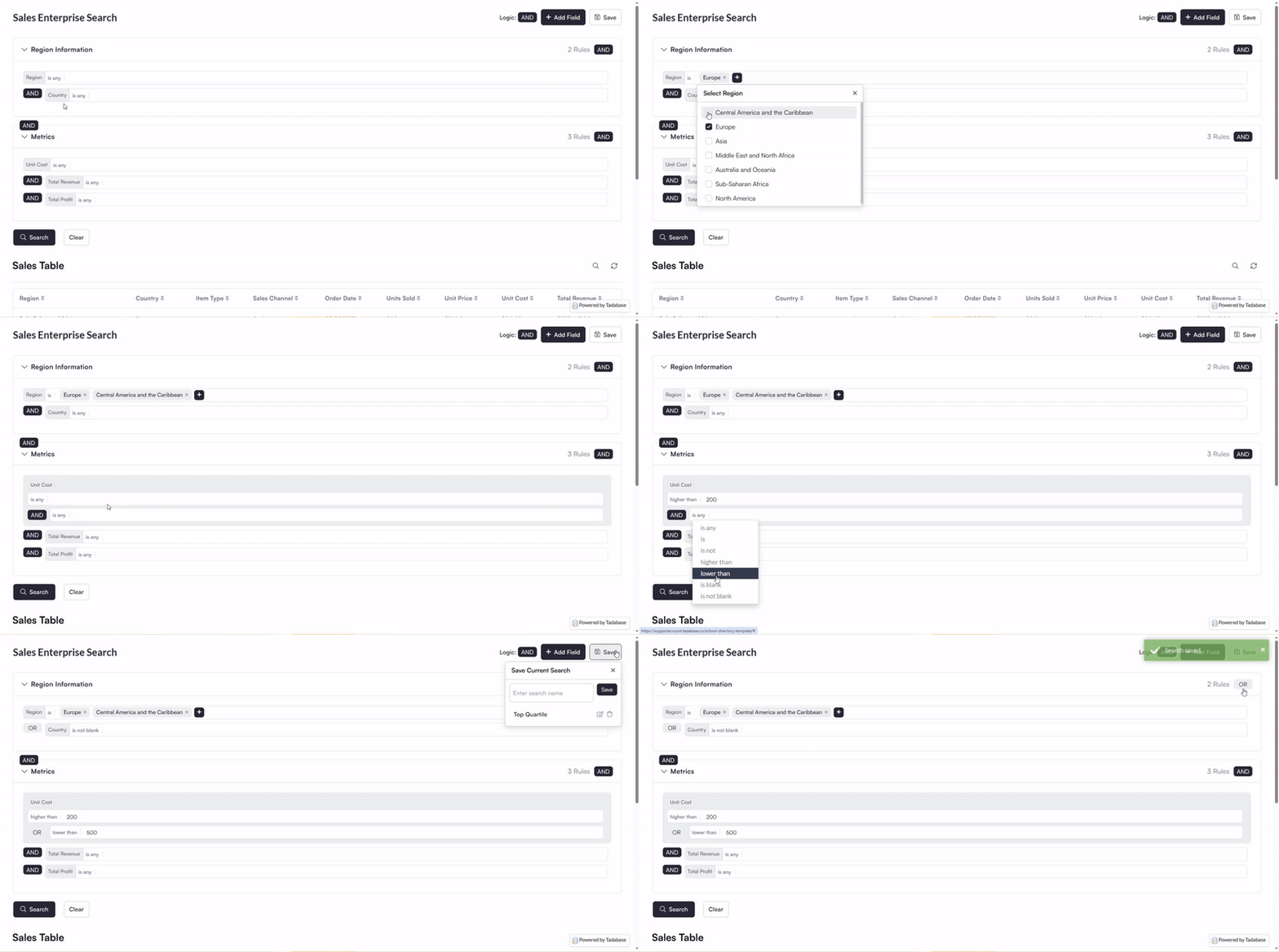
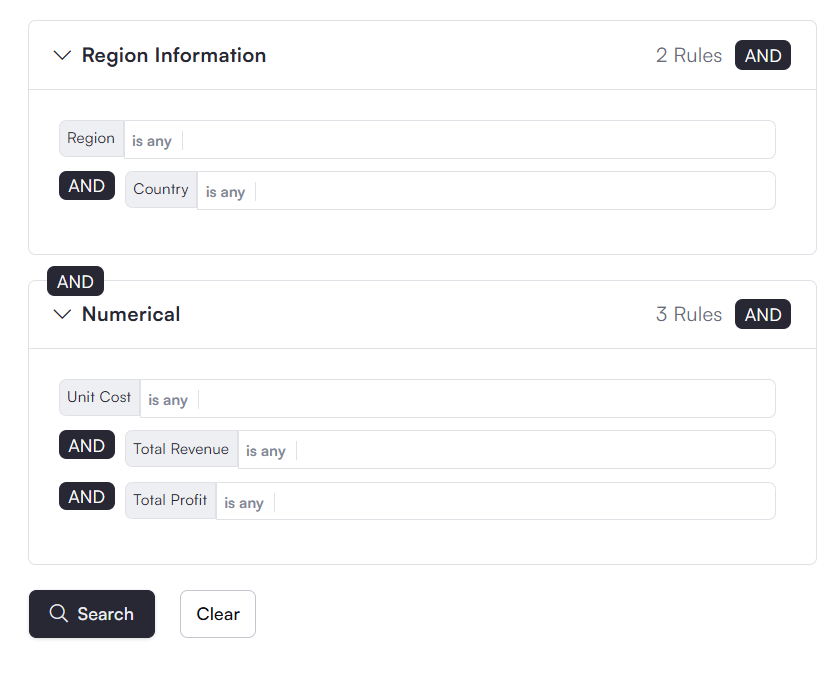
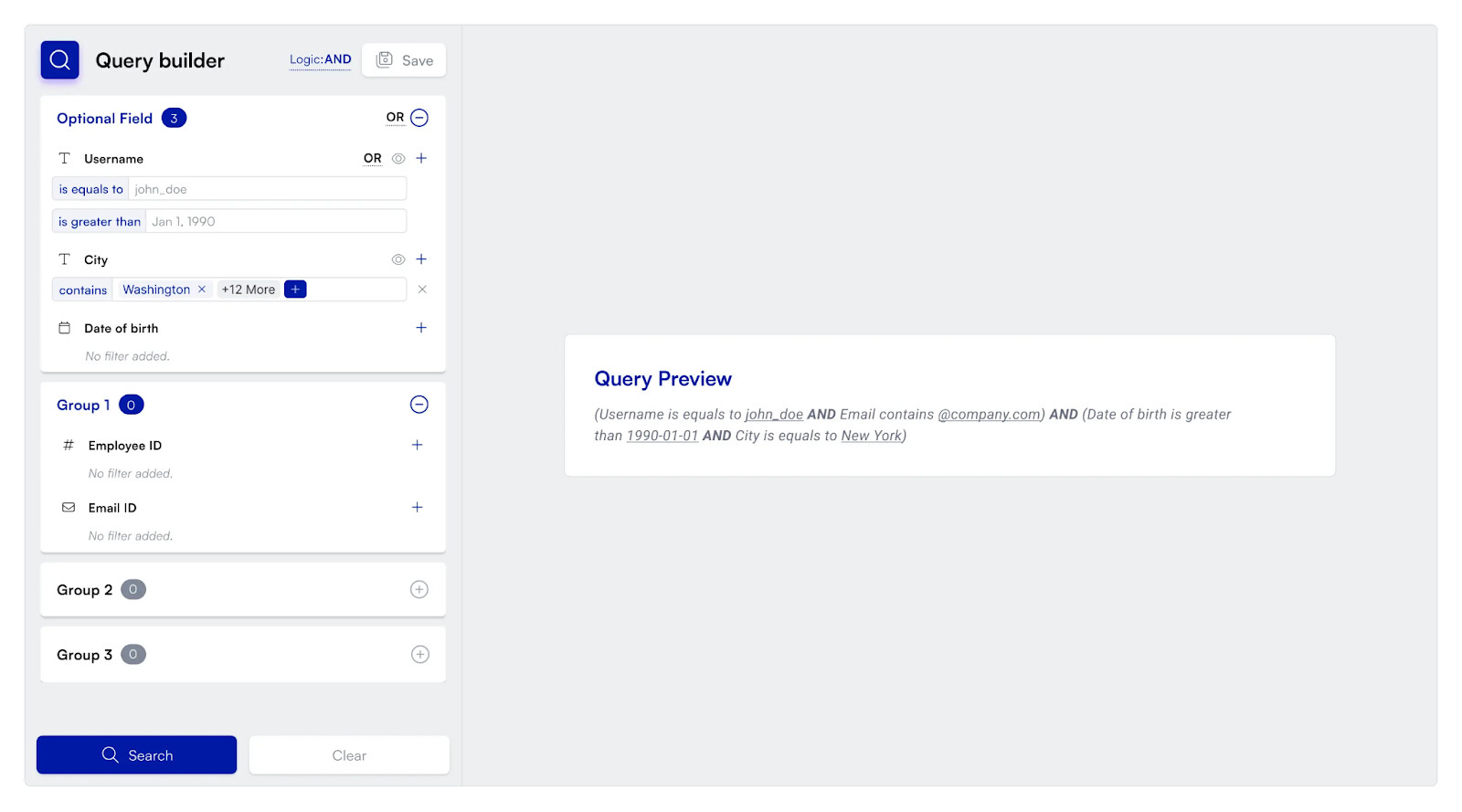
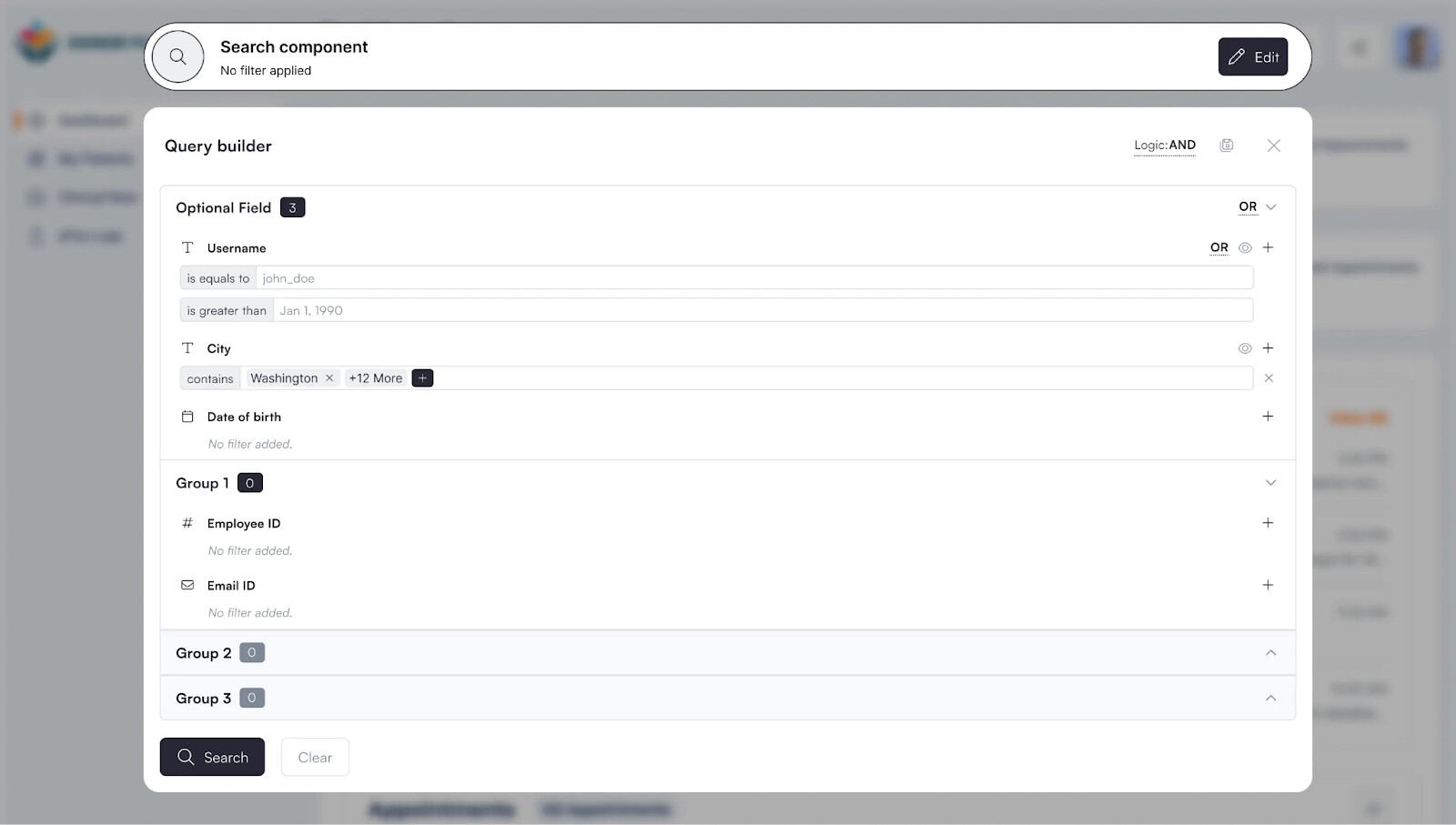
Our new Search Component introduces powerful tools for building advanced, user friendly filtering experiences.
-
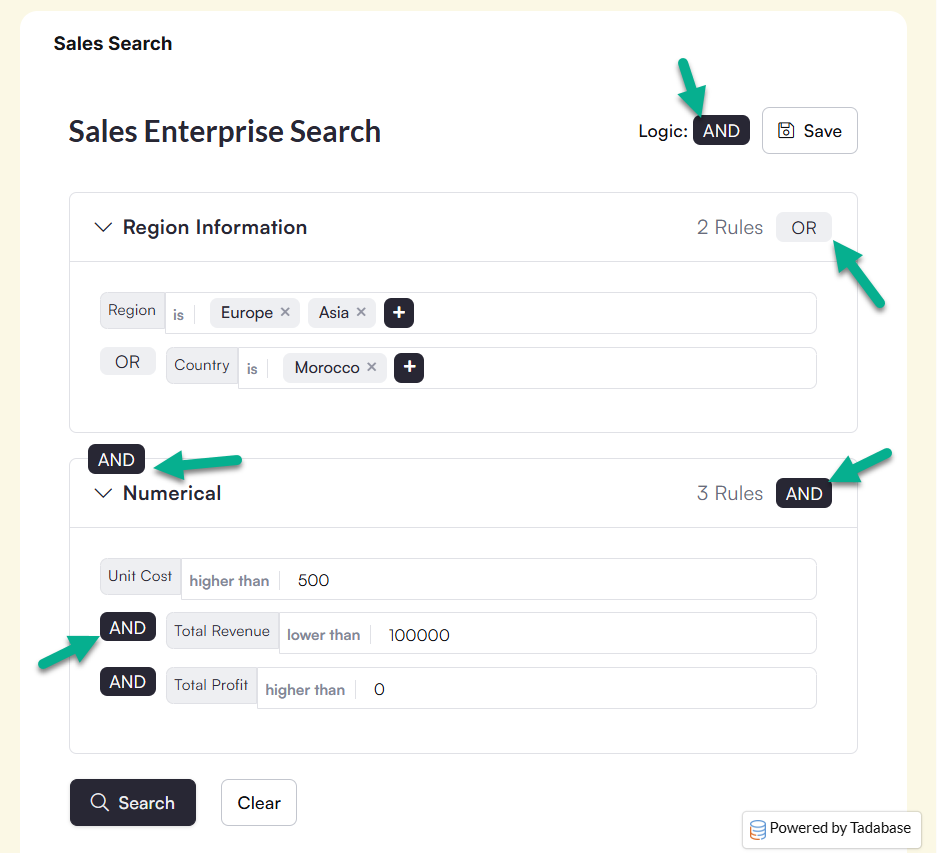
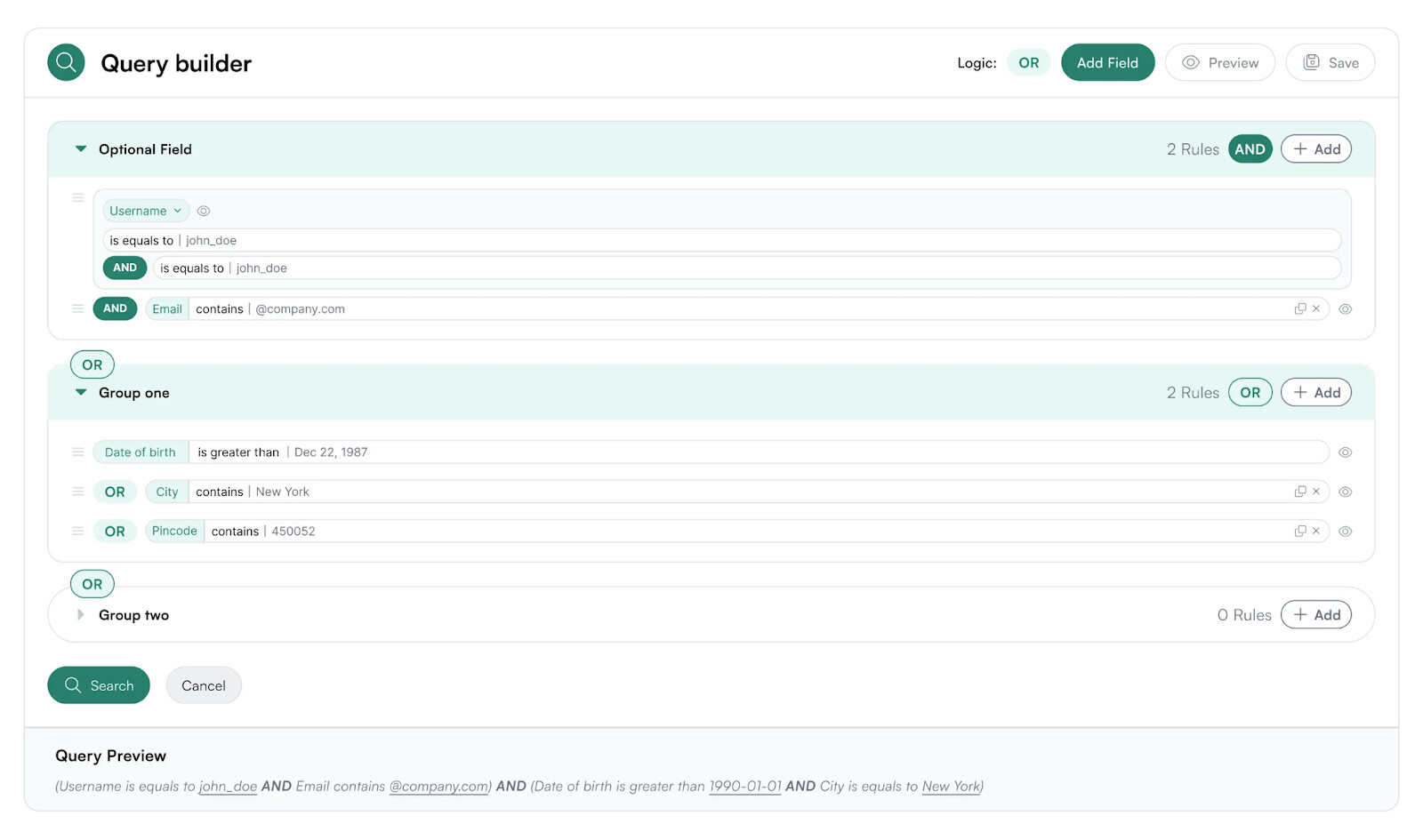
Groupings: Create groups of filters to build highly advanced filtering logic and complex query structures.
-
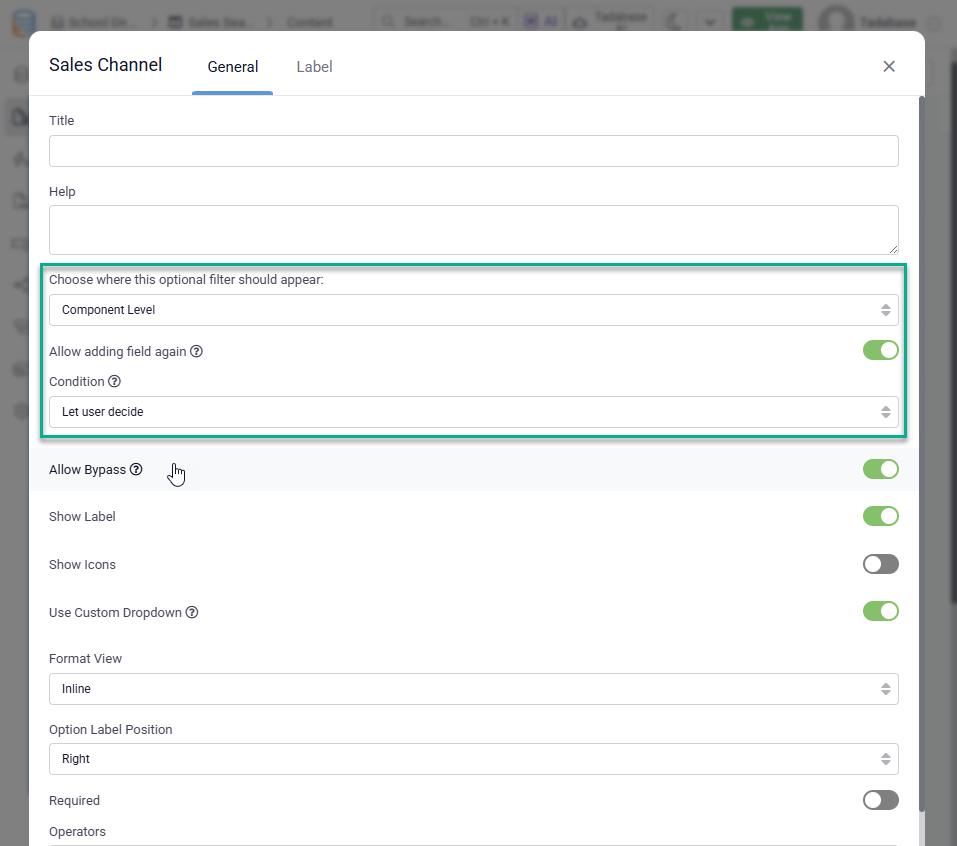
Customizable Conditions: At both the component level and within each group, you can decide whether users can choose their own conditions such as AND or OR.
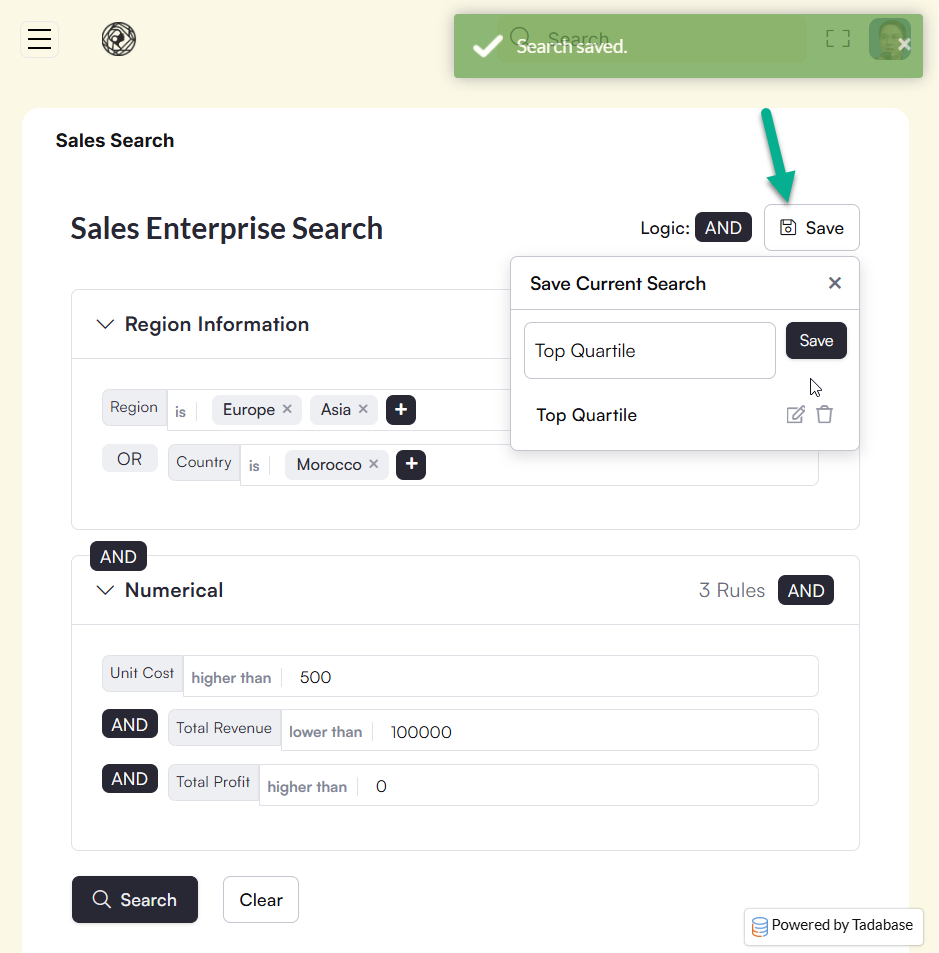
- Saved Searches: Allow users to save their advanced search queries and easily retrieve them later.
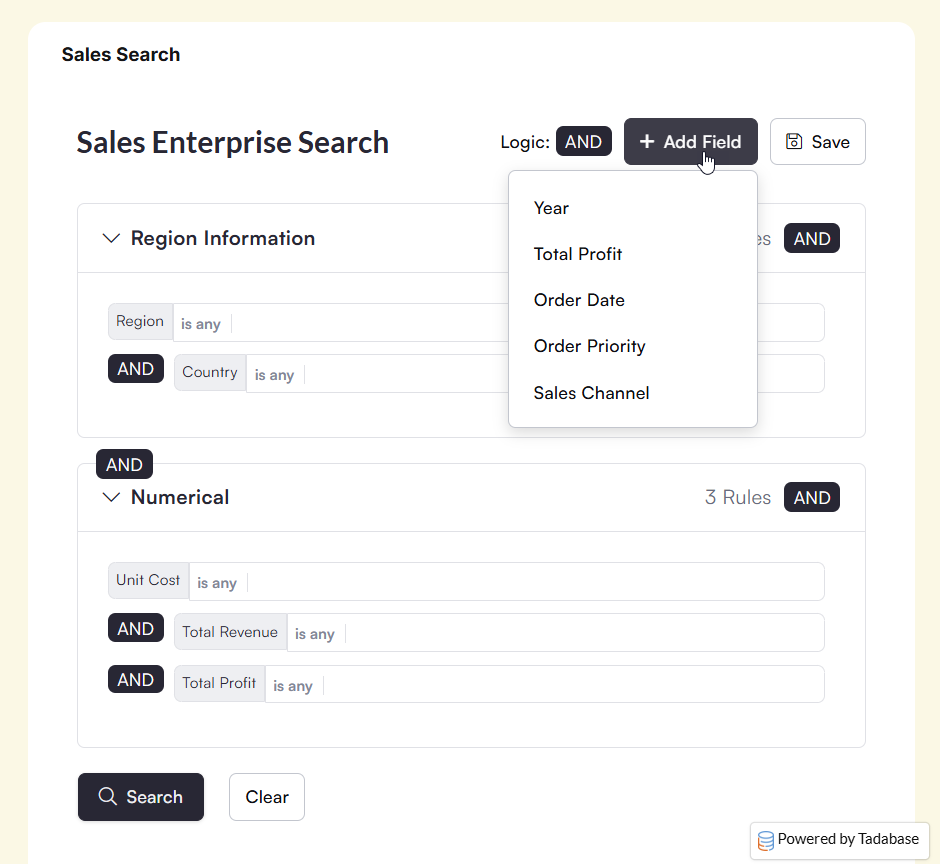
- Optional Fields: Give users the flexibility to add optional fields to their searches as needed.
-
Add Fields Again: The same field can be added multiple times to support layered conditions.
-
Disable Fields on the App Side: Control which fields are available to end users when searching.
- Layouts and Styling: Includes three layouts with fully customizable color styles to match your app design.
 Universal Component Updates:
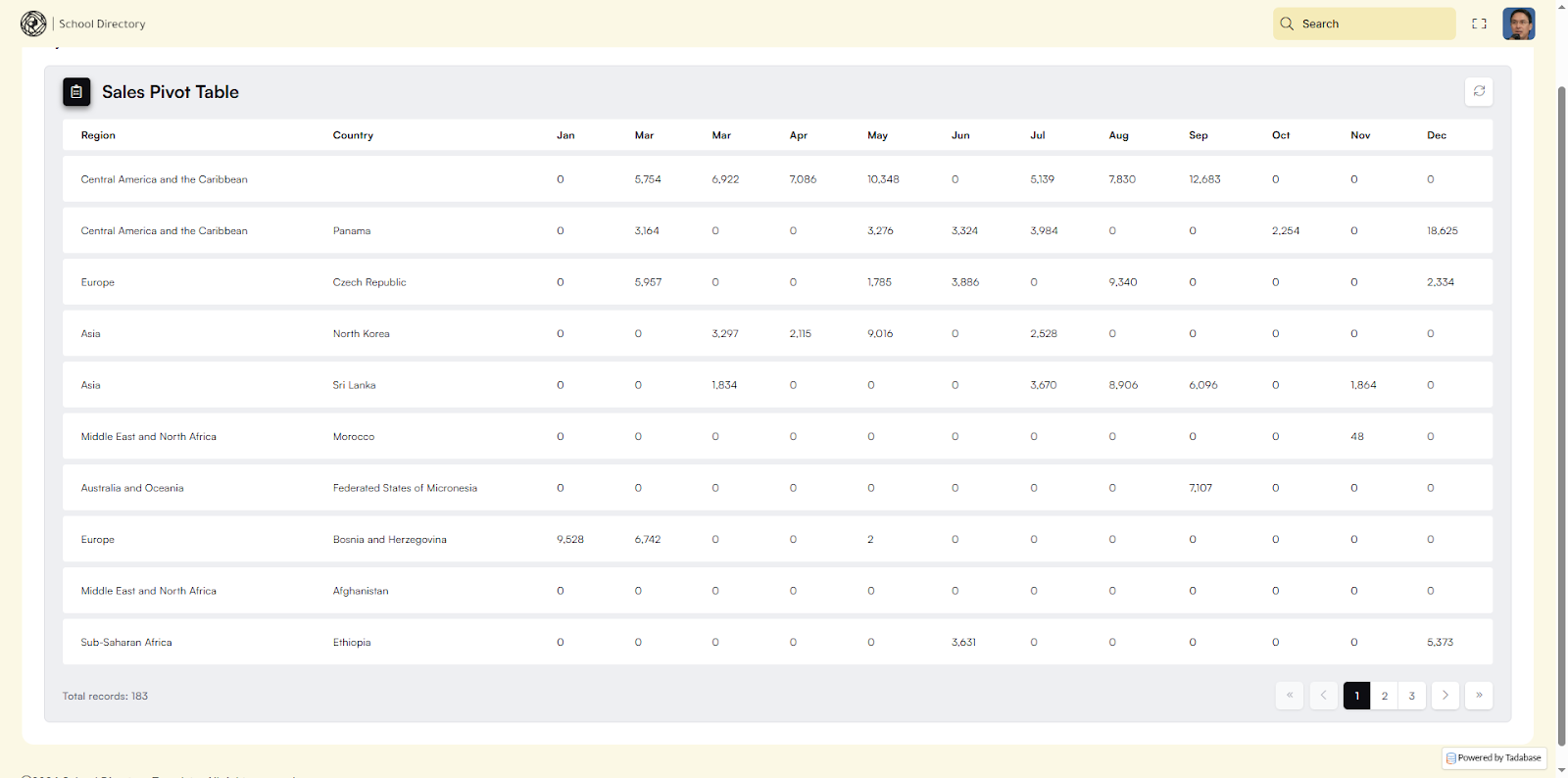
 Dynamic Columns in Pivot Tables:
Our latest Pivot Tables now support dynamic columns, allowing you to group data by date and other fields across both vertical and horizontal columns. For example, you can display months across the top while grouping regions as rows, making time based and comparative analysis much easier, as seen below:
 Transposed Tables:
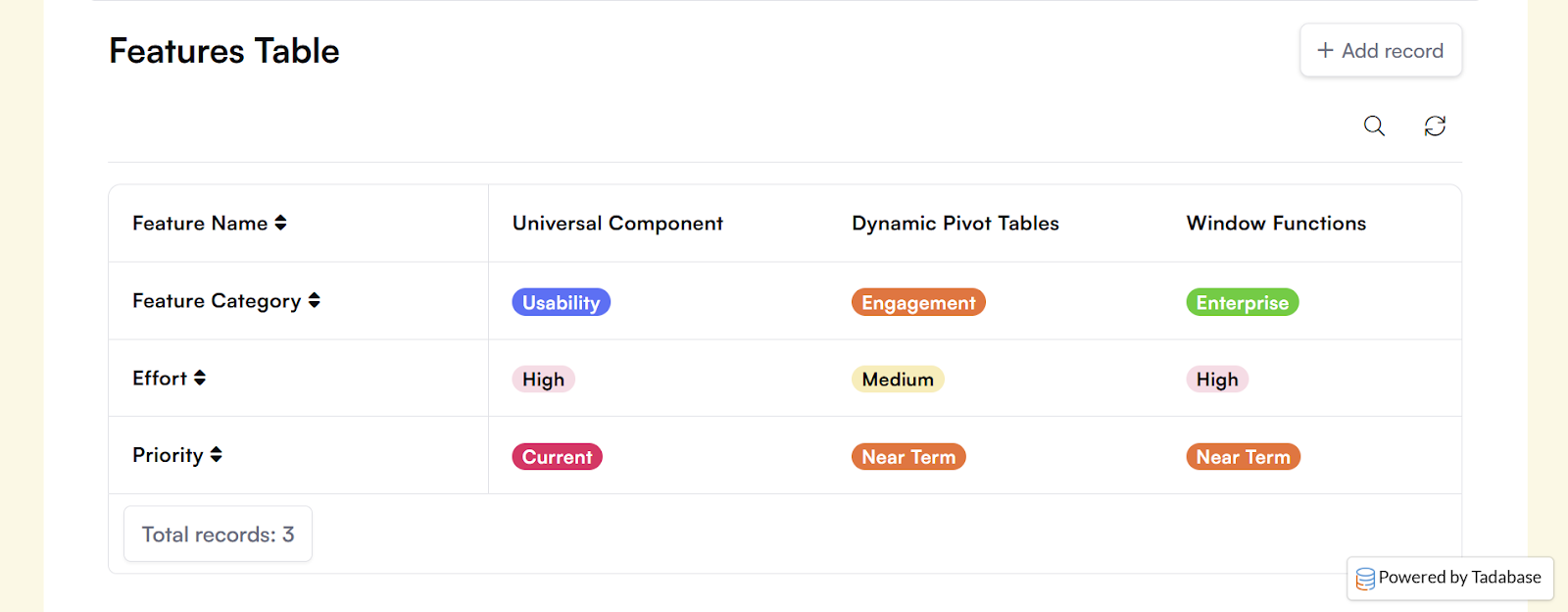
We’ve added support for Transposed Tables, giving you the ability to flip the table layout so headings appear on the side instead of across the top.
What Changes:
- Column headers become rows
- Records become columns
- Labels remain visible as data expands horizontally
When to Use Transposed Tables:
- Feature comparisons between plans
- Pricing breakdowns
- Side by side product specs
- Before and after comparisons
- Settings or configuration summaries
 We’re all wrung out on this one, Tadabasers. Happy building, Happy New Year, and see you next year!