
 The January temperatures are dropping, and while much of the country is bundling up, our team is feverishly warming things up with new updates. Let’s check it out:
 Our engineers have added:
 Task Manager Calendar and Component:
We’ve always provided ways to manage tasks inside the builder, but we’ve heard from many users that tasks have become a core part of their apps, especially for complex workflows. Giving end users and customers visibility into tasks can be a true game changer.
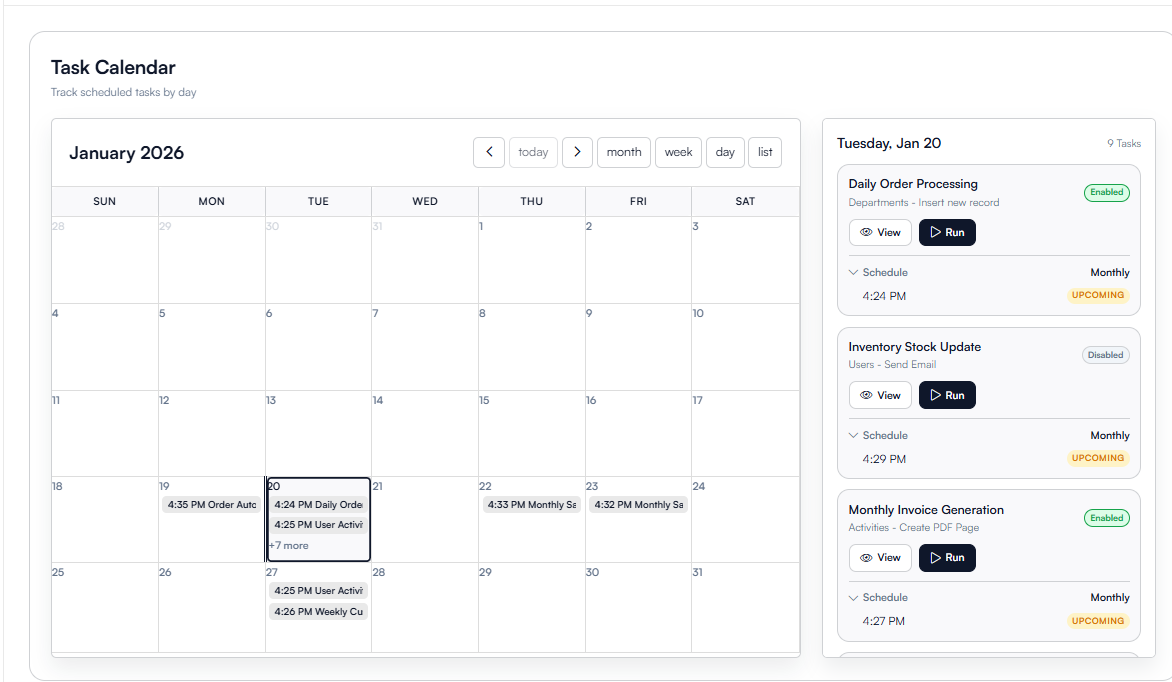
Because of this, we’re rolling out an app side Task Manager, including a Task Calendar and Task Component. This allows you to define exactly which tasks a logged in user can see and what actions they’re allowed to take.
Supported actions include:
- Viewing task logs
- Triggering tasks
- Terminating running tasks when permitted
As with many larger features, this will initially be available on higher tier plans, with the goal of gradually expanding availability to additional plans over time.
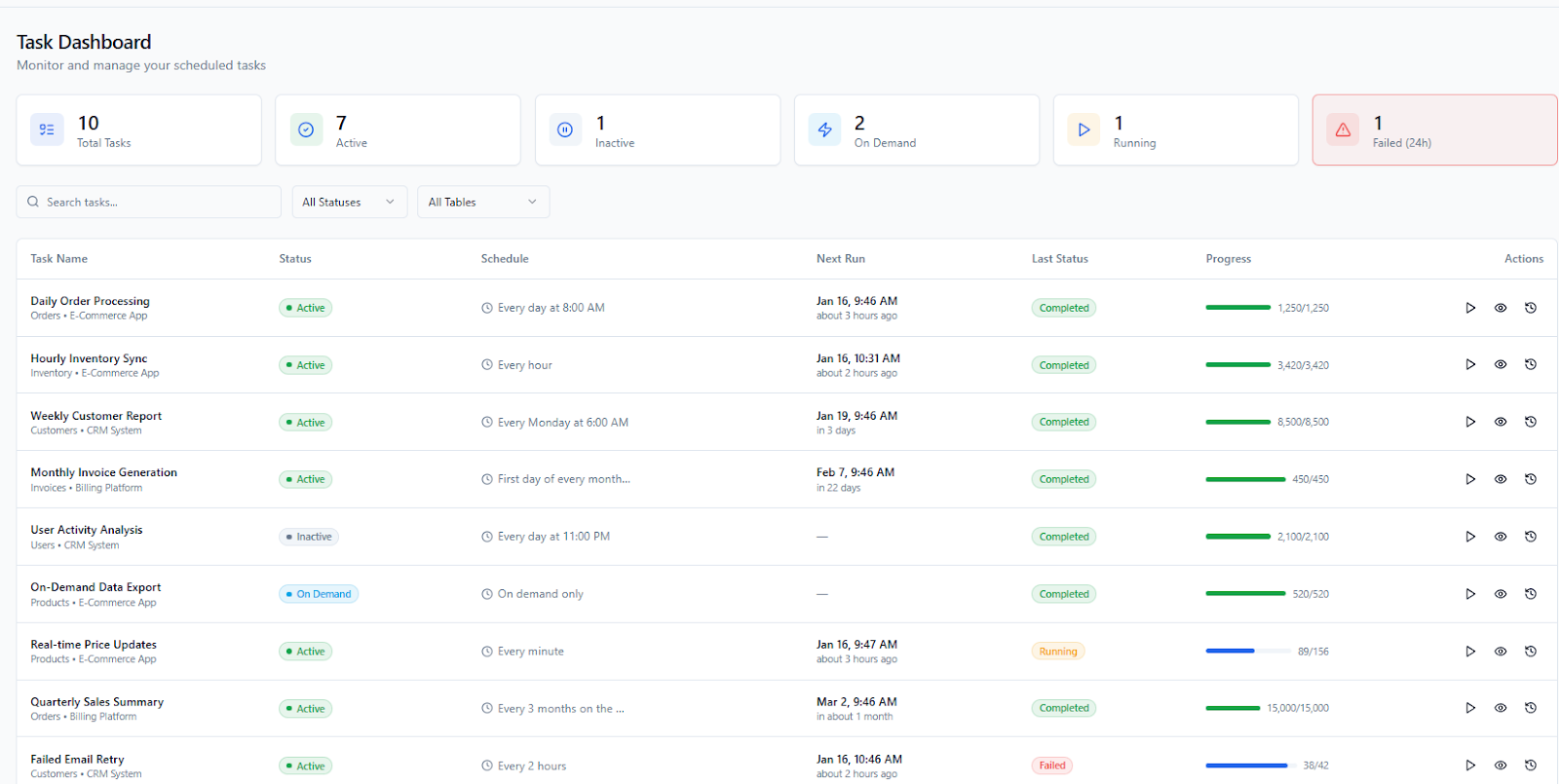
You’ll be able to view the tasks in a list view like above  , or even a calendar view with similar functionality
  :
:
 Batch Update and Batch Delete Enhancements:
We’ve made important improvements to Batch Update and Batch Delete actions to increase safety, visibility, and control:
-
Each batch action is fully logged, capturing which user triggered it and exactly what was changed.
-
Every affected record is saved as a separate backup.
-
You can now undo a batch update or batch delete if needed.
 Please note that this deeper level of logging can slow down batch actions on very large datasets, so this functionality can be optionally disabled by you when performance is a higher priority.
 Pivot Table Updates:
- Keyword Search on Specific Fields: You can now search Pivot Tables using keyword search on selected fields.
- Server Side Sorting: Pivot Tables now support sorting by any column, with sorting handled server side for better performance.
- Connected Pages: Added support for connected pages on connection fields and within popup detail views.
 Bug Fixes:
- Made Equation Snippets available to all users.
- Fixed an issue where search was not working when filtering by connection table fields and system fields.
- Fixed an issue where the record count was not displayed when Bottom was selected in the pagination option.
- Resolved a column visibility issue when grouping a table by a connection field.
- Fixed the Is Not Value display rule for connected fields on the form submit button.
- Fixed missing customer context in the User Add popup for custom component rendering.
- Resolved an auto increment issue in equation fields.
- Fixed table data source filters where is, is not, is blank, and is not blank were not applying correctly to connection fields.
For a complete list of fixes, see our release notes here.
 Documentation Updates:
- Added a large number of previously missing documentation pages.
- Updated and refreshed the Updates category to better reflect recent releases.
 Roadmap:
The roadmap has been updated and we’re continuing to actively refine it as we plan and shape our 2026 priorities. More updates coming soon.
 New Equation Engine:
We’re very excited about the rollout of our new Equation Engine. If your app has experienced issues where equations occasionally skip updates or fail to refresh after a record change, this update is designed to address exactly that.
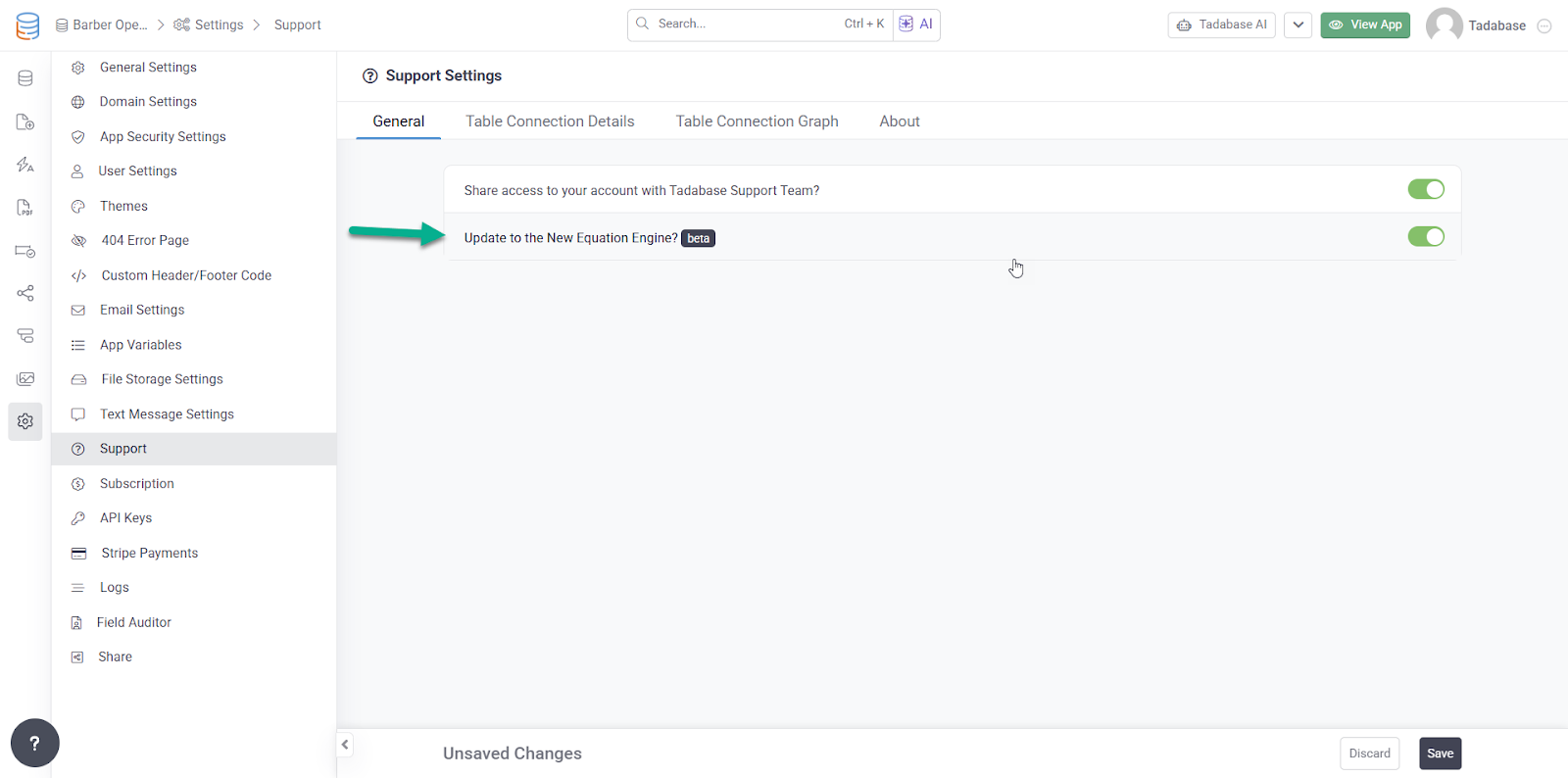
This is a major improvement, but one that’s easy to test and roll out in your apps. To enable it, simply go to Support → General, where you’ll find the option to turn on the new engine.
Initial feedback from roughly two dozen early users has been very promising.
One important note: if your equations rely on Auto Increment fields, we recommend testing carefully, as those fields behave differently under certain recalculation scenarios. As always, we suggest enabling the new engine in a test environment first before rolling it out broadly.
We’ll continue monitoring results closely and sharing updates as more users enable it.
 We’re all out on this one, Tadabasers. Happy building and see you next week!