
 The final whistle has blown on the World Cup, but summer is just getting started. Let’s see what our team has been working on.
 Our engineers have made:
 Workflow Updates:
We’ve continued making improvements to Workflow Logs, making it easier to monitor, troubleshoot, and understand everything happening behind the scenes.
 Unified Workflow Logs:
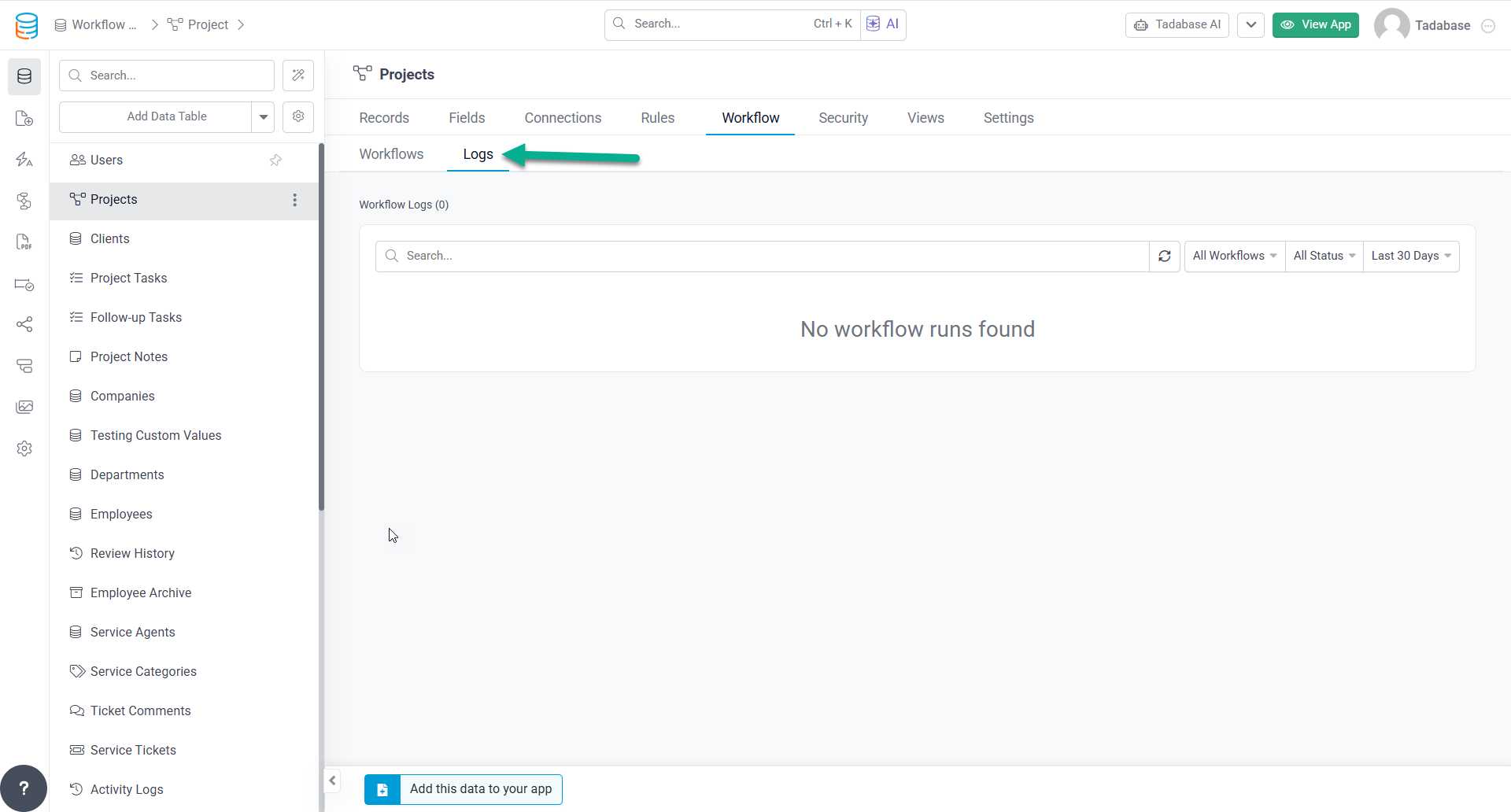
The Data Table → Workflow tab now includes a new Logs sub tab that brings together every workflow run related to that table in one place.
You can:
- View all workflows triggered by the selected table.
- See workflows that reference the table in other workflow steps, with the source table clearly identified.
- Filter logs by workflow, status, date, or keyword search.
- Open any workflow run to view its full execution details, either within the app or in a new browser tab using a direct link.
This makes it much easier to track workflow activity, troubleshoot issues, and understand how your automations interact across your application.
 Custom Components:
We’ve added another enhancement to Custom Components to give you more control over data formatting.
 Enhanced toFloat Helper:
The toFloat Handlebars helper now supports an optional decimal places parameter, making it easier to consistently format numeric values directly within your custom components without additional logic.
 API & Security Updates:
We’ve added several enhancements to improve authentication and platform security.
 Magic Link API Enhancements:
The Magic Link API now includes two new optional parameters:
- redirect_page_id to control where users are redirected after logging in.
- 2fa_email_template_id to specify a custom email template for two factor authentication.
 Tada AI:
Tada AI is getting closer, and we’re excited to begin opening it up to early testers. To help you get started, we’ve put together a quick walkthrough covering everything you need to know before diving in.
Whether you’re exploring Tada AI for the first time or preparing to provide feedback, this video is a great place to start.
 Watch “Tada AI: Getting Started for Testers”:

 Bug Fixes:
- Fixed an issue where CSV imports did not clear option field values when the mapped column was left blank.
- Fixed dependent dropdowns in Search Components so they correctly apply parent field dependencies while searching.
- Fixed an issue where Files fields were not saving when populated by Record Rules using Form Values or Connected Values.
- Fixed CSV Export Templates so Name and Address subfields (such as First Name, Last Name, and City) export correctly instead of appearing blank.
- Fixed chart sorting so sort direction is applied correctly.
- Fixed Connection and Join field grouping labels to display the correct values instead of record IDs.
- Fixed grouped charts to exclude blank values from both primary and secondary series.
For a complete list of fixes, see our release notes here.
 And with that, we’re calling it a day in the summer sun, Tadabasers. Happy building and see you next week!