
 June has arrived with a blue moon glow, which can only mean one thing: this week’s update is extra special. Let’s take a look!
 Our engineers are sharing:
 Incoming Webhooks as a Workflow Trigger:
Incoming Webhooks are coming soon as a native Workflow trigger, making it easier than ever to build powerful integrations and automations directly inside Workflows.
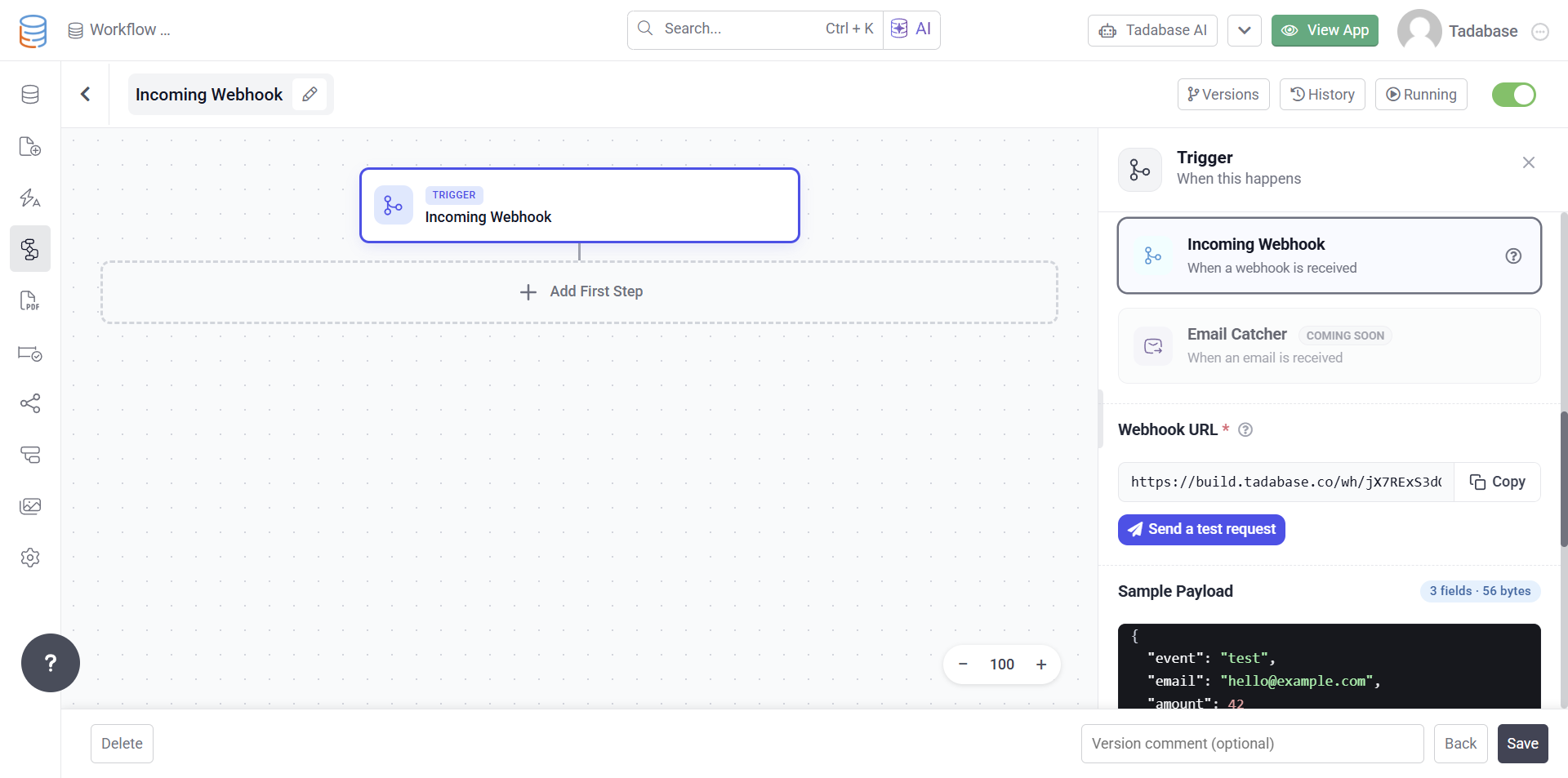
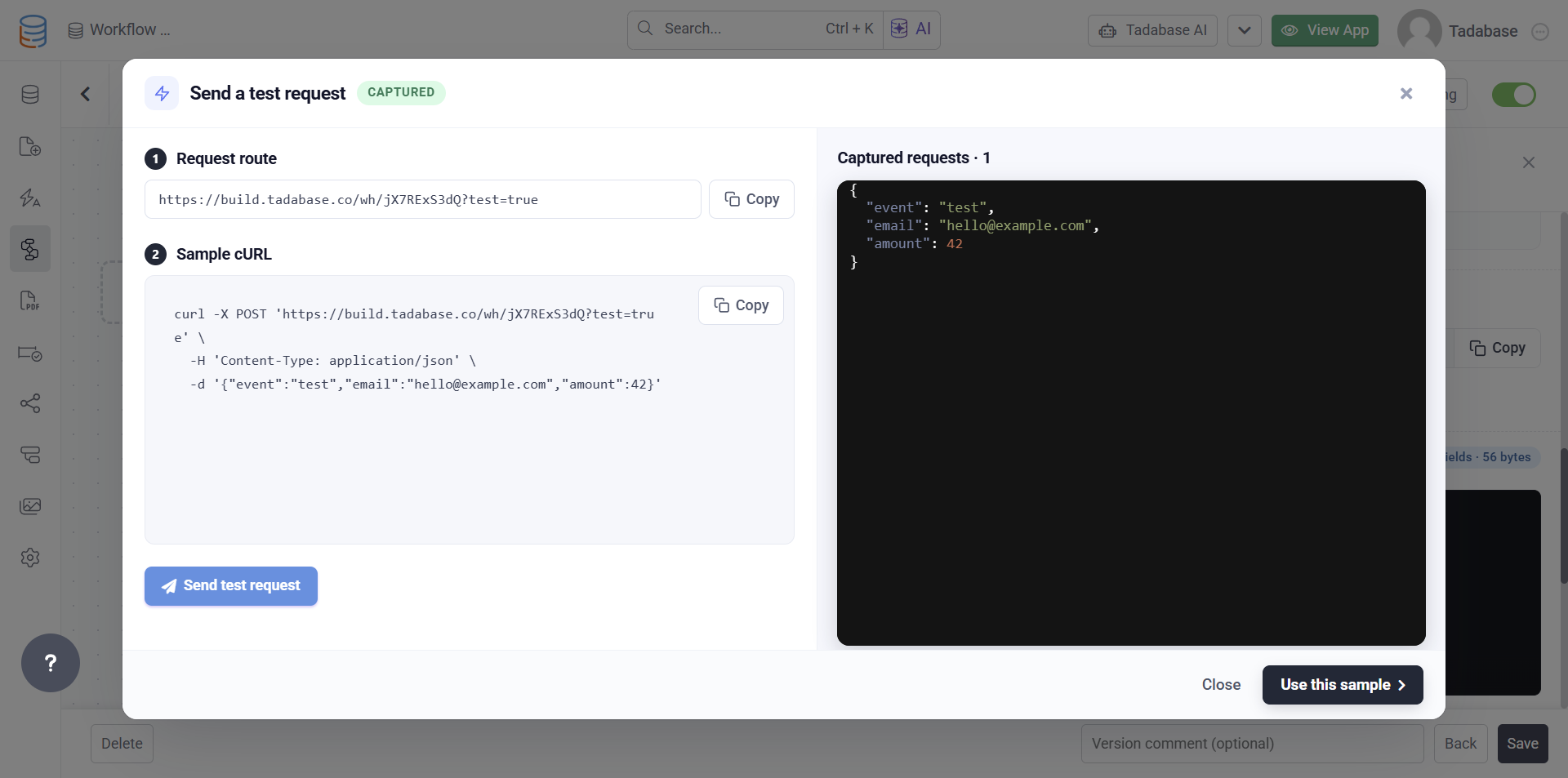
Simply create an Incoming Webhook workflow, send a sample request, and use the captured payload throughout your workflow steps.
 Key benefits include:
- Built directly into Workflows
- Test requests directly from the workflow editor
- Automatically capture and inspect incoming payloads
- Use webhook data throughout subsequent workflow steps
- Easier integration with external systems and APIs
This creates a much smoother experience for handling inbound data without requiring additional setup or middleware.
 Looper in Workflows:
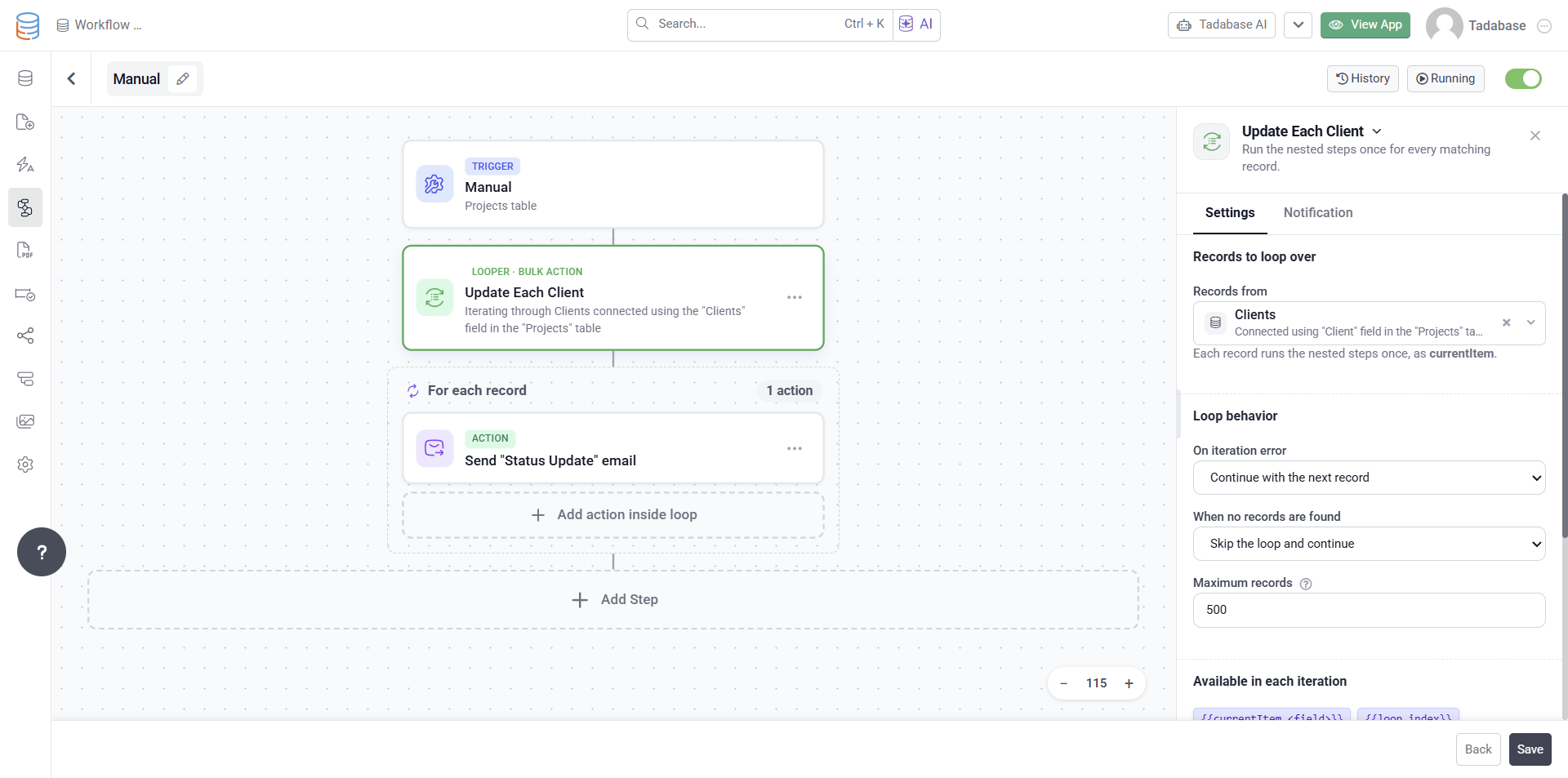
We’re also introducing Looper, a powerful new workflow action that allows you to iterate through collections of records or data returned from previous workflow steps.
With Looper, you can:
- Process multiple records in a single workflow
- Iterate through lookup results
- Run actions for each item in a collection
- Create more advanced automation logic without custom code
 For example, you could:
- Look up users in Slack and send each one a message or email
- Find records that meet specific criteria, update each one, send an email, and create a log record
- Loop through line items on an invoice and create related records or summaries
- Process a list of files, generate PDFs, and send them to the right recipients
This opens the door to much more sophisticated workflows while keeping everything visual and easy to manage.
 Bug Fixes:
- Excluded default templates from email template limit calculations.
- Improved Long Text fields so pressing Enter creates new lines and preserves formatting within tables.
- Fixed secure file downloads in Universal Table Components.
- Fixed an issue where right click paste in the Custom HTML editor did not immediately sync content changes.
- Fixed an issue where Layout and Role filters reset when switching pages.
- Fixed Access Denied errors by returning presigned URLs for secured File, Files, and Image fields in Record API responses.
- Fixed User Menu item visibility so role based settings are applied correctly and match preview behavior.
- Fixed Search V2 validation when “Require at least one search condition” is disabled.
- Added support for Logged In User name and address subfields in HTML and List elements.
- Fixed Date Range Picker controls so all inputs are properly disabled when the field is disabled.
- Fixed an issue where the builder sidebar reverted to the previous order after drag and drop.
- Fixed an issue where Join field dropdowns appeared empty in Advanced Search forms.
For a complete list of fixes, see our release notes here.
And with that, we drift into the night, Tadabasers. Happy building and see you next week!