
 It’s October 13, but there’s nothing unlucky about this week’s update. Our team has a frighteningly good lineup to share. Let’s take a look.
 Our engineers have shared:
 Learn Rollups with Akiva
Want to get more out of Rollup fields? Akiva put together a new 6 part video series covering everything from the basics to running totals, rankings, previous and next values, and more, all with simple, practical examples you can follow along with.
Watch the full Rollup series here →
 Workflow Updates:
 More Secure & Flexible Incoming Webhooks
Incoming Webhooks now support signed requests using HMAC SHA256, providing stronger protection against altered or unauthorized requests. You can also customize the response status code and content type and return dynamic values from the Workflow run.
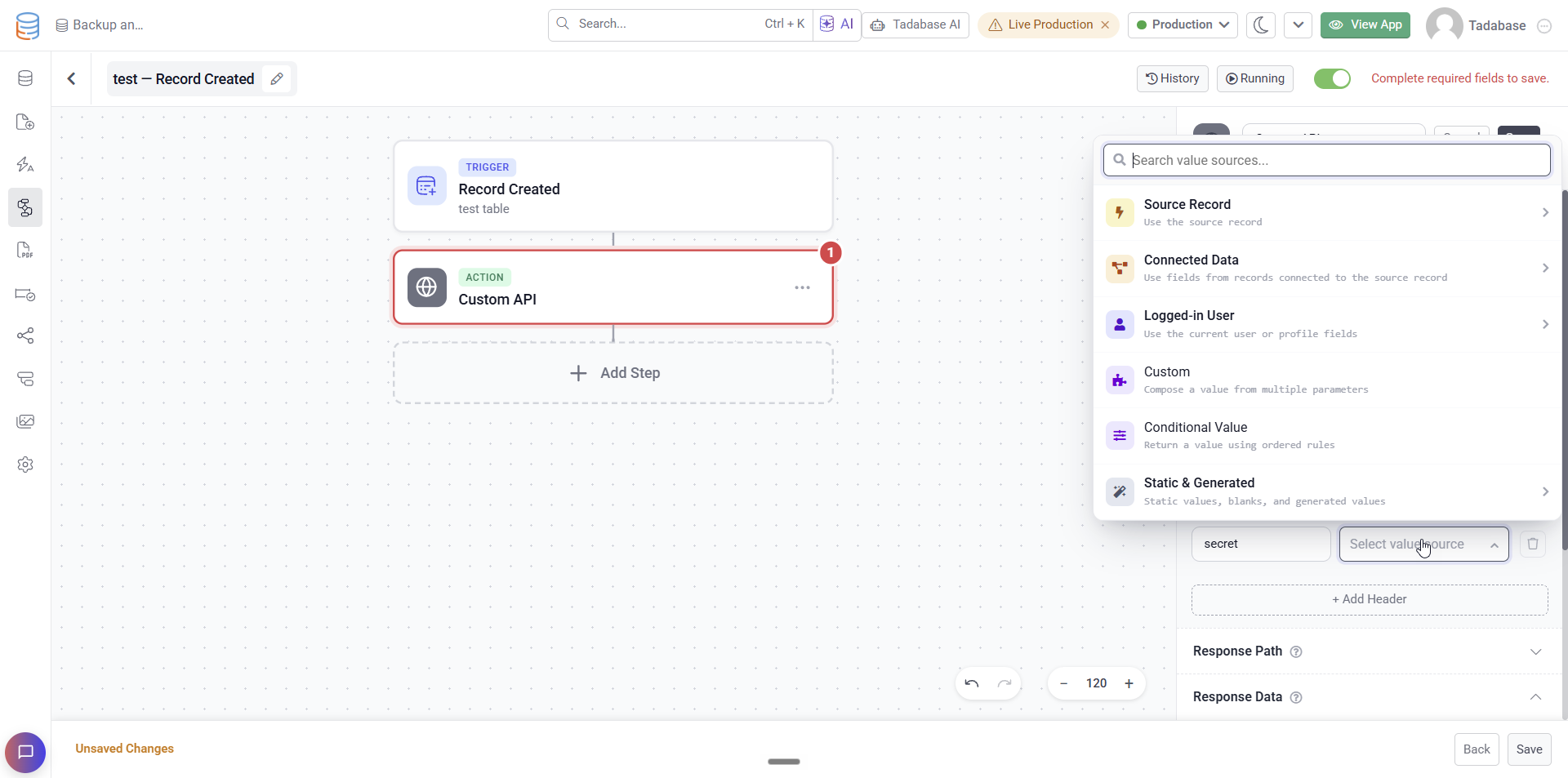
 Dynamic Integration Headers
Integration action headers can now use dynamic values from records, previous steps, loop items, templates, and more instead of requiring a static value.
 More Workflow Controls
Find Records can now count all matching records regardless of how many are returned, and Custom Code includes a new option to immediately stop the Workflow if the step fails.
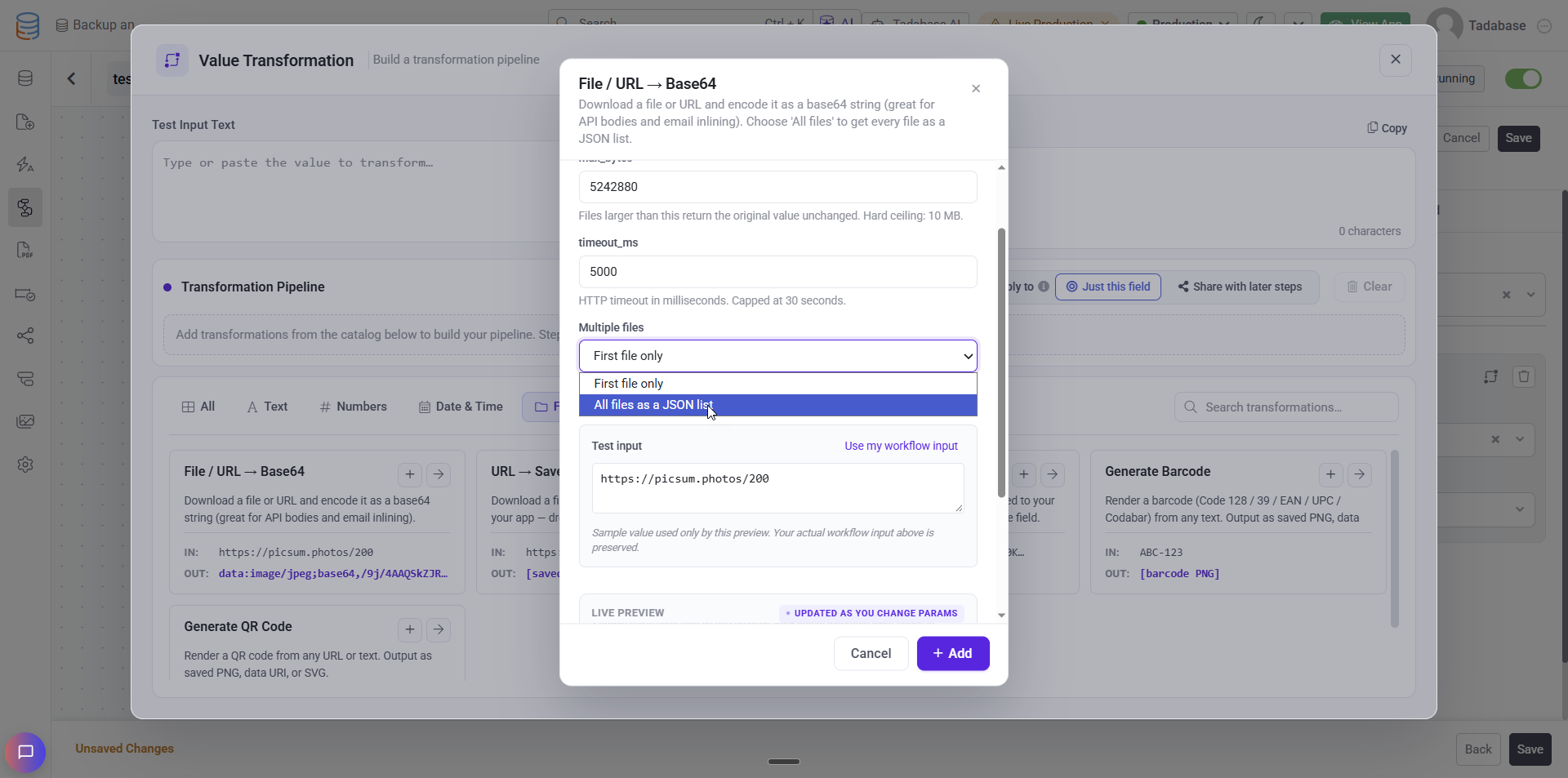
 More File & Code Transformations
File to Base64 transformations can now process multiple files at once, while QR code and barcode transformations can be used in Rich Text, Long Text, and emails.
 Smarter Scheduled Runs
If a scheduled Workflow or task is still running when its next run is due, the overlapping run is now automatically skipped and clearly marked in history instead of running twice.
 More Secure Email Catcher Attachments
Attachments received through Email Catcher are now stored privately and accessed through secure, signed links.
 Safer Workflow Lookups
Workflow lookups now handle empty or invalid filter values more safely, preventing unintended records from being selected. Run logs also provide clearer details about how many records were found and which record was selected.
 Records, Data Tables & Forms:
 Disable Number Rounding
Number, Currency, Equation, and Number Formula fields now include a Disable Rounding option. This preserves the full value for calculations while displaying the configured number of decimal places without rounding up.
Filter Connected Records
You can now control which connected records appear in Detail, Table, List, Kanban, Accordion, and Timeline components using familiar filtering rules. Filtered out connections are also preserved during inline editing.
Forms Stay in Sync
When multiple forms on the same page display the same record, saving one now automatically refreshes the others so they always show the latest values.
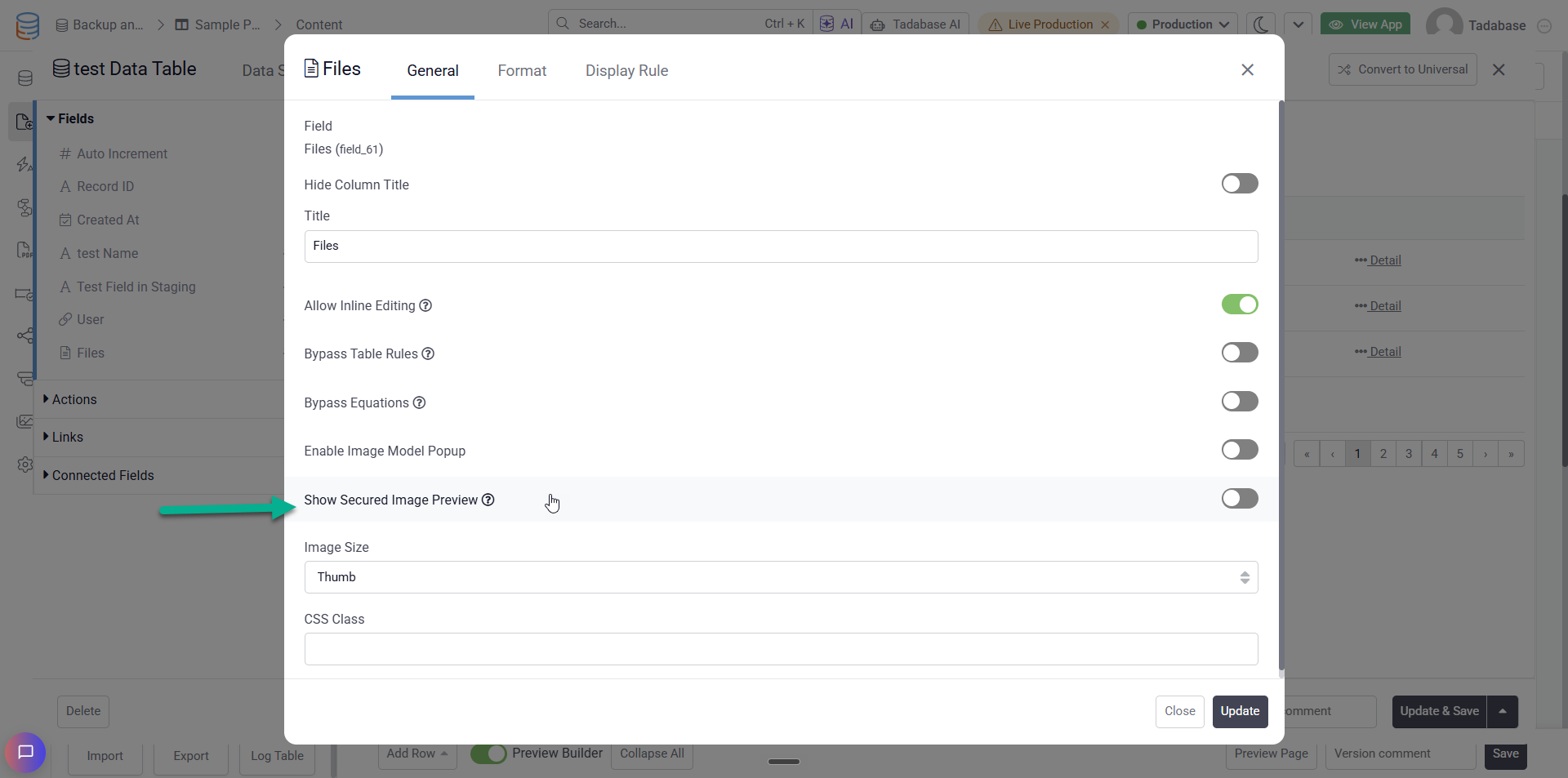
 Secured Image Previews
Table, List, Detail, and Universal components can now display image previews for secured file fields instead of a file icon while still respecting your file access rules. Each image is authorized before loading, with full support for tracking and logging.
 Usage & Plan Limits
 Faster Usage Updates
Usage totals now update sooner after deleting records or running a recount, so you don’t have to wait for your limits to catch up. Deleted PDF forms also no longer count toward your form limit.
 Exports
 Cancel Running Exports
You can now cancel an export directly from the Exports list while it’s waiting or running.
 More Export Details
The Exports list now shows when each export started and finished, total run time, number of rows, file size, and who ran it, all in your app’s time zone.
 Imports
Faster, More Reliable Import Beta
Import Beta now opens in a larger workspace with access to previous imports and failed row actions. Performance has also been improved for large and wide tables, along with better handling for dates, large numbers, list values, and imports from several third party platforms.
 Tadabase AI & Studio
 More Calendar Views
Calendars now support fully functional Month, Week, and Day views, making it easier to switch between different levels of your schedule.
More Actions for External Data
External Source views can now include row buttons, bulk actions for selected rows, confirmation prompts, and header buttons that run a Workflow across every row.
 Run Workflows Directly from Apps
A new Called from an App Workflow trigger lets you create Workflows with defined inputs and call them directly from your app. You can also test calls while setting them up.
 Connect Your Own APIs
Connect External Data now supports Custom APIs, with controls for base URLs, authentication, headers, pagination, and your own OAuth2 authorization flow.
 Account Dashboard
Redesigned Account Dashboard
The Account Dashboard has been reorganized into dedicated sections for Builder, PDFs, Imports & Exports, Storage, Integrations, and Tasks, making account activity and usage easier to navigate.
HIPAA & Compliance
Additional PHI Safeguards
Apps containing protected health information now restrict Generate PDFs, Exports, and Run Reports, with a clear explanation when an action is unavailable.
 Bug Fixes:
- Fixed export times displaying incorrectly based on the app’s time zone offset.
- Fixed List and Kanban cover images not displaying correctly for secured files.
- Fixed Workflow filters using previous step responses or the current Loop item not working correctly.
- Fixed reaching the record limit incorrectly displaying a message about the user limit.
- Fixed several Import Beta issues affecting HubSpot, Shopify, Knack, ClickUp, and Freshdesk imports.
- Fixed Calendar components displaying no events when the date field was provided as a plain field name.
- Fixed Equation fields not filtering according to their resulting field type.
- Fixed date pickers not allowing dates far enough into the future.
- Fixed Hide Title unexpectedly enabling itself on Form fields.
- Fixed a “Something went wrong” error that could appear when navigating between screens.
- Fixed profile pictures added during sign up not being saved.
- Fixed invalid Edit button paths opening a 404 page instead of being rejected.
- Fixed an app’s first publish sometimes failing with an “open Dockerfile” error.
- Fixed Hide Columns not applying to Filter Tabs in Universal Components.
- Fixed Radio fields in Search components allowing multiple selections.
- Fixed Detail components inside PDF Custom Components returning more than one record.
- Fixed inline Table edits being incorrectly refused when the Table included a non editable Record ID column.
- Fixed is and is not filters on Rollup fields not correctly matching numeric values.
- Fixed Logged in User values arriving blank when a Workflow triggered a Pipe.
- Fixed Integration actions not sending headers in predefined method mode or correctly filling
{Param}placeholders in custom mode. - Fixed values within longer text breaking the JSON body of custom Integration requests.
- Fixed Workflow loops ignoring their configured time and step limits.
- Fixed the Workflow History status filter missing some options, including Skipped.
- Fixed deleting a file from a copied or template installed app also deleting the original app’s file.
For a complete list of fixes, see our release notes here.
 Looks like our luck has run out on this one, Tadabasers. Happy building and see you next week!