
 Ghosts and ghouls are coming out to play, but our team isn’t ghosting you this week. We’ve got a hauntingly good lineup of updates to share. Let’s take a peek!
 Our engineers have shared:
 Export Updates
 Faster Exports & Improved Logging
The new Exporter is now significantly faster, making it easier to export large amounts of data. We’ve also improved export logging, giving you better visibility into export activity and results.
 Records, Data Tables & Forms
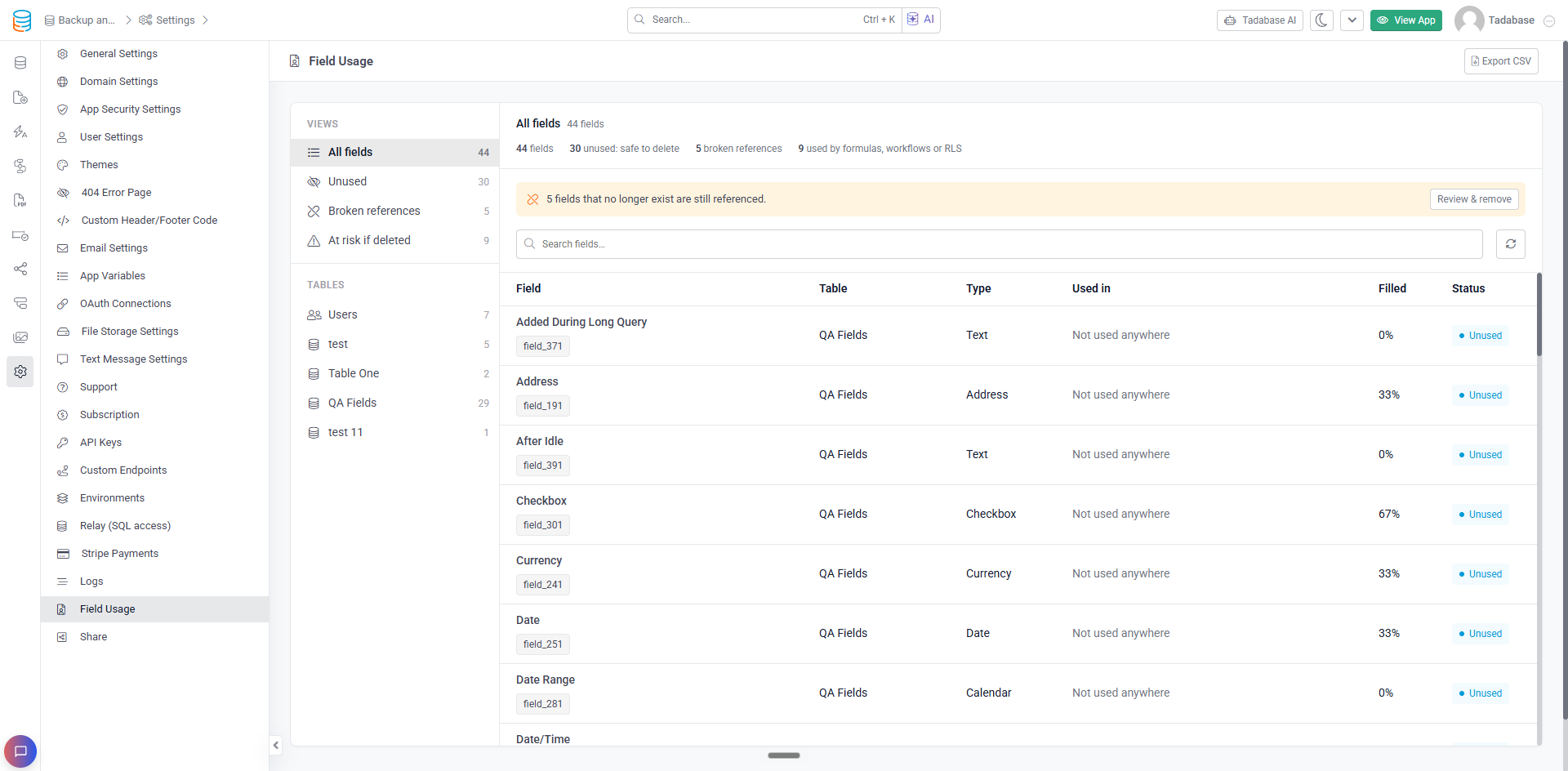
 Rebuilt Field Usage
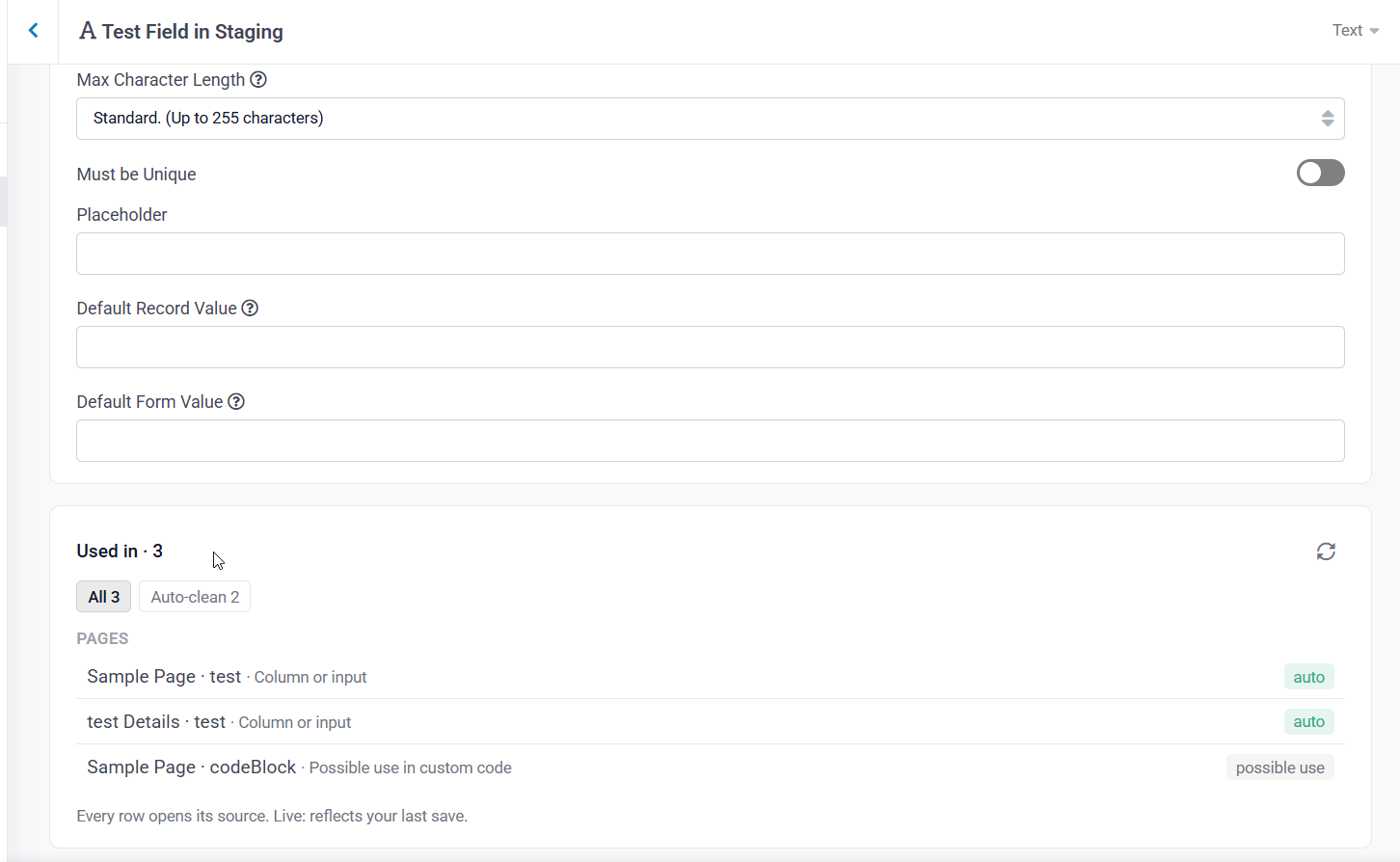
The new Field Usage page replaces the Field Auditor, making it easier to see exactly where fields are being used throughout your app, including pages, Workflows, PDFs, integrations, and more. You can also identify and clean up references to fields that no longer exist.
When viewing a field, you can also see exactly where it’s being used before deleting it.
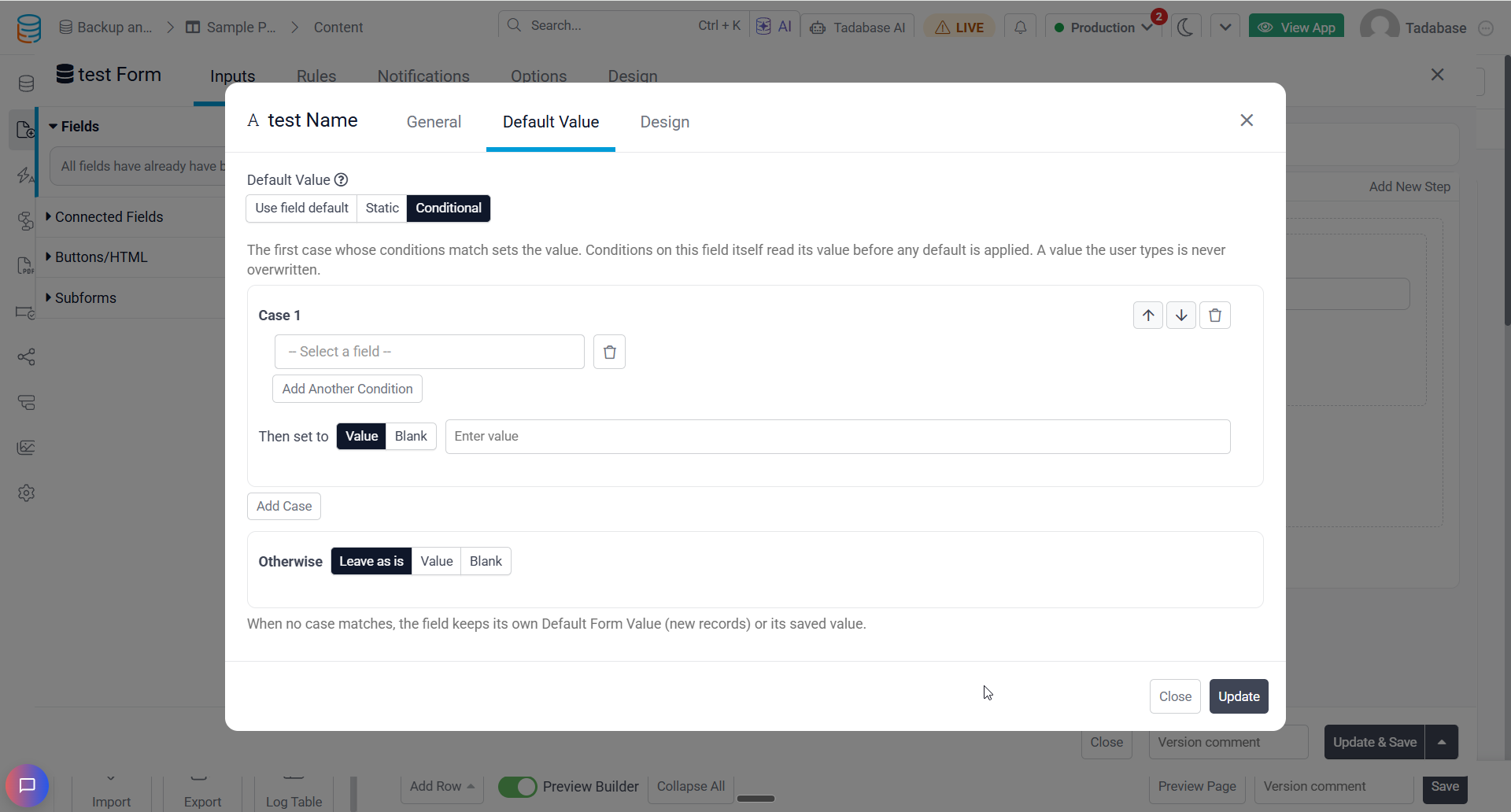
 Smarter Form Default Values
Form fields now support Conditional Default Values , letting you automatically set values based on conditions, with an Otherwise fallback. You can also choose when defaults should apply to Edit Forms, including when a field is blank or every time a record is edited.
 Dynamic Button Labels
Connected Page buttons in Universal Components can now use field values as their link text, allowing each row to display a unique label instead of the same button text.
 API Updates
 Faster API Performance
We’ve continued optimizing API performance, with improvements to caching and routing delivering nearly 50% faster response times for certain API calls . These improvements mean quicker responses and a smoother experience when working with your data.
 Workflow Updates
 Filter Connected Record Updates
The Update Connected Records action now supports filters, letting you choose exactly which connected records should be updated. For example, you can update only a project’s open tasks instead of every connected task.
Faster Workflows at Scale
Create, Update, and Record ID Lookup actions have been optimized to reduce database calls, helping large Workflows complete faster.
 More Secure Integration Logs
Integration action logs now automatically hide sensitive information like API keys and tokens from request URLs, while leaving the actual requests unchanged.
 Page Builder
 Reorder Enterprise Search Filters
You can now drag and drop Enterprise Search filters directly in the Page Builder, making it easier to arrange them in your preferred order without removing and adding fields again.
 Import Updates
 Workflow Support in Import Beta
Import Beta now triggers Record Created and Record Updated Workflows for imported records, just like the classic importer. This means your existing automations can run automatically when records are imported.
 Improved Import Template Compatibility
Import Beta now supports classic Import Templates, including mappings for Name, Address, and Date/Time fields, along with template conditions.
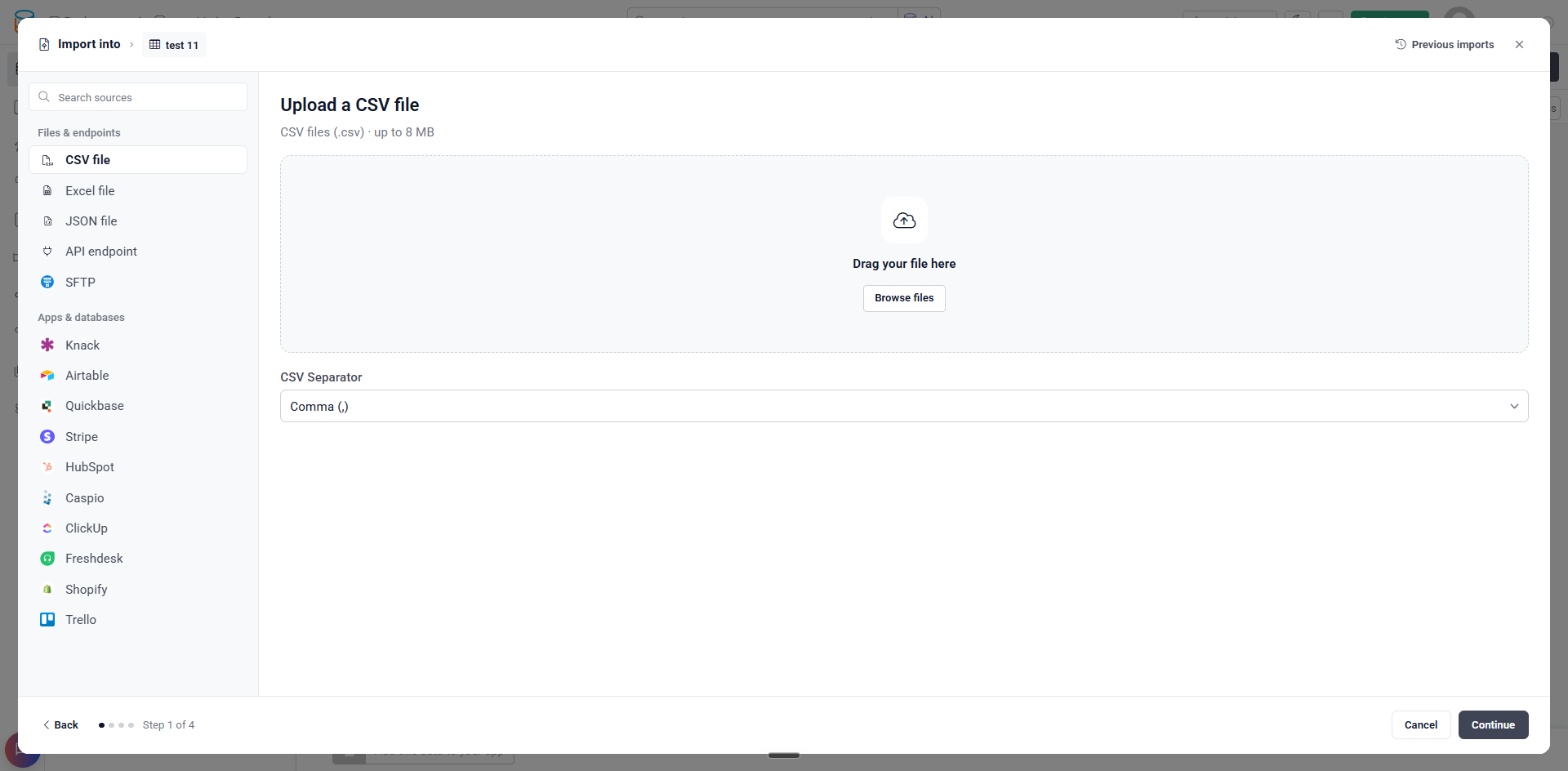
 A New & Improved Import Experience
Import Beta has a refreshed interface that makes bringing data into Tadabase easier than ever. Import from CSV, Excel, JSON, API endpoints, SFTP, or supported third party platforms , all from one convenient workspace. You can also access previous imports directly from the importer.
 Bug Fixes
- Fixed Lookup Record run logs always displaying “Limit: 1” instead of the configured limit.
- Fixed Page Builder row titles being cut off when Preview Builder was disabled. Titles now expand to fit, with a tooltip for longer names.
- Fixed is before current time and is after current time filters returning incorrect results for Time and Date/Time fields in the afternoon.
- Fixed Display Rules not working correctly with connected fields in Universal Components or action buttons with Value Links.
- Fixed Text Formula fields displaying extra decimal places for connected number fields.
- Fixed custom loading spinners starting partway through their animation.
- Fixed the Create PDF Form Workflow action failing when a field mapping couldn’t be resolved.
- Fixed Import Beta automatic field mapping incorrectly reporting that the service was unavailable.
For a complete list of fixes, see our release notes here.
 That’s all the haunting we have in store for this week, Tadabasers. Happy building and see you next week!