
 The final week of April is already on its way out, and our team is all in on this week’s update. Let’s check it out!
 Our engineers have shared:
 What’s New in Workflows:
We’re continuing to push hard on Workflows and are very excited about the progress. This is a major update, and while it’s taking a bit longer than expected, we’re confident the end result will be well worth the wait.
Here are some of the features coming soon:
 New Built-In Integrations:
Connect to popular services like Airtable, Asana, and 15+ other connectors directly from a workflow. No more building custom code or Pipes for every integration.
 Email Attachments:
The Send Email action now supports attachments. Send invoices, PDFs, contracts, or any generated file in a single step.
 Improved User Management Actions:
Password fields now include an option to automatically generate strong passwords during signup or user creation. These can be reused within the same workflow, such as sending them to the user via email.
 Append Values Instead of Overwriting:
Update Record, Update Connected Record, and Duplicate Record actions now support appending values to text or multi select fields instead of replacing them. Perfect for notes, tags, and status tracking.
 Batch Updates Across Tables:
Update Record (Other Table) can now update multiple records at once, making bulk operations significantly faster.
 Duplicate Records with Child Records:
When duplicating a record, you can now copy connected child records and automatically link them to the new parent. This is ideal for cloning quotes, projects, or orders.
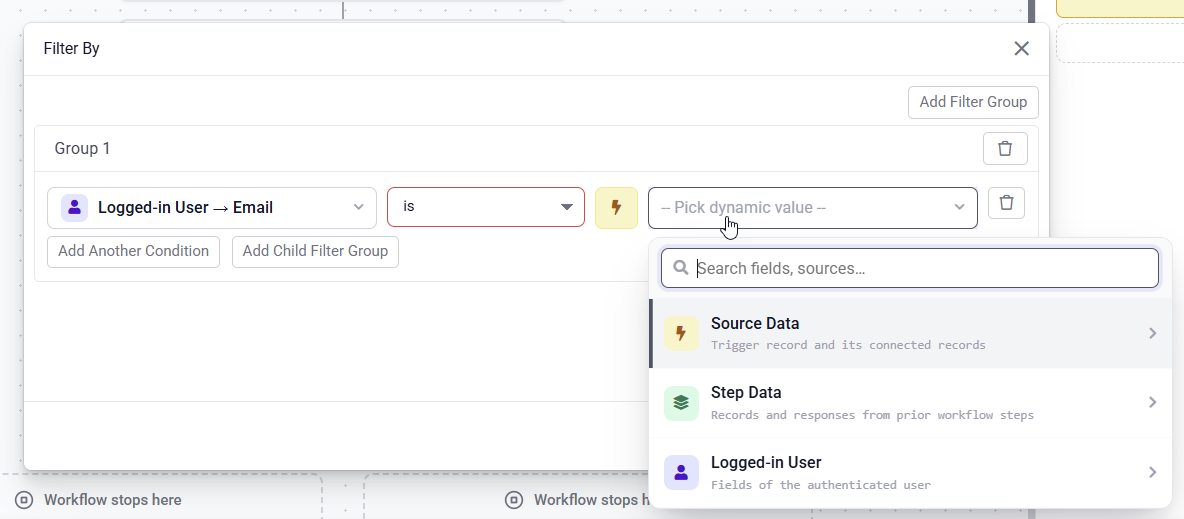
 Logged-In User in Conditions:
You can now use the logged in user directly in conditions, such as checking roles for branching logic, without needing additional lookups.
 Real-Time Notifications & Progress Bar:
When users trigger workflows from a page, they now see a live progress bar and record counter in a notification popup. This includes support for multiple workflows running at once, grouped neatly so users always know what is happening.
 Organize Workflows with Folders:
Organize workflows into folders with a clean, tag style design. Easily add, edit, or remove folders, and assign or detach workflows. This is especially useful for apps with many workflows.
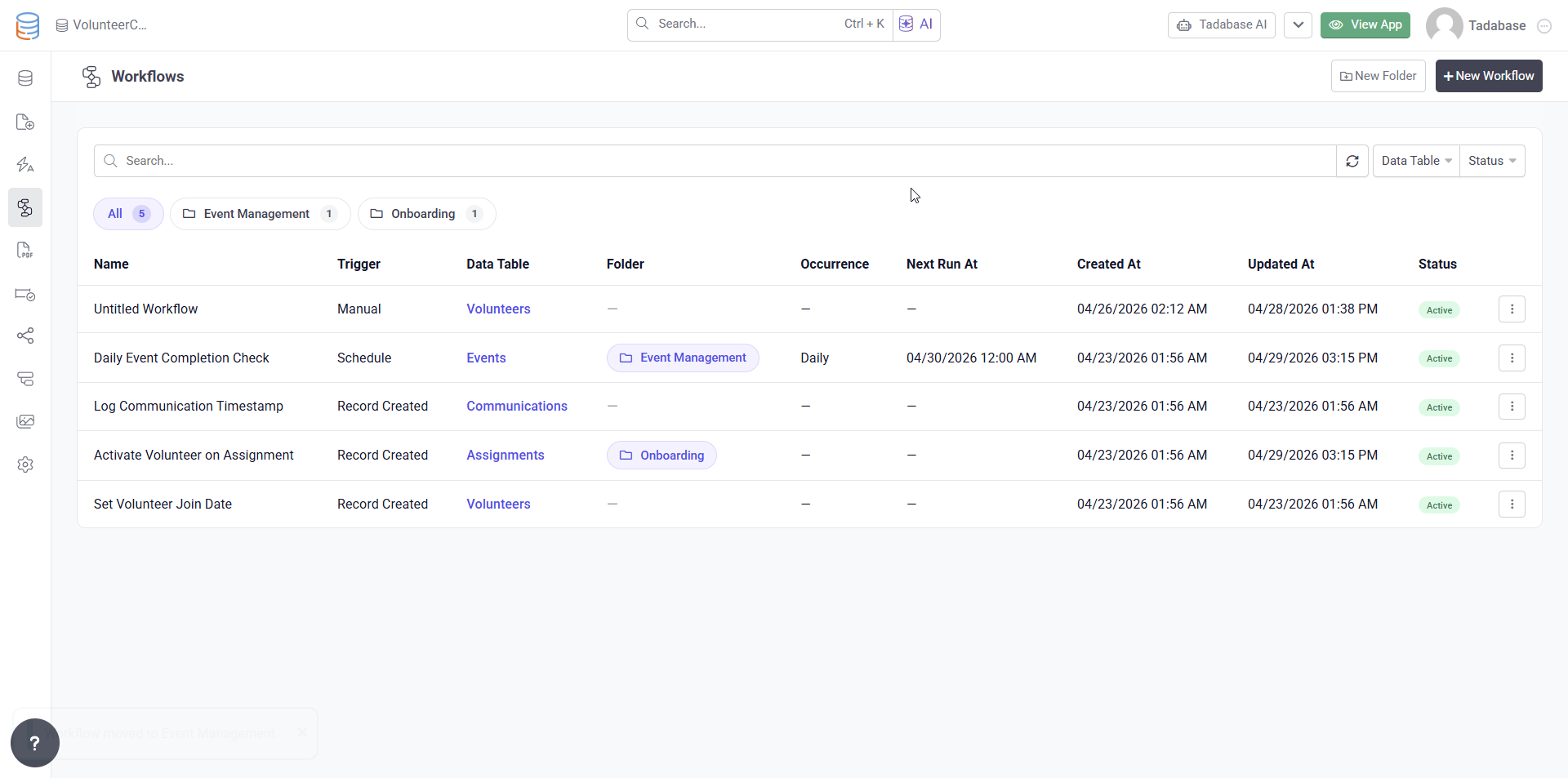
 Dedicated Workflow Menu & New Design:
Workflows now have their own top level menu, separate from Automation, along with a refreshed design across the editor and full Dark Mode support.
 Smarter Workflow Editor:
- Step cards now include helpful subtitles such as PDF form name, email template, or selected table
- Search and collapse options for large field mapping lists
- Improved trigger details including event name, schedule, and table
- Clearer tooltips and messaging for trigger types and notifications
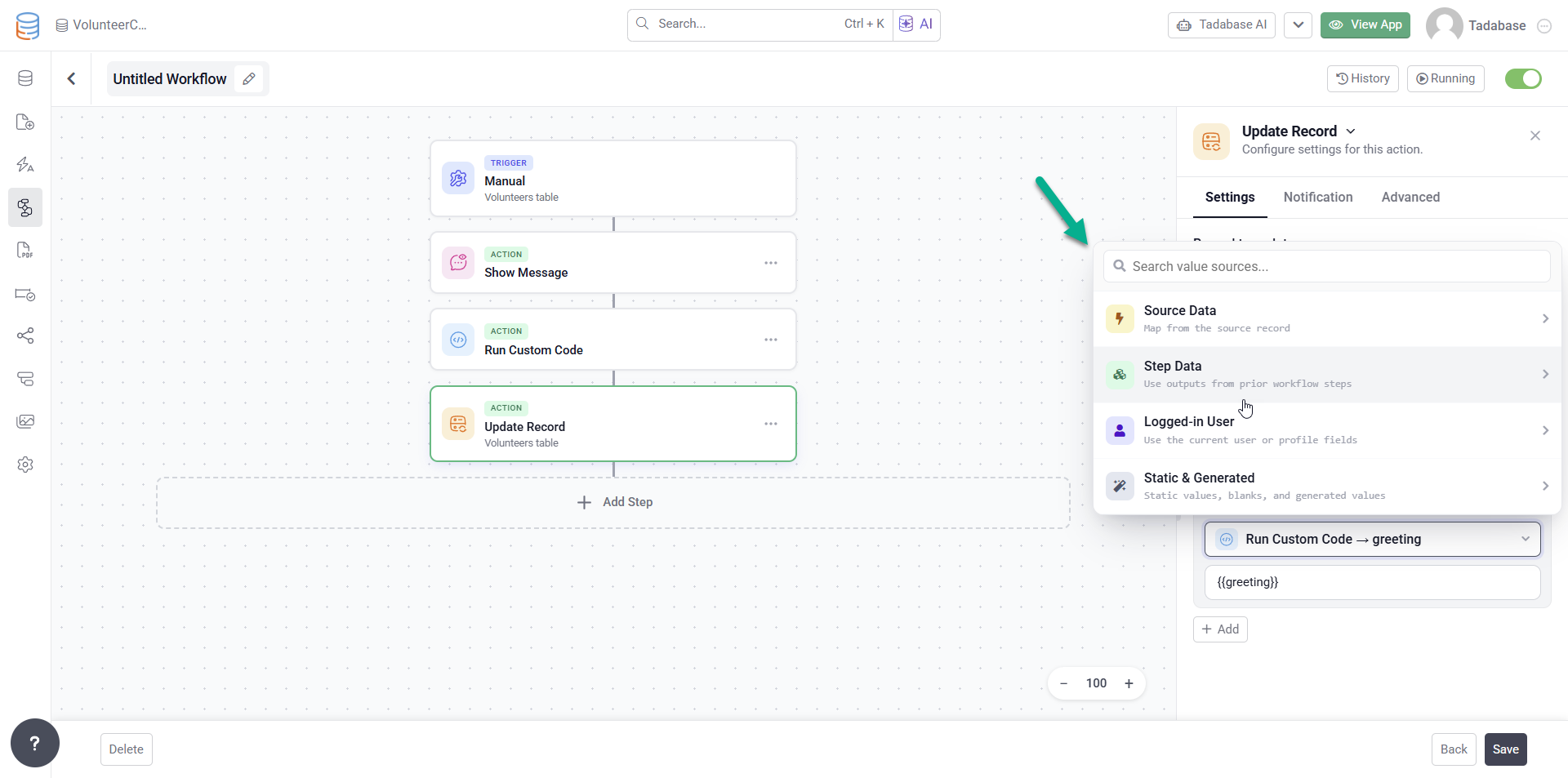
 Enhanced Field Mapping:
A redesigned mapping experience across all actions, with multi level step data selection so you can easily pull from previous steps’ data and responses.
 Improved Workflow Logs:
Workflow logs now display total run time in a readable format, and the full JSON record log is easier to review and understand.
 Instant Workflow Execution:
A new Run Directly option allows you to bypass the queue for immediate execution when real time results are needed.
 Bug Fixes:
- Login Issue: Deployed a hotfix for a bug affecting some user logins.
- Form Component on Detail Pages: Fixed a save failure when editing a form component where the underlying table could not be resolved.
- PDF Export, Charts: Fixed issues with incorrect sorting fields, semi circle chart rendering, custom chart dimensions not applying, and a crash in pivot tables caused by invalid sort data.
- PDF Export, Pivot Tables: Fixed row summary calculations and number formatting.
- Charts and Pivot Tables in Universal Components: Fixed connected record filtering so charts and pivot tables now correctly display data when filtering by connection fields.
For a complete list of fixes, see our release notes here.
 And with that, we’re closing out this one, Tadabasers. Happy building and see you next week!