
 And just like that the 2026 season has begun! We’re pumped to start this year off right and to share what we have in store for it. Grab your popcorn, you’re in for a thrill
  .
.
 Optimization Goals for 2026:
As we look ahead to 2026, our primary focus is on stability, performance, and optimization rather than a heavy push of new features. Tadabase is already robust, and this next phase is about fine tuning what exists, fixing lingering issues, and making sure Tadabase truly streamlines your day to day work.
Key initiatives include:
-
 Faster App Loading: Speeding up app load times, optimizing backend processes and adding additional layers of caching. We also will aim to create mechanisms to help you fully diagnose an app loading and see what’s causing any lags.
 -
 Builder Loading Optimization: Further performance improvements to make the builder faster and more responsive. This will be especially useful for large apps with many pages.
 -
 Security Enhancements: Ongoing improvements to platform security and protection.
 -
 User Experience Optimization: We’ll have lots of updates on making the experience of building smoother, for example, Pipes and other integrations will be coupled more closely into the page and data building. We’re also expanding global support coverage, ensuring faster responses and better assistance for users across more regions.
 -
 Equation and Formulas: We’ve done a lot of work on this in 2025 but clearly need to do more and certainly will.
This shift allows us to focus on reliability, speed, and polish so the platform works harder for you with less friction. There will still be many additional features throughout the year, but ideally we hope to stay more focused.
 Automation and Field Updates:
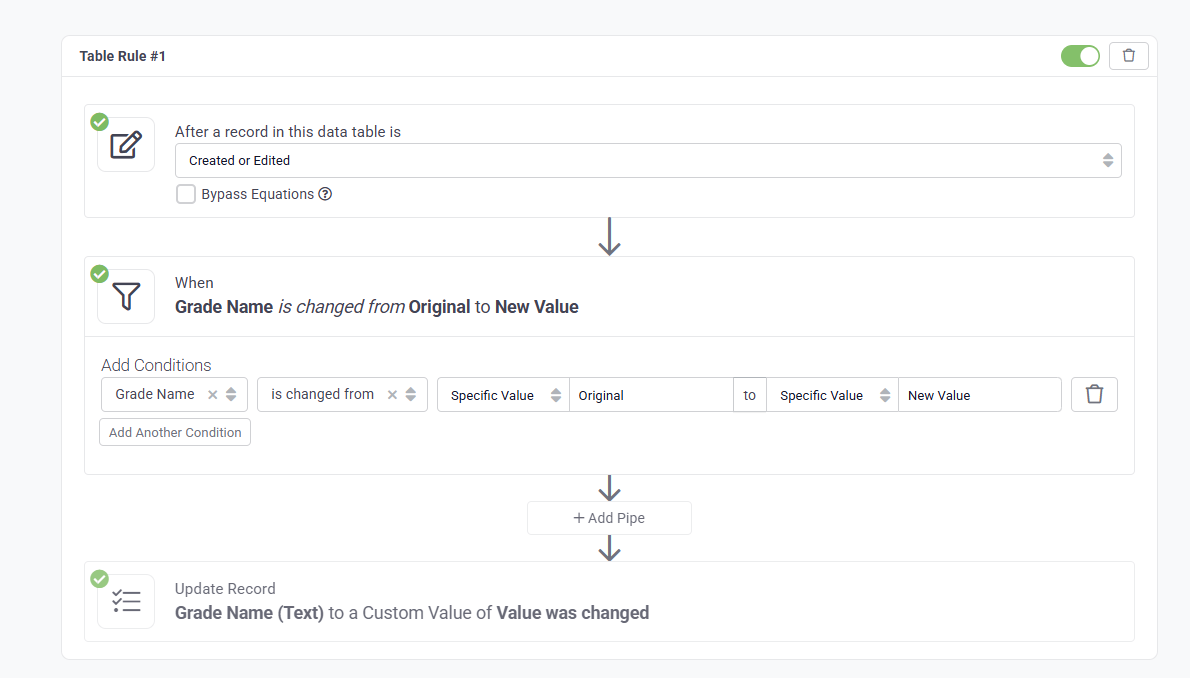
 Changed From / Changed To Conditions: Number and text fields now support Changed From and Changed To conditions, giving you more precise control when building rules and automations.
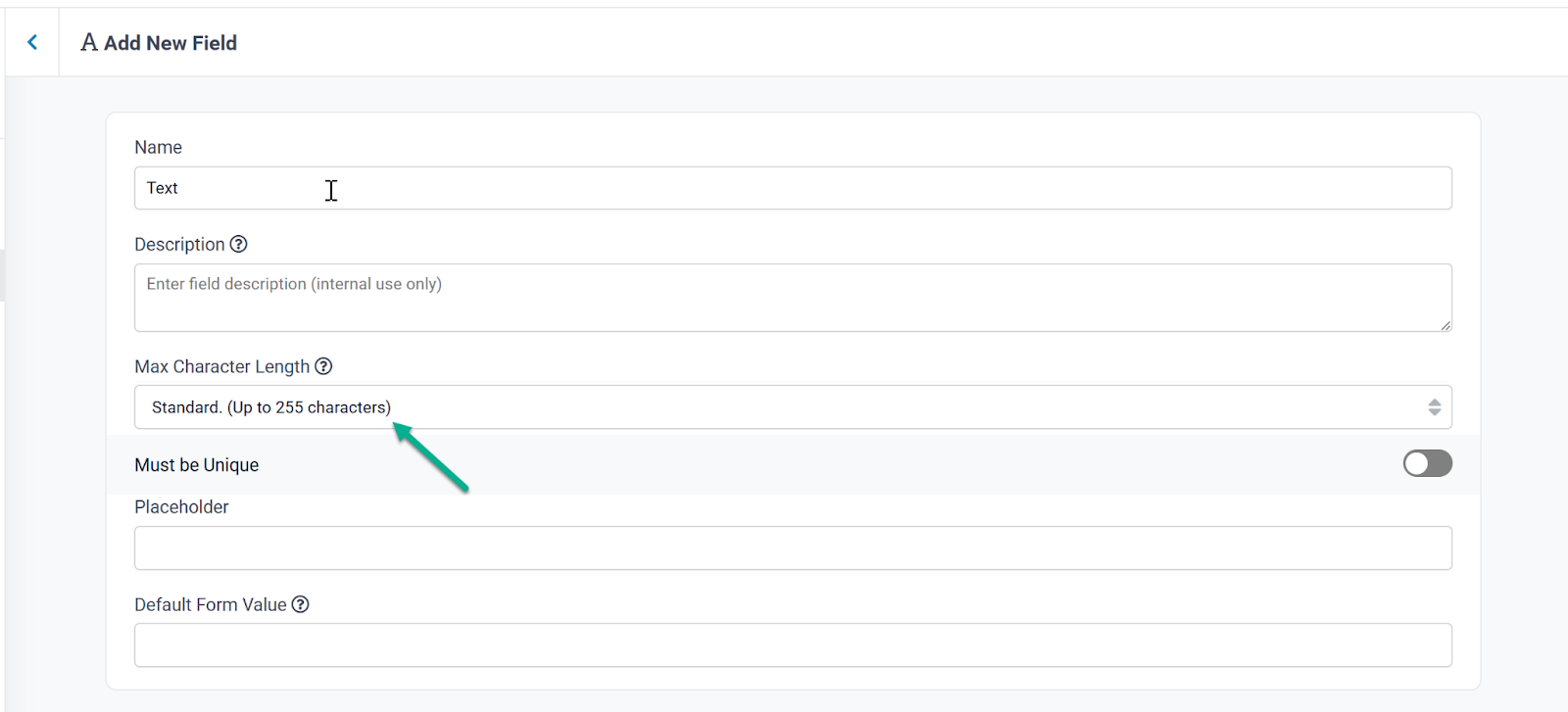
 Text Field Optimization Options: Added new options for optimizing text fields, including the ability to set character limits to improve performance and data consistency. If you update an existing field you can resize the field using this method which will give you more room in your table for additional fields.
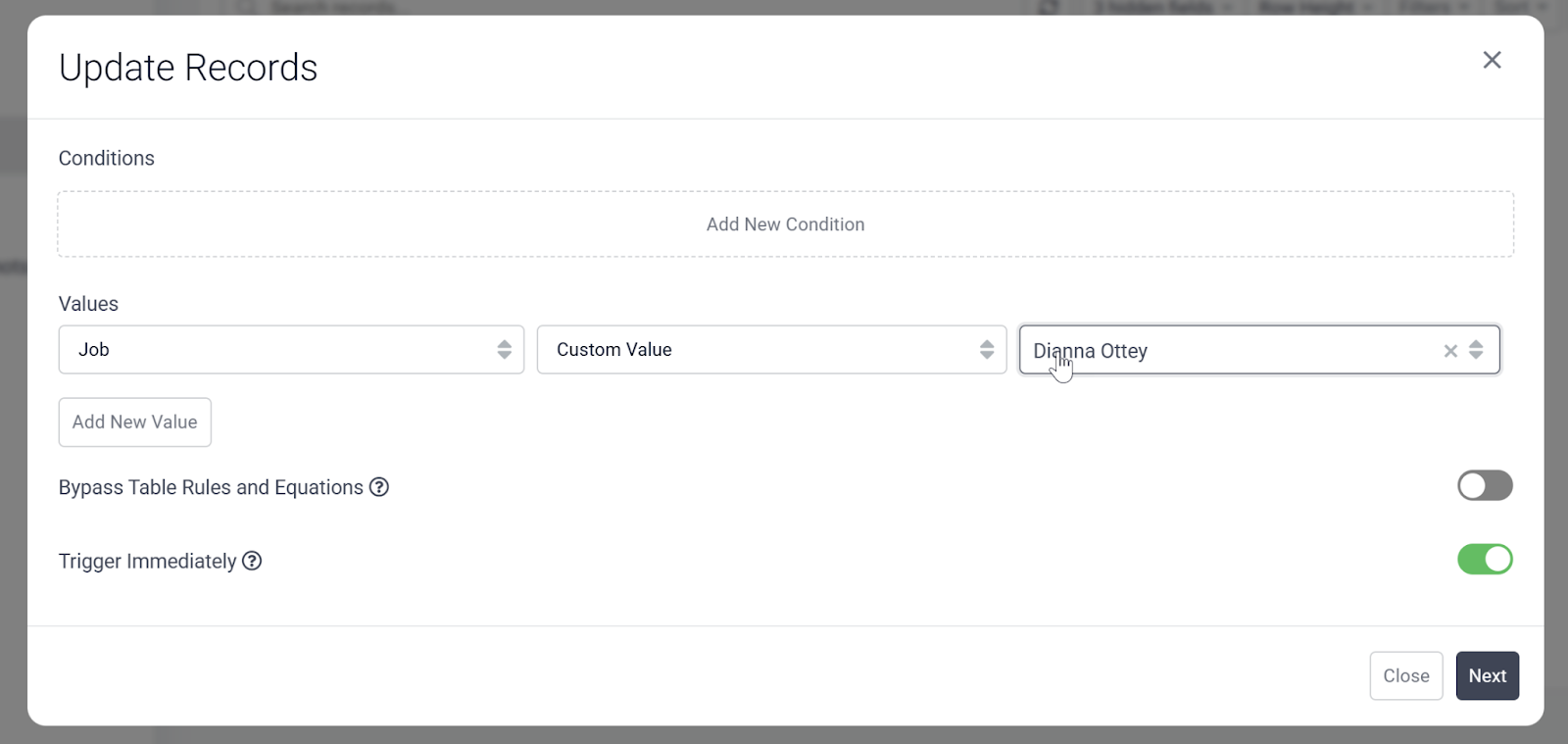
 Batch Updates for Join Fields: You can now do Batch Updates on Connection Fields:
 Bug Fixes:
- Fixed issues with Automations navigation and broken Learn More links.
- Fixed an issue where the last_password_update field was not updating during password reset or password expiry.
- Fixed optional fields display issues.
- Fixed issues with condition based style application.
- Updated Layout V1 to correctly disable input fields when Is Any, Is Blank, or Is Not Blank is selected.
- Fixed an issue where newly added fields were not displaying correctly.
- Fixed an issue where optional fields were showing blank when added.
For a complete list of fixes, see our release notes.
 We’re drawing the curtains closed on this one, Tadabasers. Happy building and see you next week!