The weather’s warming up, the picnic blankets are out, and our team packed this week’s update with plenty to share. Let’s dig in.
 Our engineers have added:
 Workflow Enhancements:
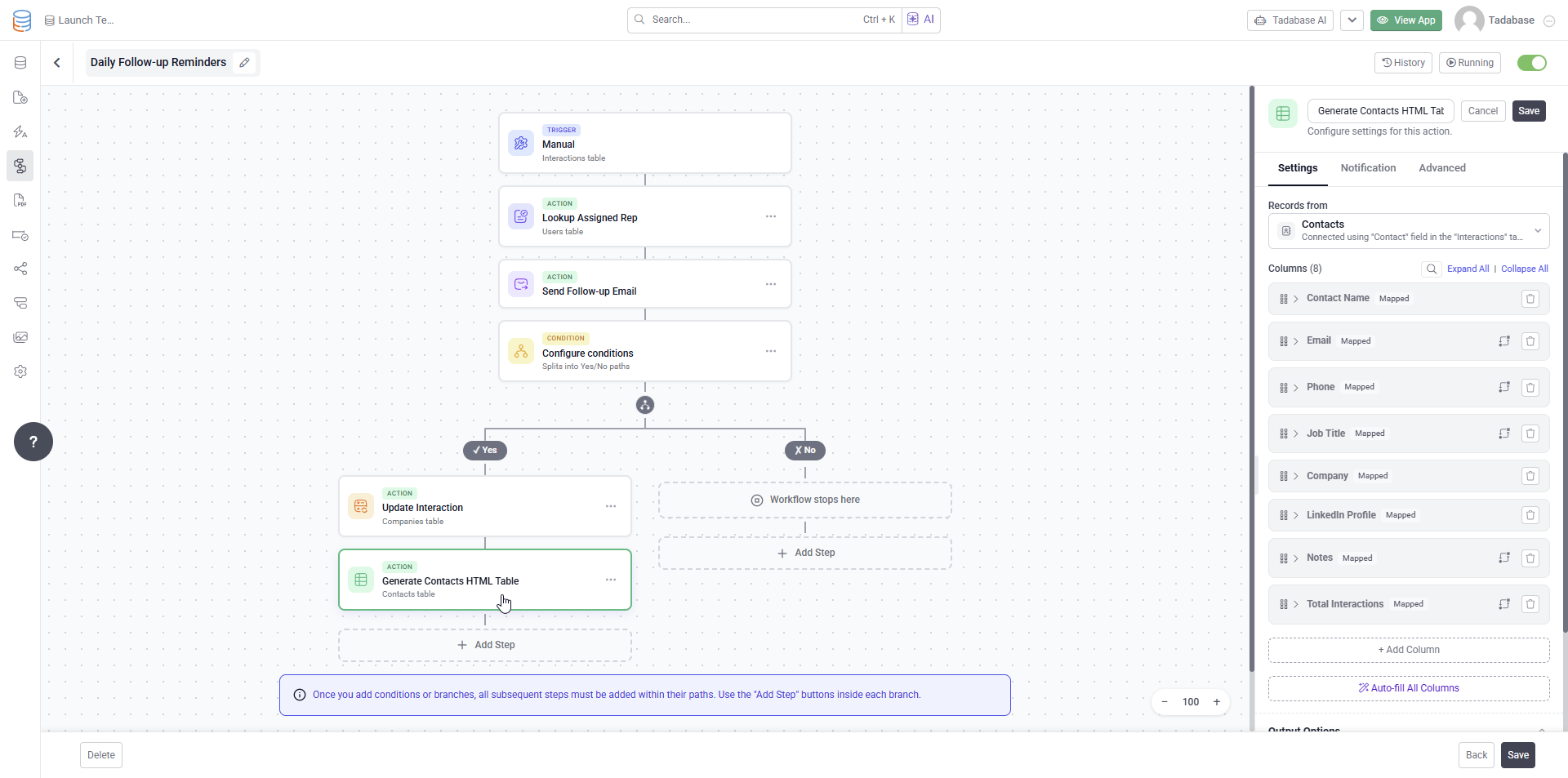
 New Actions in Workflows: Create HTML Table:
You can now generate dynamic HTML tables directly within workflows using looked up and connected data.
The generated table can then be reused in later workflow steps, such as:
- Sending rich formatted emails
- Updating other records
- Creating summaries or reports
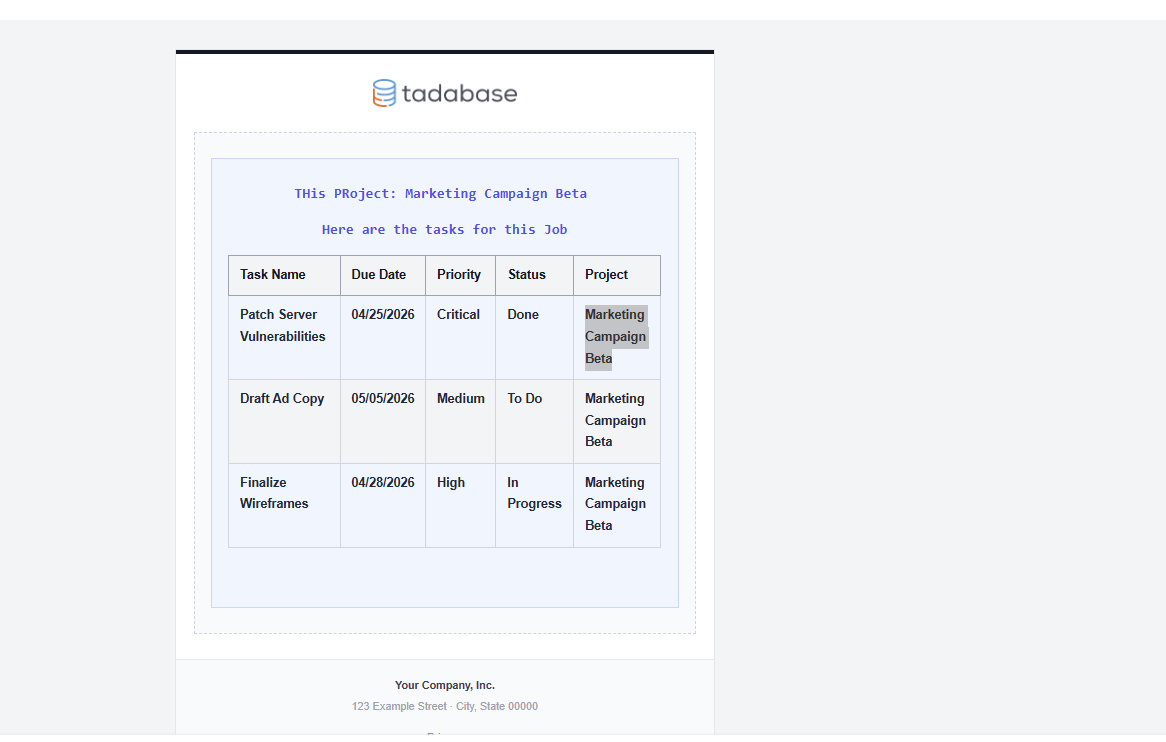
For example, the generated table can be inserted directly into an outgoing email for cleaner, more dynamic communication.
 New Transformations in Workflows:
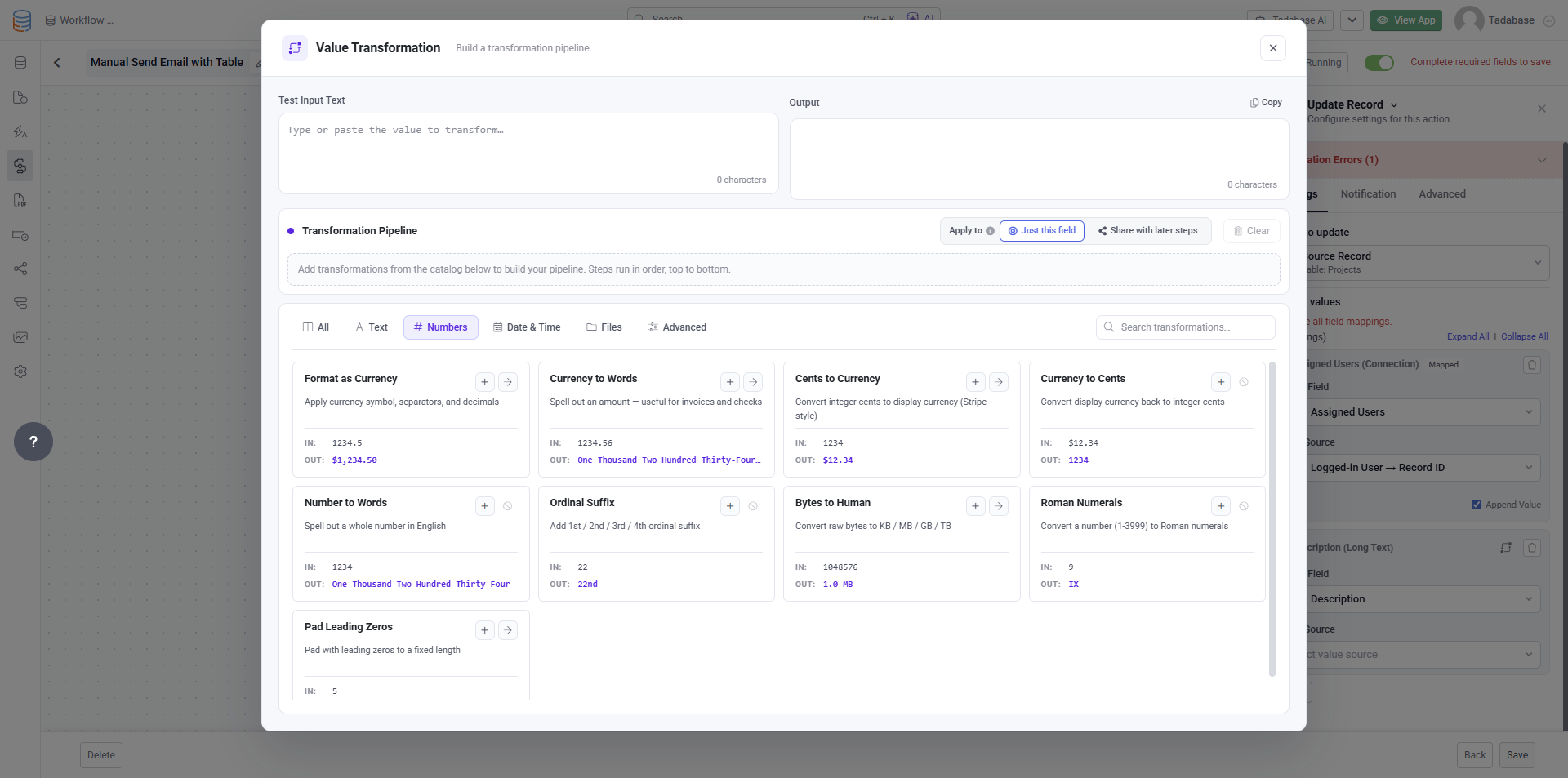
We’ve added many new transformations to workflows to help optimize and manipulate values before they are used.
These transformations reduce the need for complex equations and Pipes by allowing more data processing directly inside the workflow itself.
As an example, the table can be added to an outgoing email like so:
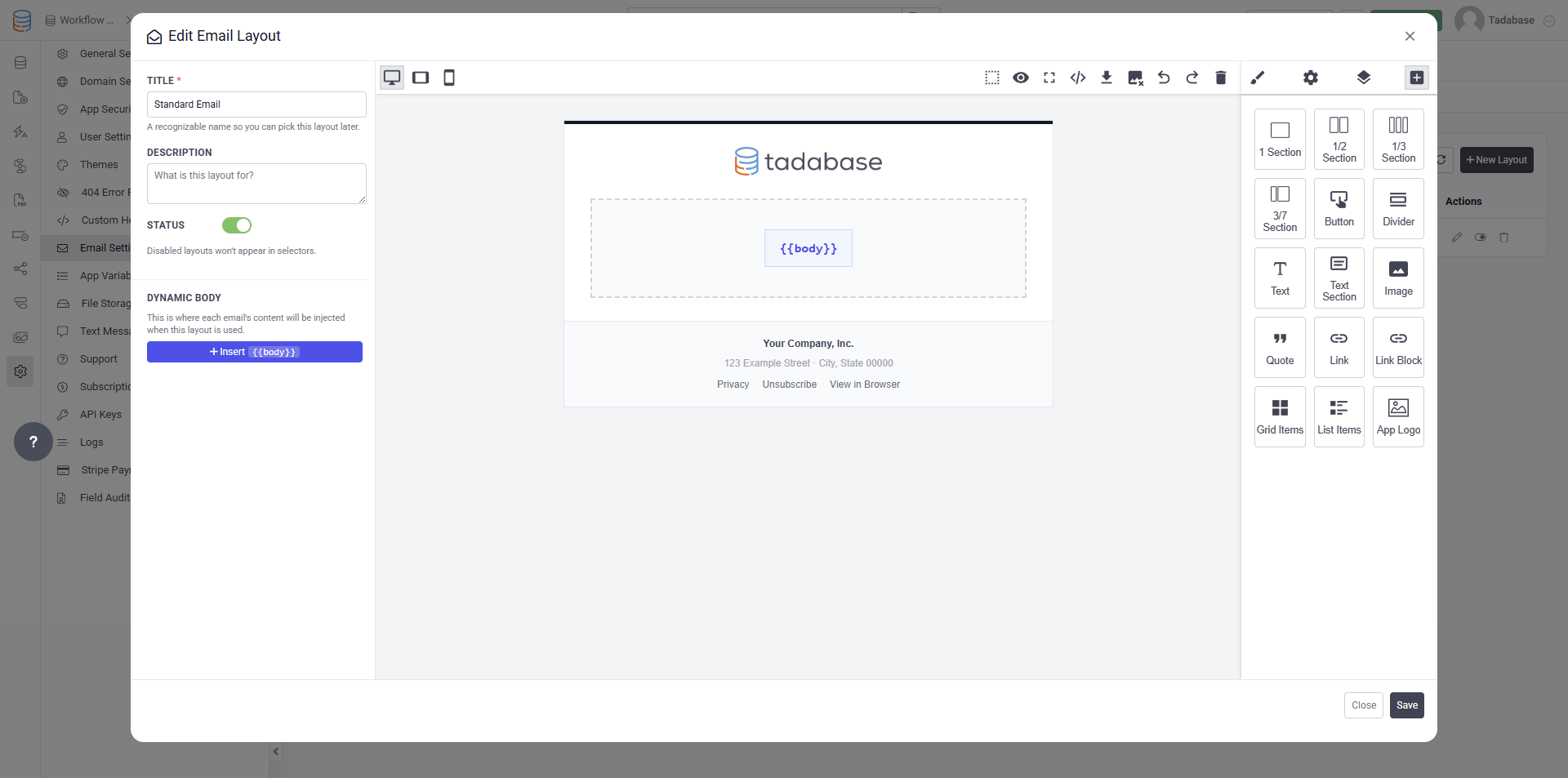
 Email Layouts for Legacy Action Links and Forms:
When using the original email actions, you can now insert email content directly into an Email Template.
This allows you to start with a cleaner, reusable design and simply update your existing action links and forms to use the template. The email content will automatically be inserted into the body section of the template.
This update will be available to all users within the next 72 hours.
 Updates to Equations and Logs:
We’re working on another major update focused on optimizing Equations and improving visibility into how they run.
You’ll soon be able to:
- View all equation fields in one place
- See recommendations for improving performance and speed
- Better understand why equations are running the way they are
- Make optimization changes with the ability to easily roll them back if needed
Our goal is to continue surfacing deeper insights and diagnostics so you have more transparency and control over app performance.
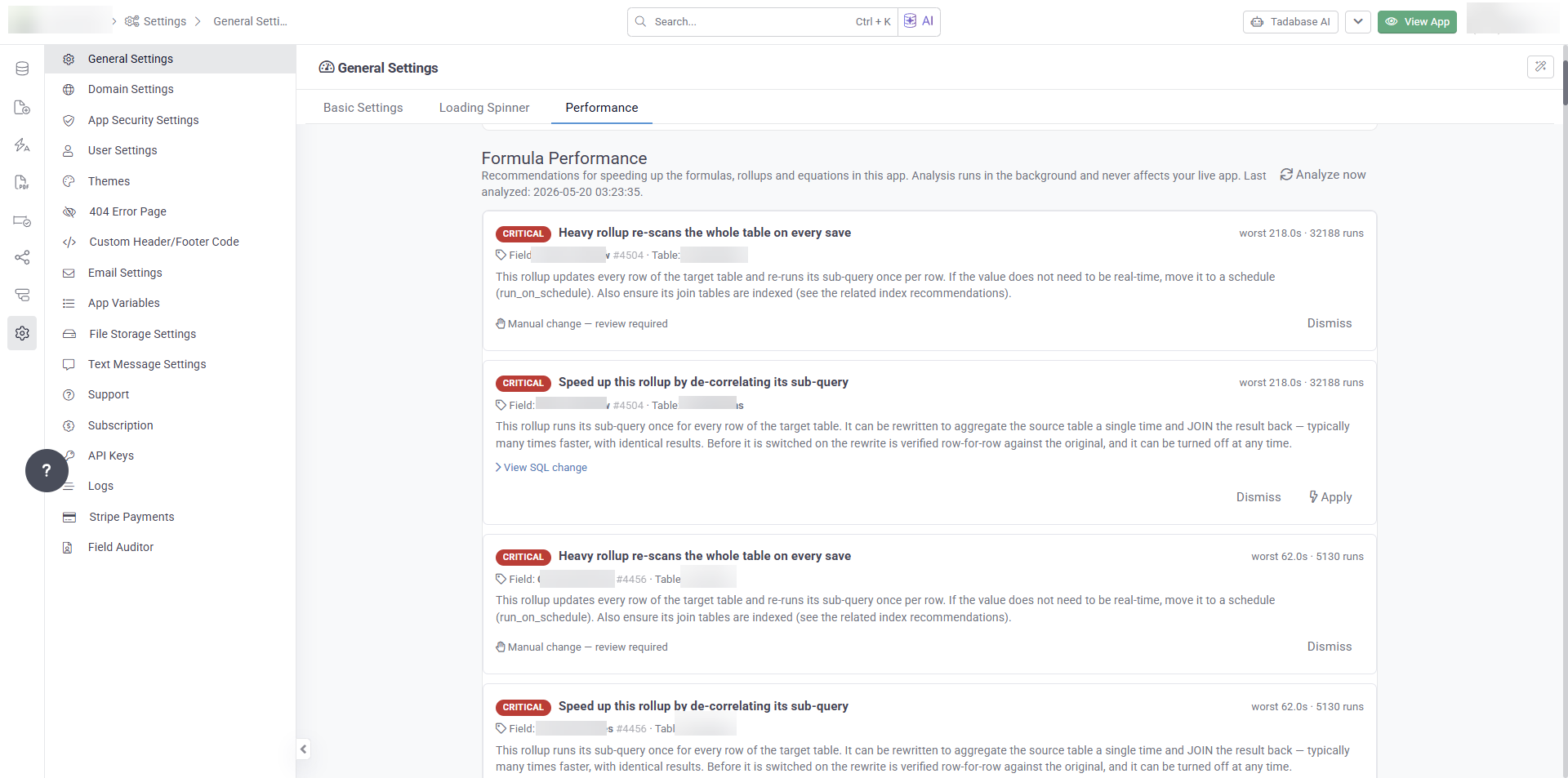
 Some example recommendations might include:
- “Field X is eligible to become a Generated Column”
- “This query is taking a long time. Click here to add an Index”
- “Adding a condition to this Rollup can significantly improve performance”
- “Save this field again to upgrade it to the latest version”
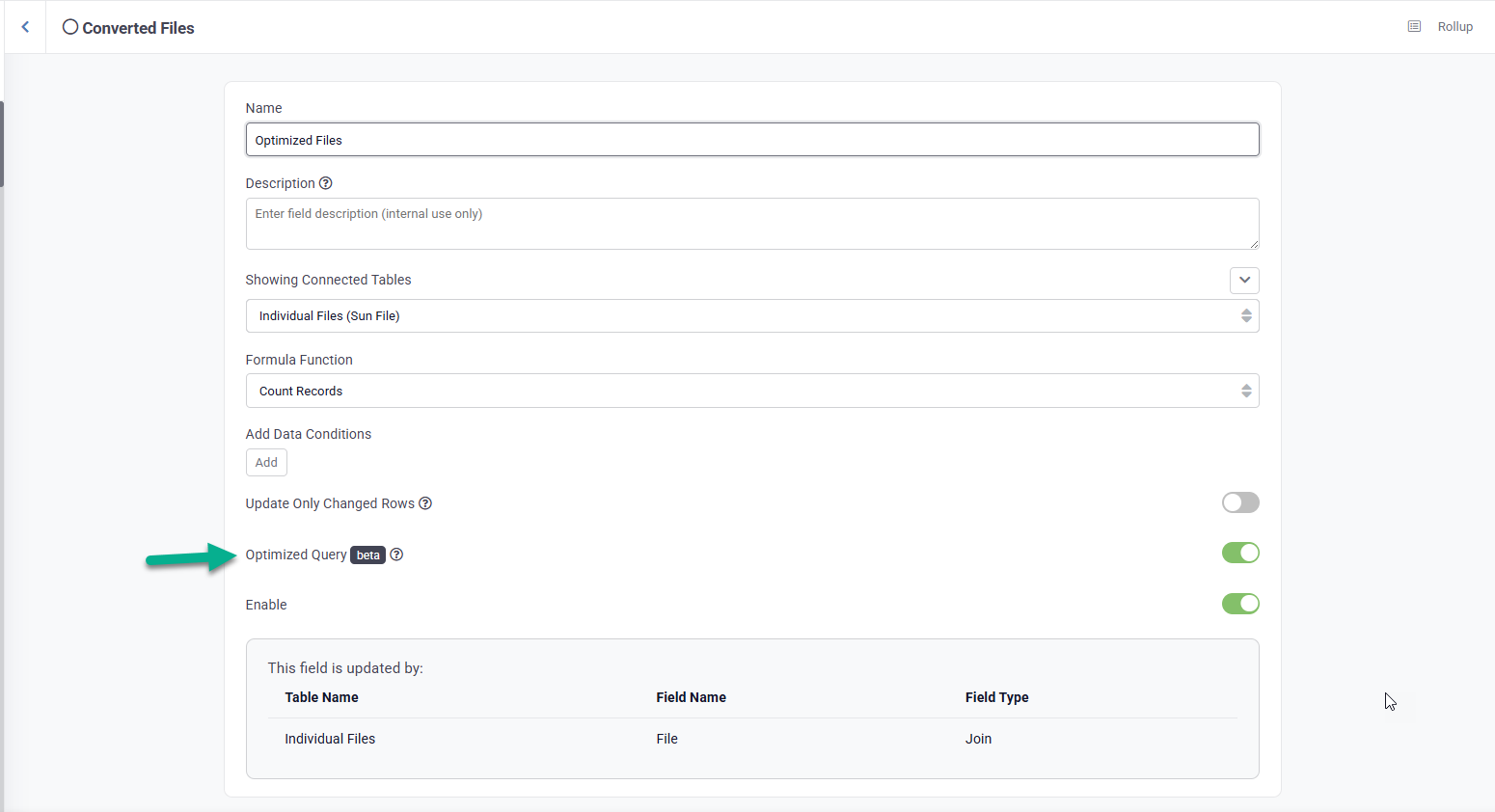
This has perhaps been one of our longest ongoing challenges, and it is something that can only truly be solved by giving you more visibility, control, and actionable options.
 Updates to Loading Times:
We’ve received feedback that some apps have been loading a bit slower than usual, and we’re pushing additional optimizations over the weekend to improve performance.
Some of these updates include moving more non critical actions to the backend, such as:
- Logging record updates
- Updating activity tracking
- Other background processing tasks
The goal is to reduce the amount of work happening during active user interactions, helping apps feel faster and more responsive.
 Bug Fixes:
- Fixed an issue where the Active Sessions list pagination was not loading the next page correctly.
- Added hide columns support per filter tab across Universal Components.
- Fixed an issue where data table column widths were not applying correctly when the unit was set to percent.
- Fixed a missing currency symbol in Universal Component tables.
- Fixed an issue where the modal close icon was not displaying in the Detail component.
- Resolved an issue where “undefined” appeared before Rollup values in tables.
- Added Logo Link support for layout headers.
- Fixed loading issues in older app forms by automatically supporting legacy form data formats.
For a complete list of fixes see our release notes here.
 Time to pack up the picnic basket, Tadabasers. Happy building and see you next week!