
 As May wraps up and graduation season rolls in, our team is closing out the month with honors. Let’s see what they’ve been working on.
 Our engineers have shared:
 Unique Constraints Coming Soon:
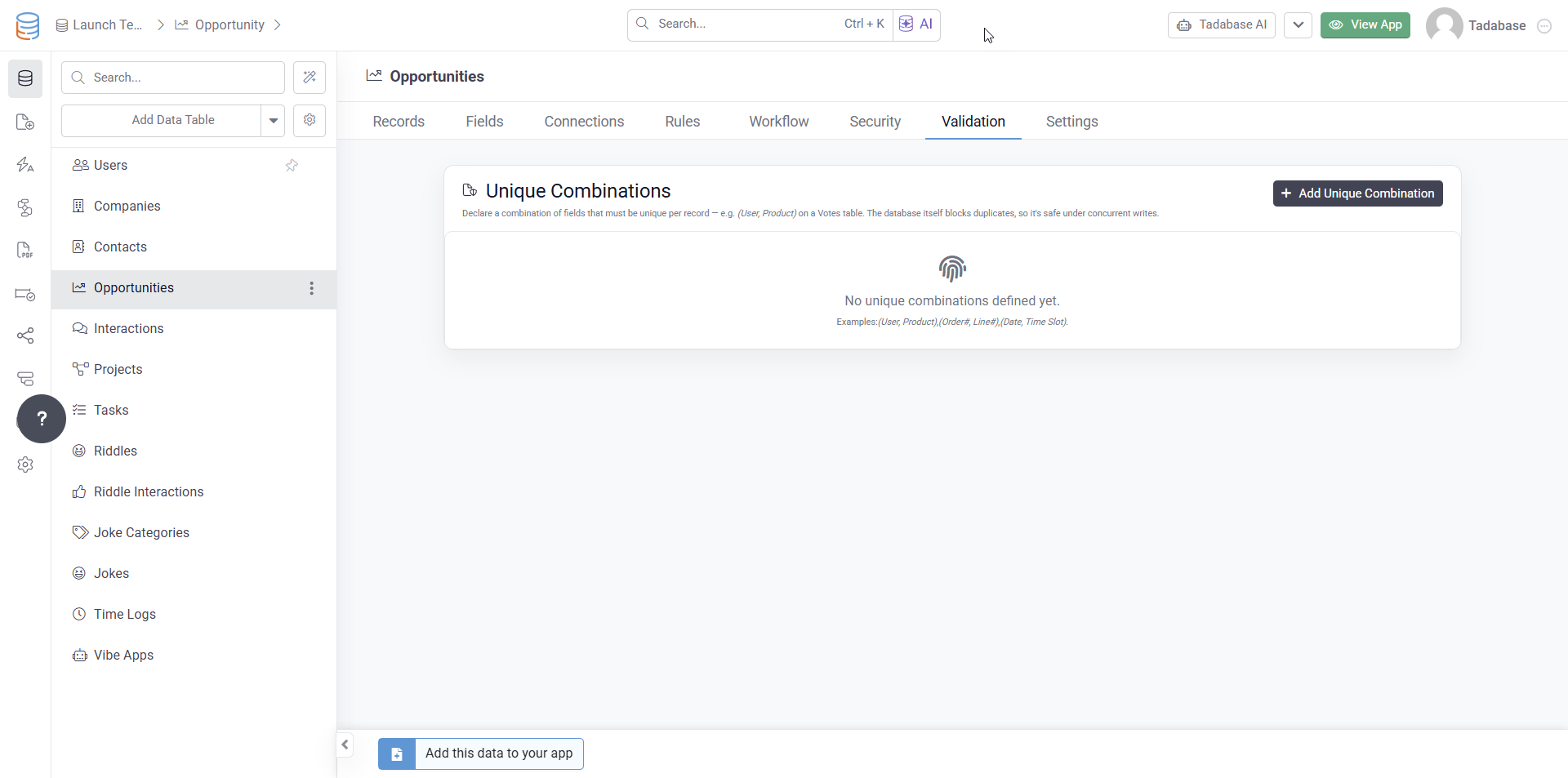
You’ll soon be able to enforce unique combinations of fields across a table, not just uniqueness on a single field.
 Why This Matters:
Today, you can mark a field like Email as unique on a Users table. But many real world workflows require uniqueness across multiple values together, such as:
- A user can only vote for the same product once
- Only one booking per room and time slot
- One enrollment per student per course
- One membership per user per organization
Until now, these types of rules often required custom validation logic that could become fragile, especially under heavy traffic or simultaneous submissions.
 What’s New:
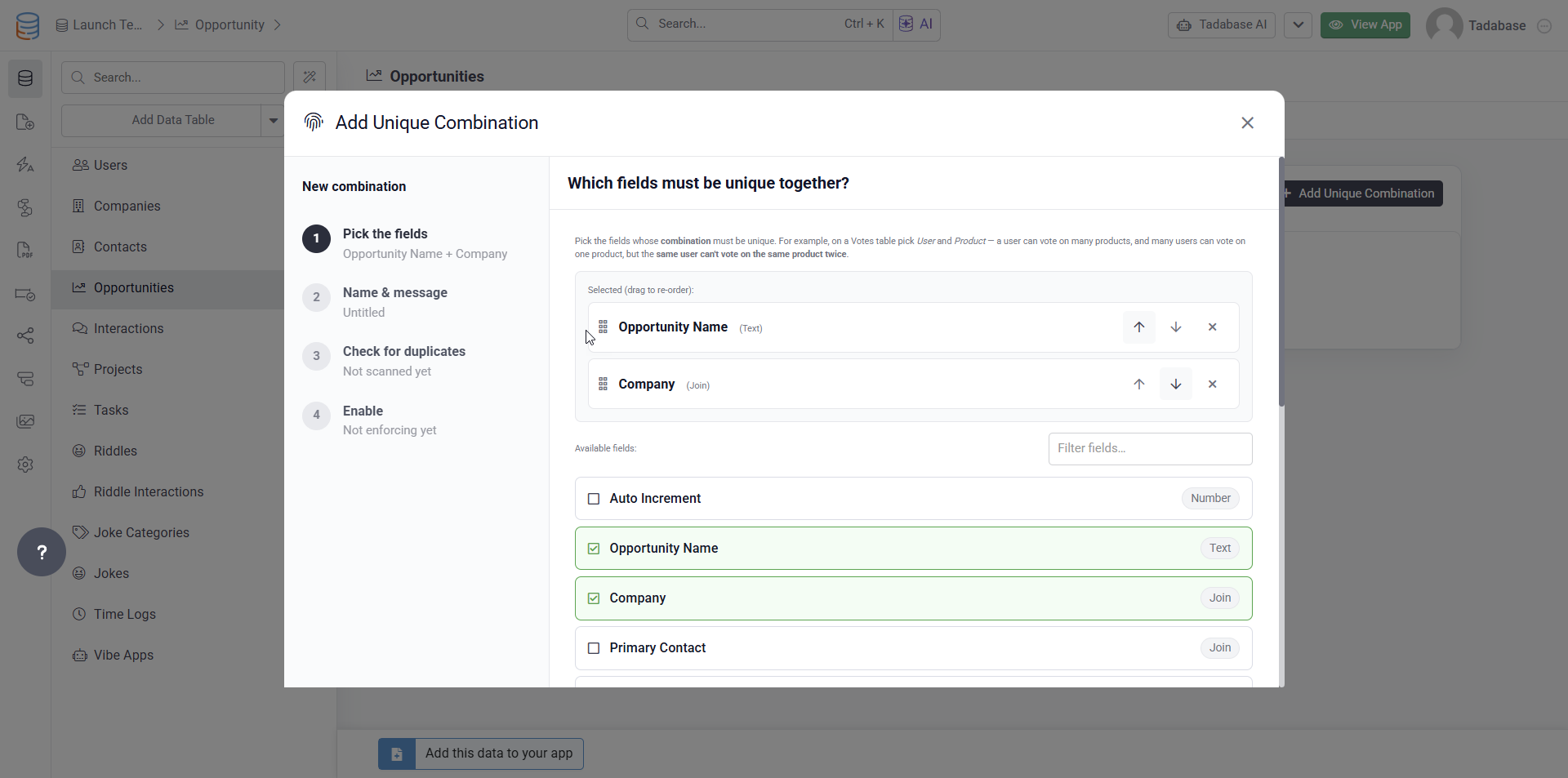
Inside Table → Validation → Unique Combinations, you’ll be able to define combinations such as:
- User + Product
- Order Number + Line Number
- Date + Time Slot
Tadabase will:
- Scan existing records for duplicates
- Help identify and clean up conflicts
- Enforce the rule directly at the database level
 Key Benefits:
Database Level Enforcement
Duplicates are blocked at the database level itself, preventing simultaneous submissions from slipping through.
Works Everywhere
The rule applies automatically across:
- Forms
- API requests
- CSV imports
- Workflows
- Subforms
- Any other write path
Friendly Error Messages
Instead of exposing technical database errors, users will see the custom message you define, such as:
“You’ve already voted for this product.”
Connection Fields Supported
Unique combinations can include connected records like Users, Products, Accounts, Organizations, and more — not just text or number fields.
This is a major improvement for enforcing real world business rules reliably and securely across your applications.
 Faster, Safer Real Time Equations:
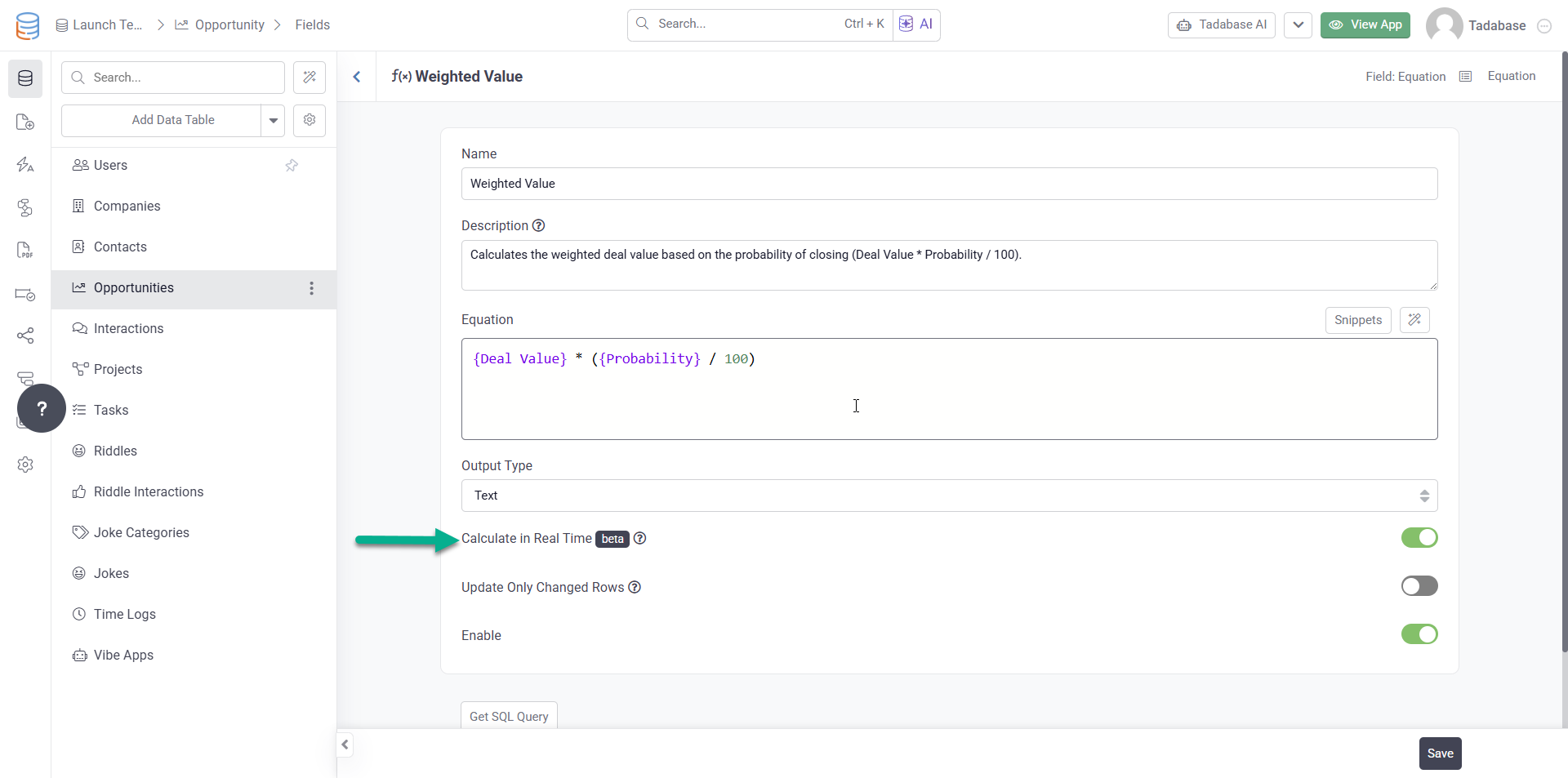
We’ve shipped a major round of improvements to the Calculate in Real Time option for Equation fields.
If you previously experienced issues such as fields going blank, returning stale values, or silently failing to save, these updates are designed to make real time equations significantly more reliable and production ready.
 What’s Improved:
- Clear Validation and Error Messaging
If an equation cannot be converted due to unsupported functions, field conflicts, or other limitations, you’ll now see a clear explanation directly in the field editor instead of a silent failure. - Automatic Rollback Protection
If something goes wrong during conversion, the field is automatically restored to its previous working state. - Cleaner Imports and Restores
CSV imports, app copies, and restores now properly skip real time equation columns instead of failing midway through the process. - More Transparent Backups
If a table cannot be backed up completely, the backup will now be marked as Partial instead of appearing fully successful. - Background Processing for Large Tables
Converting equations on large tables now runs in the background to prevent save operations from timing out. - Smarter Saves
Saving an equation that has not changed no longer rebuilds the table unnecessarily, reducing wasted processing.
Bottom line: real-time equations are now production-ready for everyone, not just the brave. 
Bug Fixes:
- Fixed the builder sidebar resetting to the old item order after drag and drop.
- Fixed an issue where Join field dropdowns appeared empty in search forms.
- Fixed builder visibility issues affecting Login pages, Signup pages, and page layouts.
- Fixed dependent dropdowns showing blank values when editing records.
- Fixed display rules on data tables when using connected values from joined or nested fields.
- Fixed cleared title icons being restored to the default icon instead of remaining cleared.
- Fixed PDF download errors caused by invalid cover image data.
- Fixed Dynamic Field math helpers so they work correctly with multiple operands.
- Fixed the formatDate helper in custom components.
- Fixed an issue where the first item could not be selected when adding or configuring a Task Component in the Page Builder.
- Fixed the Record ID option appearing incorrectly in the value field dropdown.
- Fixed Text Formula labels so they render correctly.
- Fixed chart sorting for both count based sorting and group by sorting.
- Fixed the Batch Update API failing due to a route conflict.
- Fixed subform existing row toggles showing on parent create form pages.
- Fixed Request Email Approval failing for shared apps.
- Fixed length only validation rules so they now work correctly as range validations.
For a complete list of fixes, see our release notes.
 Class dismissed, Tadabasers. Happy building and see you next week!