
 It’s Thanksgiving week, so let’s talk turkey! Our team has been busy gobbling up bugs and cooking up improvements. Here’s what’s fresh out of the oven.
 Our engineers have shared:
 Workflow Updates
 New Workflow Action: Find or Create Record
Search for an existing record using filters and automatically create one with your configured field values if no match is found. Subsequent steps can access the found or created record and use the Was Created value to determine whether a new record was created. This action also prevents duplicate records from being created by simultaneous Workflow runs.
 Add Step Above or Below
Insert new steps directly above or below existing Workflow steps, including within conditions, branches, and loops, without having to rebuild parts of your Workflow.
 Improved Loop Comparisons
When comparing a Loop Item to a Connection field, Workflows now match against the actual record rather than its display value, ensuring more accurate comparisons.
 Improved Phone Number Handling
Phone numbers saved through Workflows now follow the same format as those saved through Forms and the API, ensuring Find Records can locate them reliably.
 Records, Data Tables & Forms
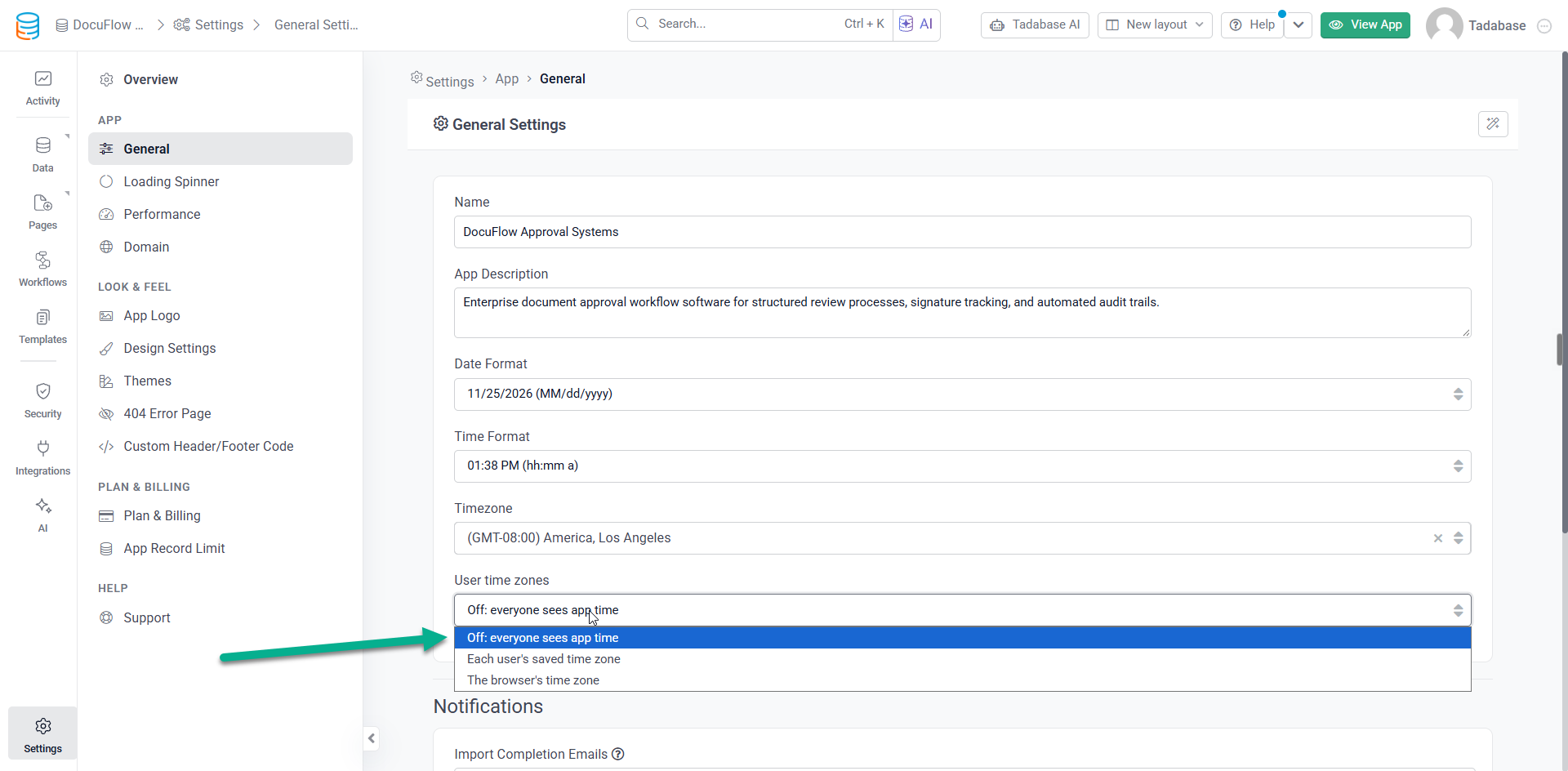
 Per User Timezone
Dates and times can now be displayed according to each user’s timezone, creating a more accurate and localized experience for teams working across different regions.
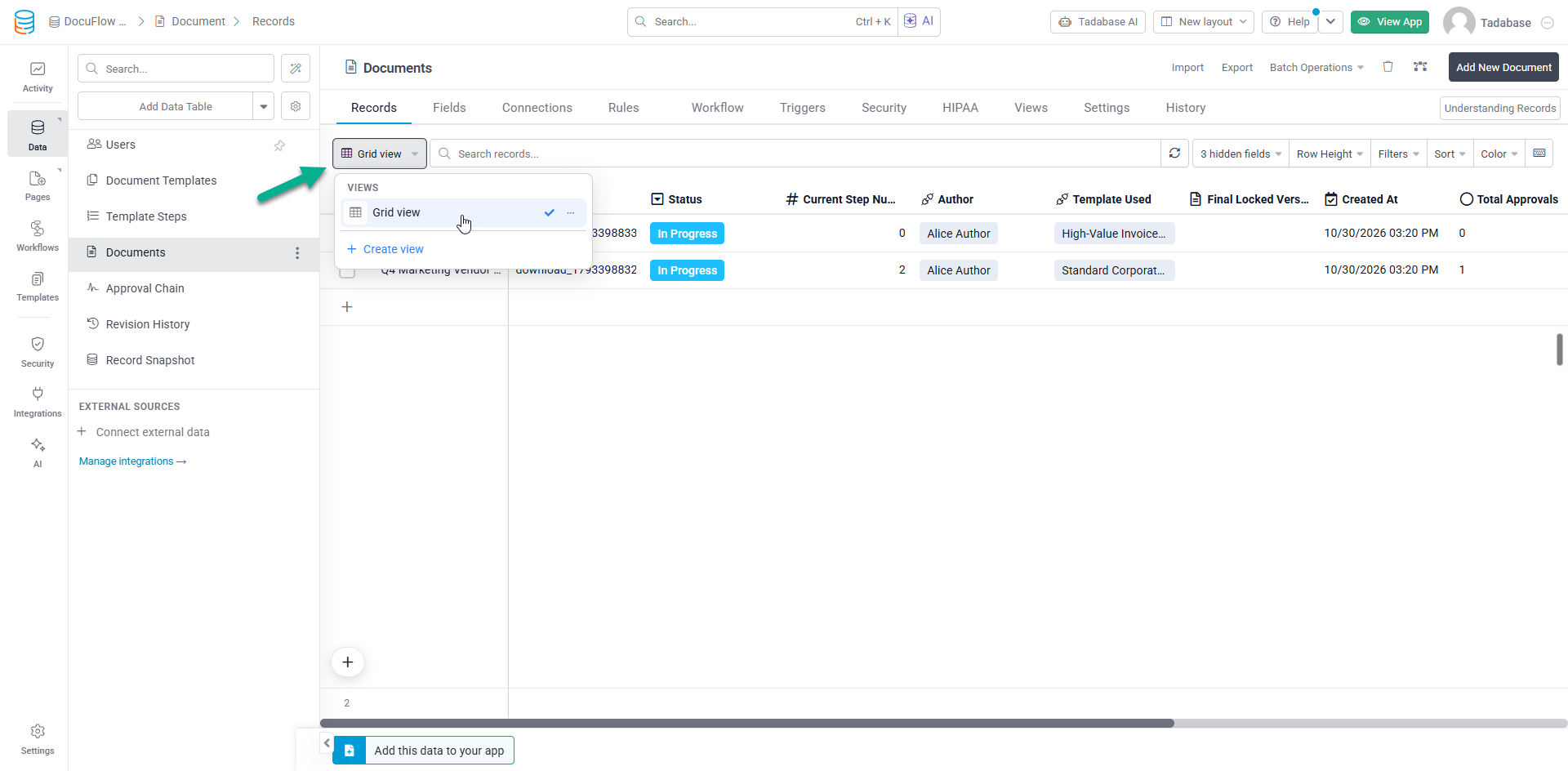
 Saved Views in the Records Grid
Create, rename, and duplicate Saved Views in your Records Grid, each with its own field visibility, column widths, frozen columns, row height, filters, sorting, and record coloring.
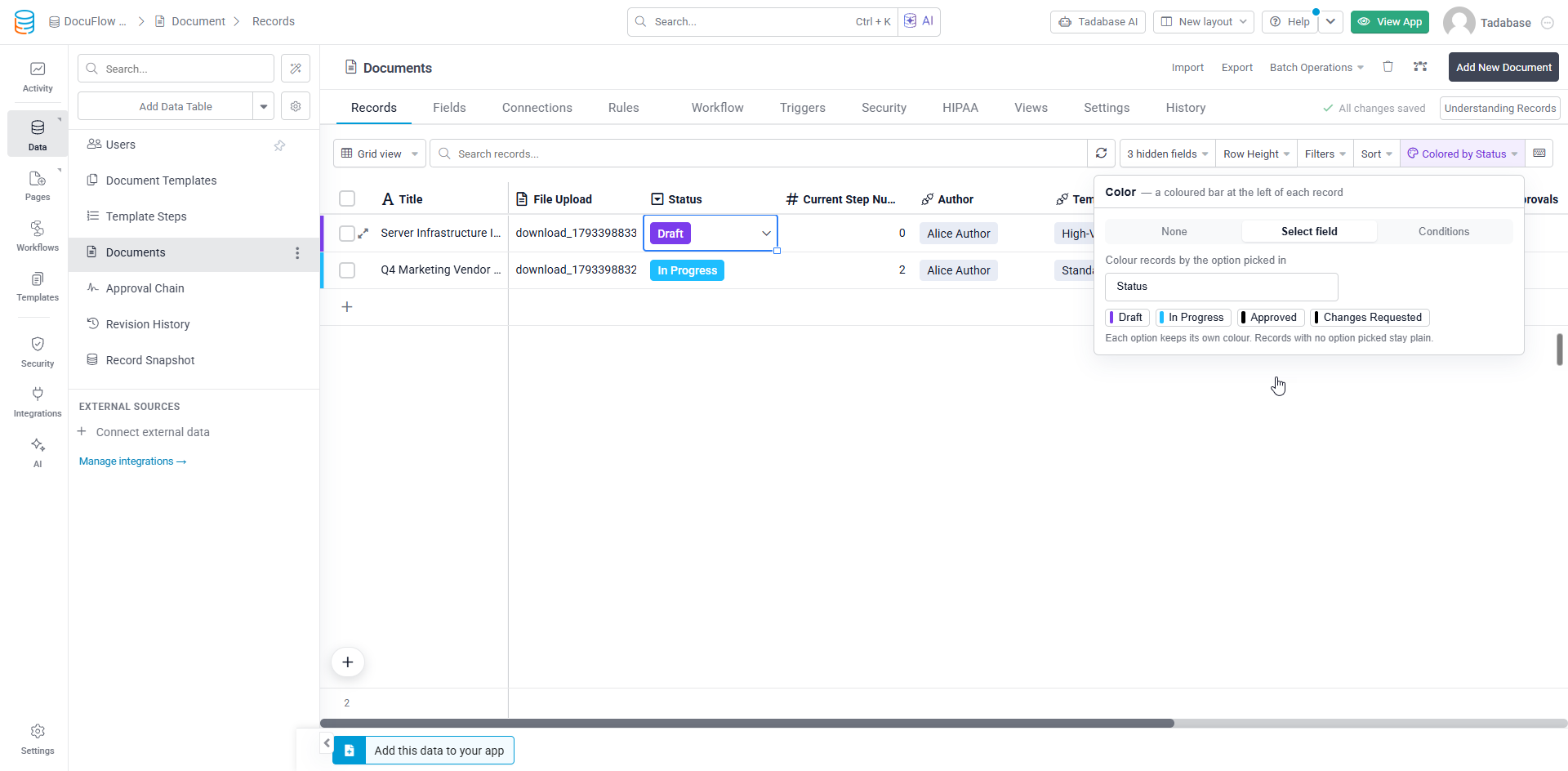
 Record Coloring
Visually distinguish records by adding a colored bar based on a Select or Radio field value or up to ten custom conditions.
 Enhanced Spreadsheet Editing
We’ve introduced several new spreadsheet editing capabilities to the Records Grid:
- Select a range of cells to view its count, sum, and average.
- Fill values down using the fill handle or Ctrl + D.
- Copy and paste ranges of cells.
- Add column summaries, including Sum, Average, Filled, Unique, and more, calculated across all records in the view.
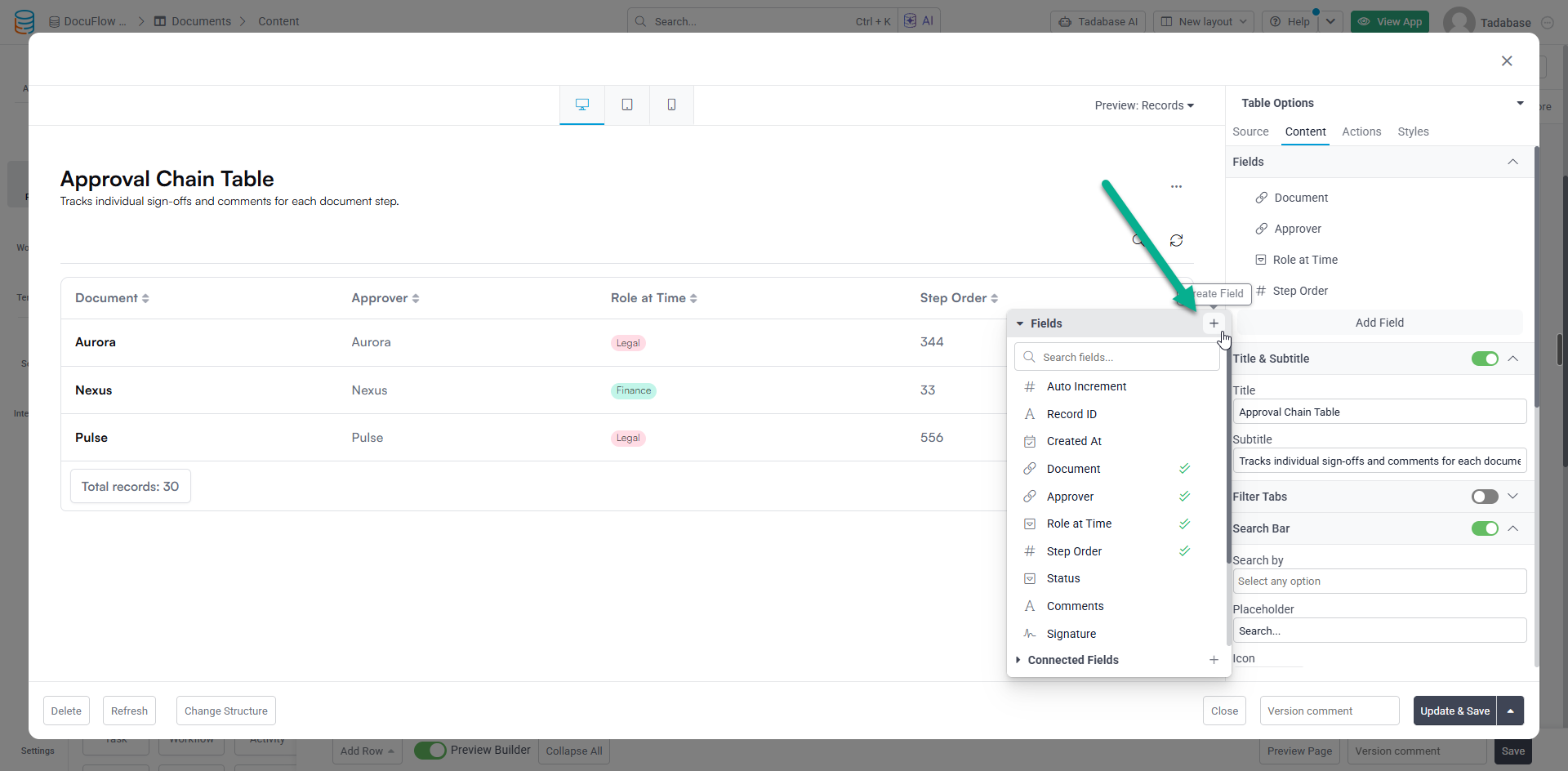
 Create & Edit Fields Directly from the Page Builder
Create new fields or edit existing ones without leaving the component editor. This functionality is now available in Search, Map, Timeline, Calendar, Resource, Pivot Table, and HTML components.
 Builder Experience
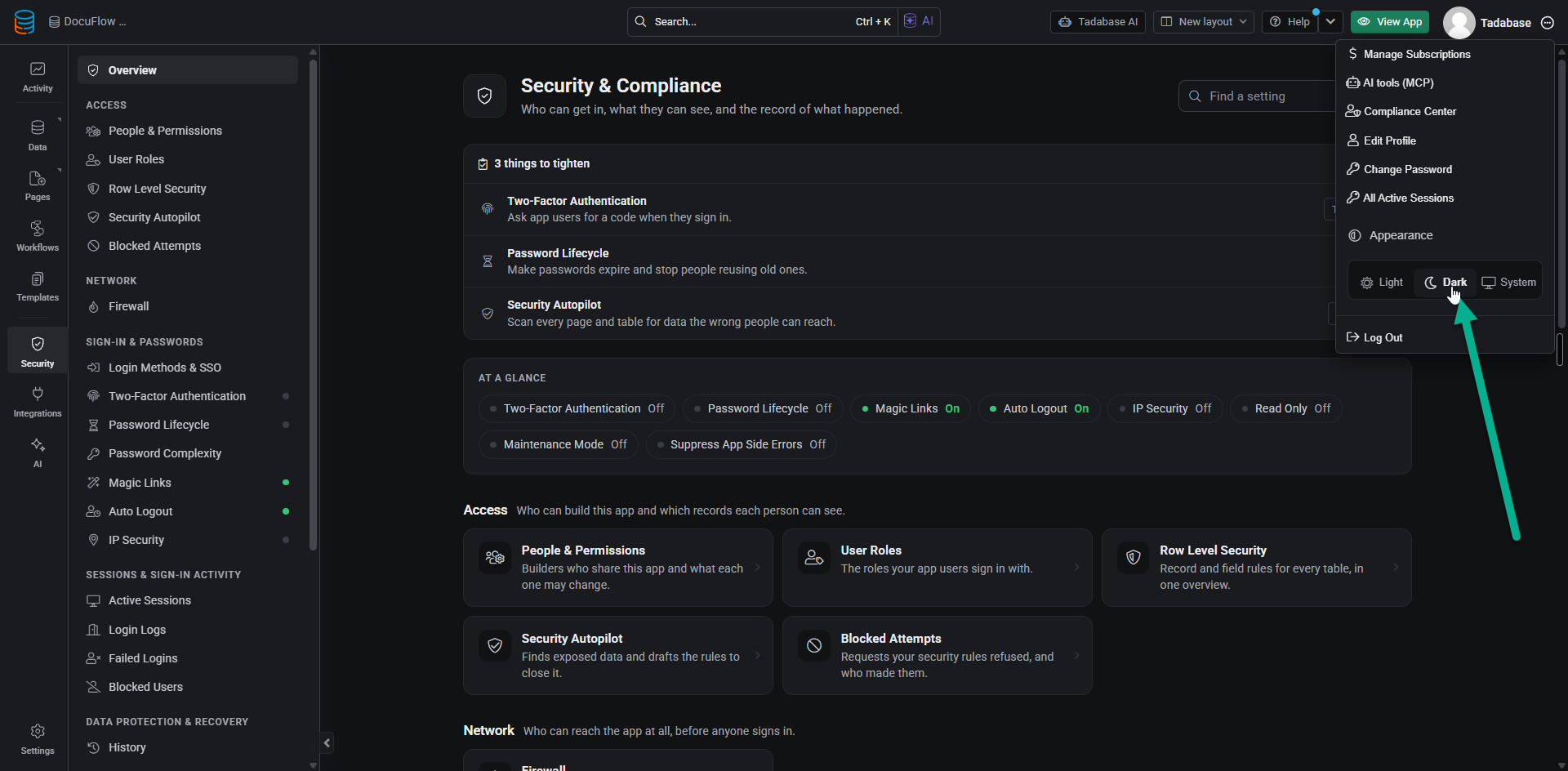
 Dark Mode for Everyone
Dark Mode is now available to all builders! Choose between Light, Dark, or System under Appearance in your profile menu. We’ve updated the entire Builder experience, including the Workflow canvas, to support Dark Mode.
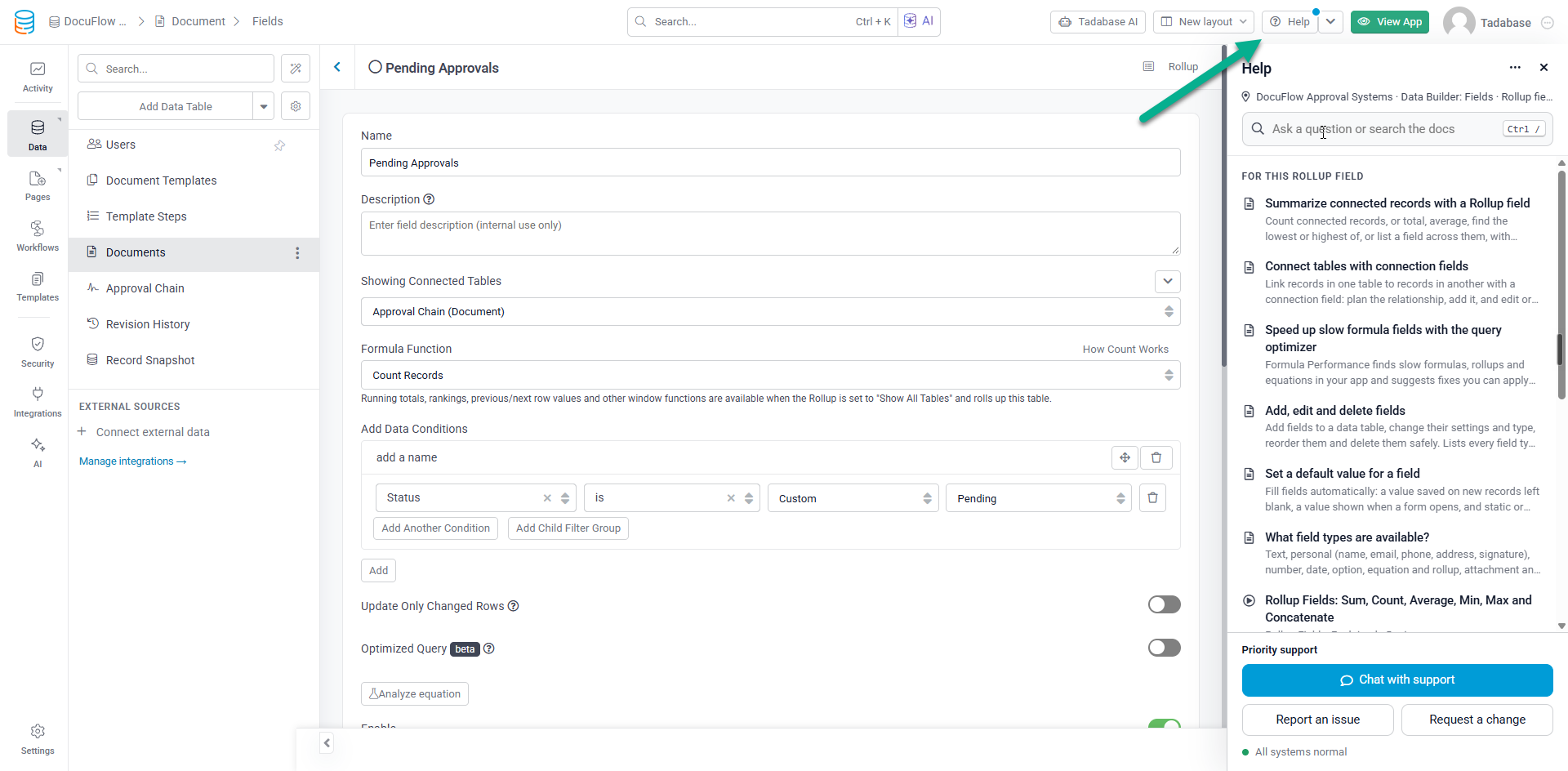
 New Help Panel
Access contextual help directly alongside the Builder screen you’re working on, complete with screenshots that can be expanded for a closer look.
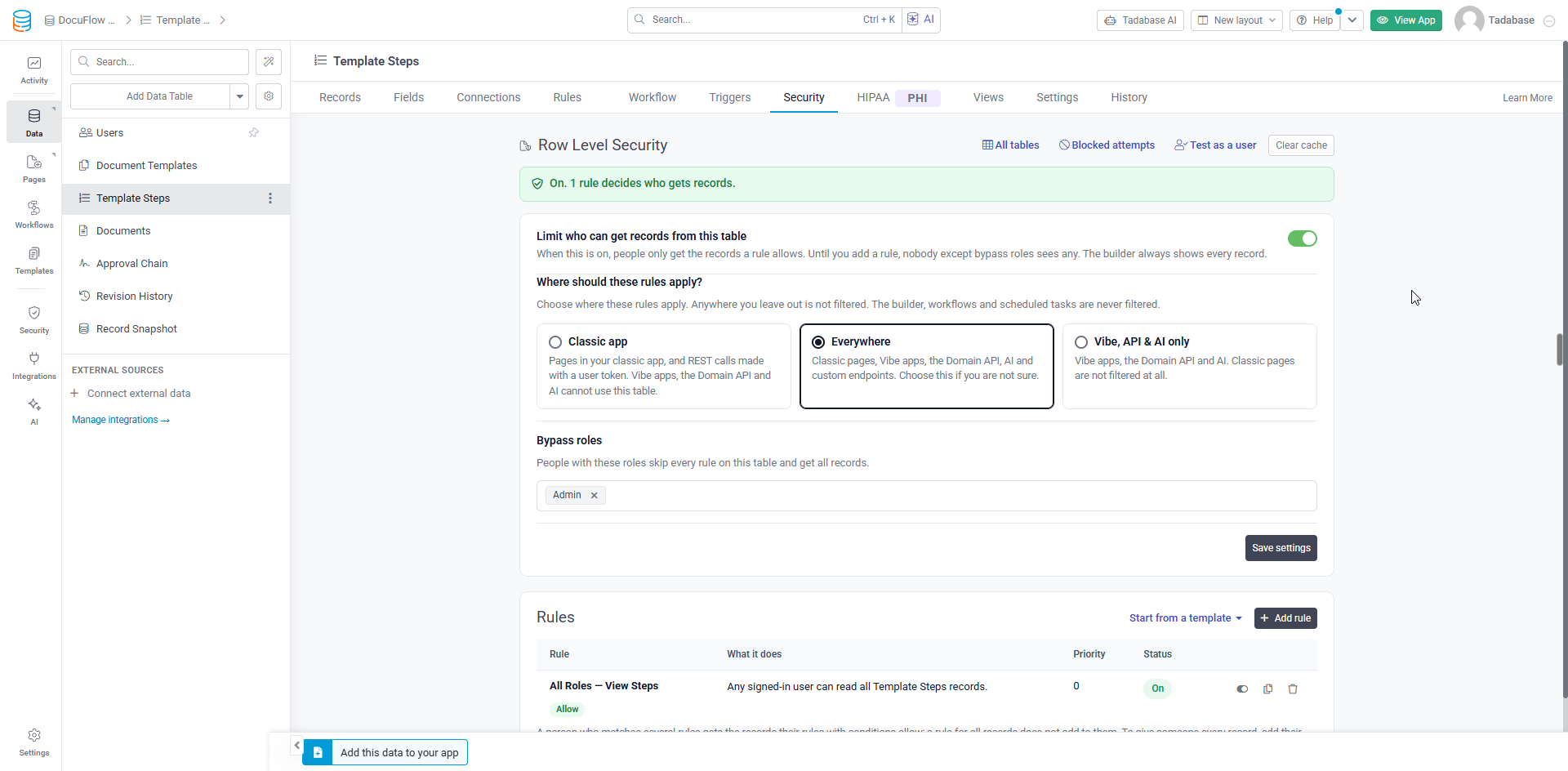
 Improved Row Level Security
We’ve redesigned the Row Level Security experience to make configuring and understanding security rules easier. Each table’s Security tab now includes:
- A clear summary of your current security settings.
- Rules displayed in plain language with Allow or Block indicators.
- A guided rule builder that walks you through users, permissions, records, and fields.
 Bug Fixes
- Fixed file uploads timing out when a folder contained many similarly named files, including uploads through Make.com and Postman. Thanks for your patience on this one!
- Fixed the Universal Calendar displaying a URL or “Untitled Event” instead of the Link Text when using a Link field as the event label.
- Fixed incorrect decimal formatting in Universal Pivot Tables and Cards when using a period as the thousands separator.
- Fixed Pivot Row and Column Summaries not displaying their configured titles, and Date/Time grouping not respecting the app’s time format.
- Fixed Pivot value columns using Match Any conditions incorrectly displaying “No Data” in the view preview.
- Improved Action Link performance by eliminating unnecessary connection Rollup recalculations across the entire table.
- Fixed users encountering a broken screen when their session expired. Users are now redirected to the login page.
- Fixed two issues with saving Auto Logout settings.
- Fixed an error when saving Lookup fields configured to match by range only.
- Fixed Lookup exact matching incorrectly matching text values that begin with a number.
- Fixed an issue with pasting content into Rich Text cells in the Records Grid.
- Fixed dates being populated one day early when filling a date series across a daylight saving time change.
 What We’re Thankful For
With Thanksgiving tomorrow, we want to take a moment to express our gratitude to our incredible Tadabase community.
From the feedback you share and the bugs you report to the innovative applications you build, you play an important role in shaping Tadabase and inspiring us to make it better every week.
We’re thankful for your trust, patience, and continued support, and we look forward to everything we’ll build together.
From all of us at Tadabase, wishing you and your loved ones a very Happy Thanksgiving!

 That’s all the turkey talk for this week, Tadabasers. Happy Thanksgiving, happy building, and see you next week!
