
 Fall is waiting in the wings, and our team has a few changes of its own to unveil before the new season takes center stage. Let’s take a look!
 Our engineers have:
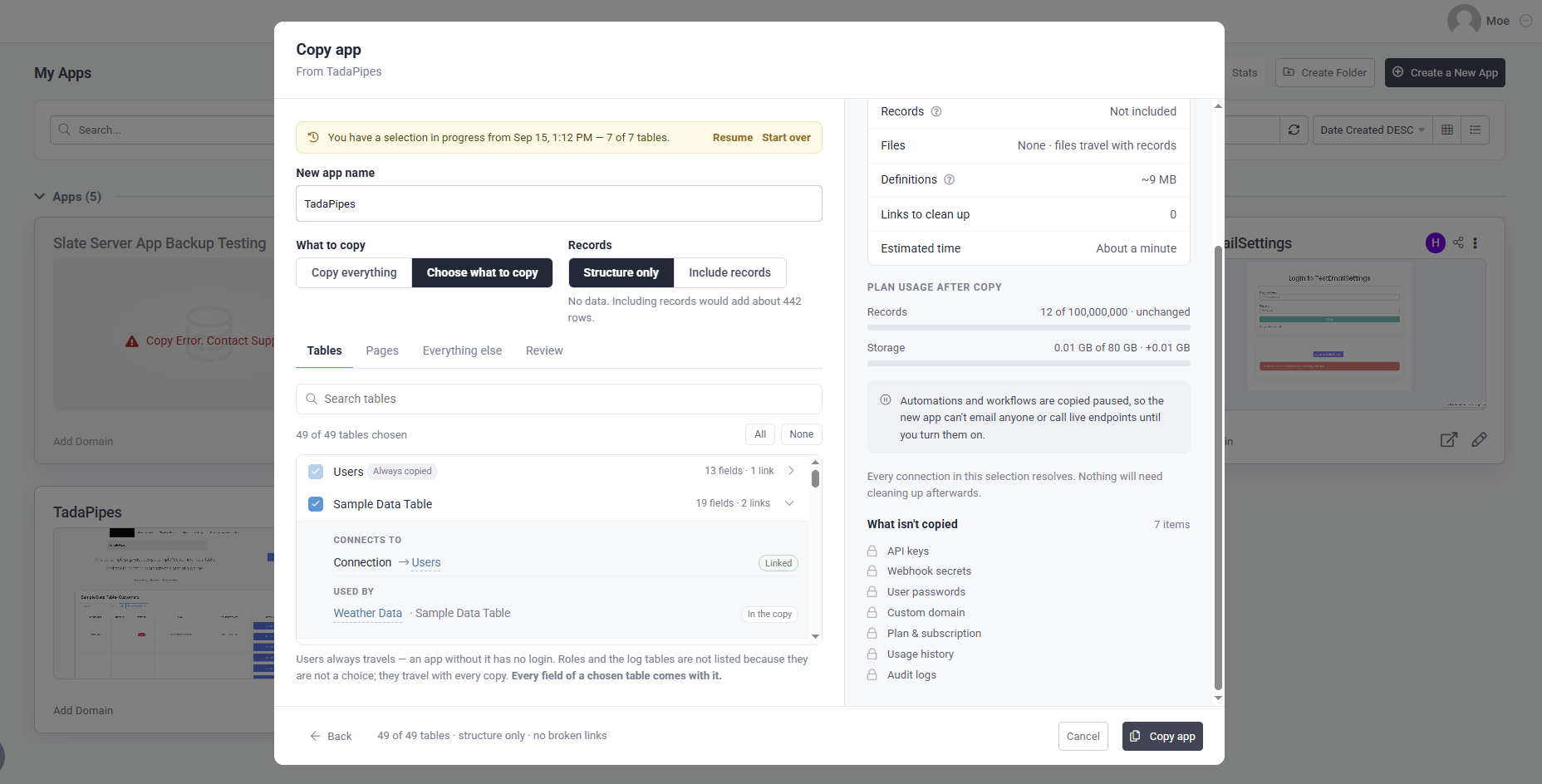
 Advanced App Copying — Coming Soon:
We’re rolling out more control when copying an app, letting you choose exactly which parts of the app you want to copy. This is especially useful when replicating an app for additional clients while only carrying over the pieces you need.
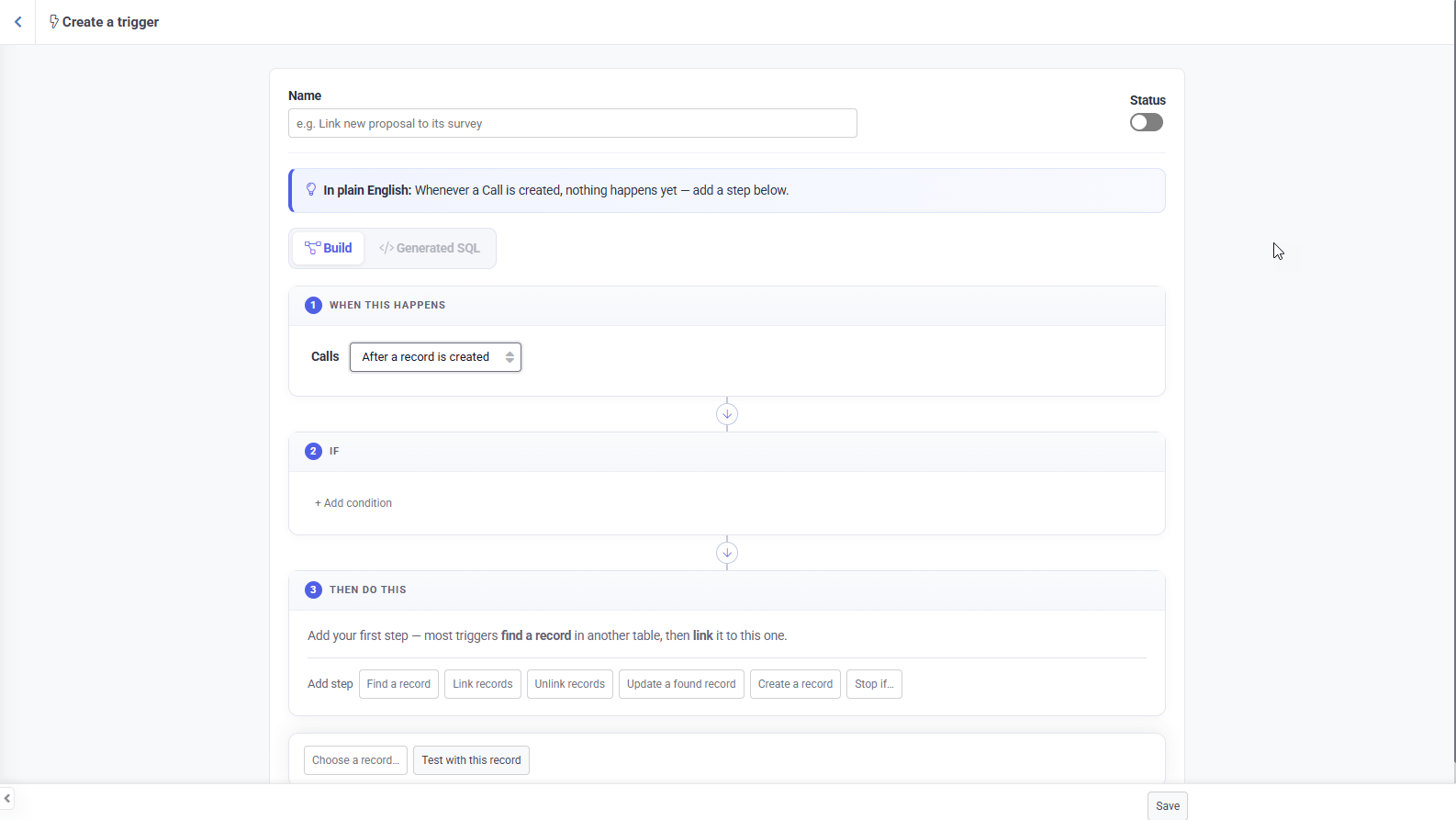
 SQL Triggers for Dedicated Databases:
Dedicated Database customers can now create advanced triggers directly at the database level, providing greater flexibility and significantly faster processing for large scale operations with millions of records.
SQL Triggers are currently limited to Dedicated Databases, with plans to expand availability over time.
 Workflow Updates:
 Conditional Values
Workflow value pickers now support Conditional Values, letting you set different values based on ordered conditions with a fallback Otherwise value. Conditional Values can be used across record fields, Step Data, Logged in User values, integrations, Pipes, AI, Custom Code, PDFs, and more.
 Table Rules in Workflows
Records created or updated through a Workflow can now trigger their associated table rules, including rules like Set Data on Create.
 Records, Data Tables & Forms:
 Conditional Map Pins
Map markers can now change color and icon based on record conditions, making it easy to visually distinguish records like overdue and completed jobs. Maps inside Filter Tabs also now support Hide Columns.
 Zapier & Make Webhooks in the Builder
Outgoing webhooks created through Zapier or Make are now visible in the Builder, with a badge showing where they came from. These webhooks remain managed through their respective integrations and don’t count toward your outgoing webhook limit.
 Tada AI & Studio:
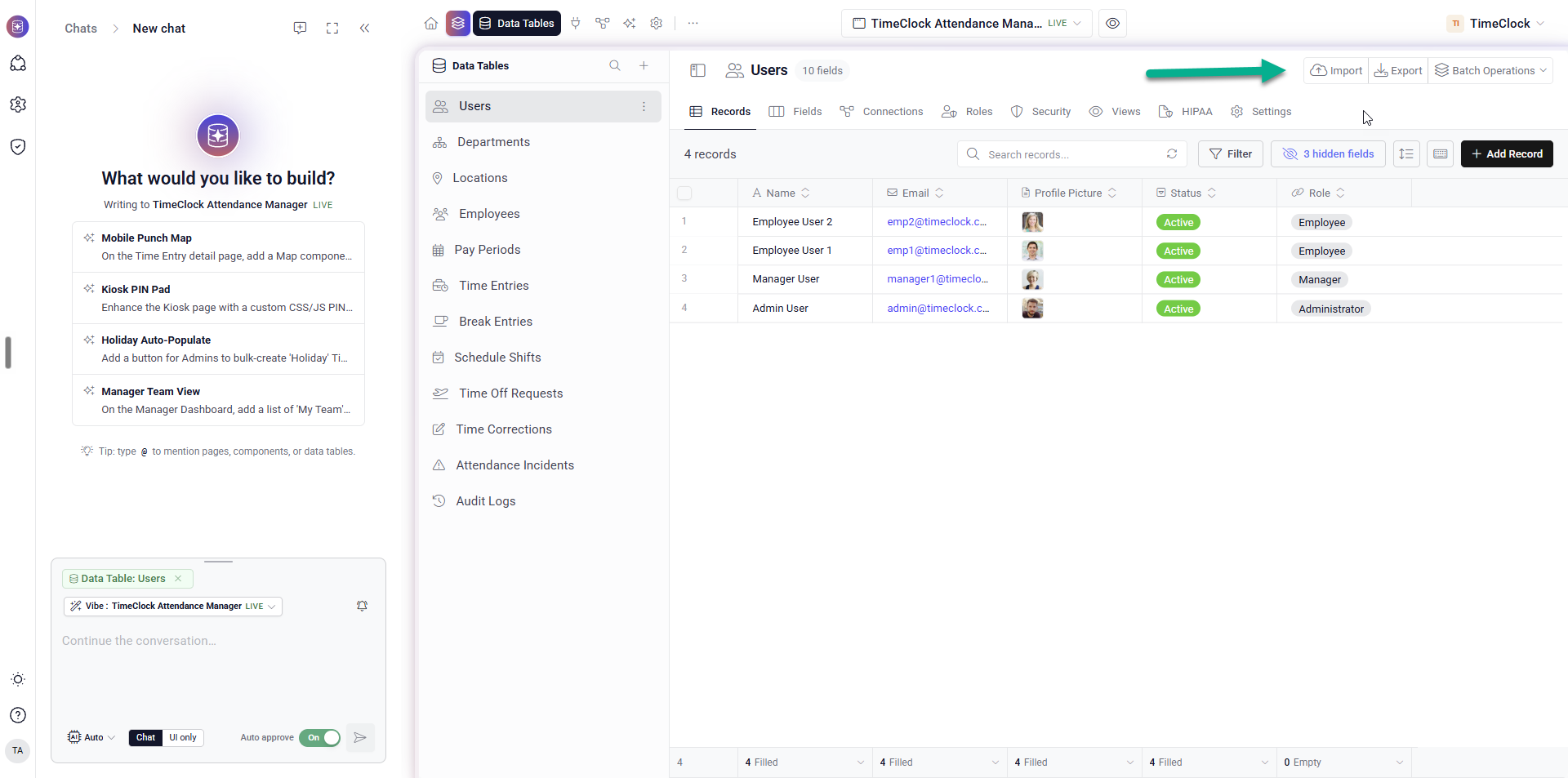
 Import, Export & Batch Operations
As we continue working toward complete feature parity, Import, Export, and Batch Operations are now available directly inside Studio for Tada AI, bringing even more of the Tadabase building experience into one place.
 Home & Workspace Improvements
The Home page now gives you a better view of activity across your account, including Workflow runs, app user logins, page views, recent apps, app status, and usage insights. The workspace picker is also searchable and makes it easier to distinguish your own workspaces from shared apps.
More Workflow Tools in Studio
Studio Workflows now include more of the tools available in the classic Builder. Test Integration requests with detailed request and response data, run Custom Code with console output and sample data, browse more detailed run history, cancel active runs, and jump directly to fields that need attention.
 More Page & Component Controls
Forms, Maps, Galleries, Timelines, Tables, and Calendars now have additional display and interaction options, including connected table fields in Forms, configurable Map settings, Timeline sorting, editable Table cells, row buttons, and direct access to record details from Calendar events.
Cleaner Data & Connected Fields
Data Tables now hide system fields like Record ID, Auto Increment, and Created On by default and remember your column preferences. Lists, Cards, and Forms also display connected roles by name and connected images as thumbnails.
 Customizable Sign Up Pages
Sign up pages can now be customized directly from the Inspector, including the heading, subtext, button, redirect, and error messages. You can also add additional fields from your Users table to the sign up form.
 Smoother Account Experience
Sign up and email verification screens have been refreshed, and Contact Support now opens directly inside Tada AI instead of launching your email app.
 HIPAA & PHI:
More PHI Masking & Access Log Controls
HIPAA enabled apps can now customize how masked PHI appears, complete with a live preview. PHI Access Logs also include more detail about the records and fields accessed, including activity within CSV exports.
 Bug Fixes:
- Fixed scheduled Workflows occasionally missing their first run or triggering the same run more than once.
- Fixed scheduled Workflow start times displaying in UTC after a reload, which could cause the scheduled time to shift when edited.
- Fixed the Workflow Integration sidebar getting stuck in a refresh loop.
- Fixed Equation fields not recalculating when records were saved through the REST API.
- Fixed file URLs not saving correctly to legacy File fields when updating records through the API.
- Fixed Custom Domain verification failing with some DNS providers even when DNS records were configured correctly.
- Fixed existing Subform rows not loading correctly in edit forms and removing a Subform unintentionally deleting linked child records.
- Fixed Subform updates and deletes not appearing correctly in Record Logs, and currency symbols not displaying correctly inside Subforms.
- Fixed Is Blank / Is Not Blank filters incorrectly treating stored “null” values as filled.
- Fixed PDF Table Summary Rows crashing when tables included Connection fields.
- Fixed Form Display Rules not matching correctly when using Connected Values.
- Fixed Pivot Tables getting stuck on “Loading…” after saving or re-rendering.
- Fixed Record Logs displaying internal batch links instead of the correct page.
- Fixed Deleted Records displaying inconsistent deletion times between the builder and Tada AI.
- Fixed several Batch Update & Delete issues, including Set Blank Value errors, missing Number field operators, and internal field names appearing during review.
- Fixed hidden Data Table columns remaining visible until scrolling horizontally.
- Fixed Studio component panels briefly displaying internal field names while loading.
- Fixed Kanban cards displaying internal names for system fields and cutting off longer text.
- Fixed existing Studio apps being unable to receive the free app update.
For a complete list of fixes, see our release notes here..
 We’ll let summer take it from here, Tadabasers. Happy building and see you next week!