Good day Tadabasers,
Tadabase has come a long way since the original discussions about field-level audit trails (as referenced here: “Tracking changes in a table - App Development - Tadabase Community”) - which doesn’t appear to have been solved.
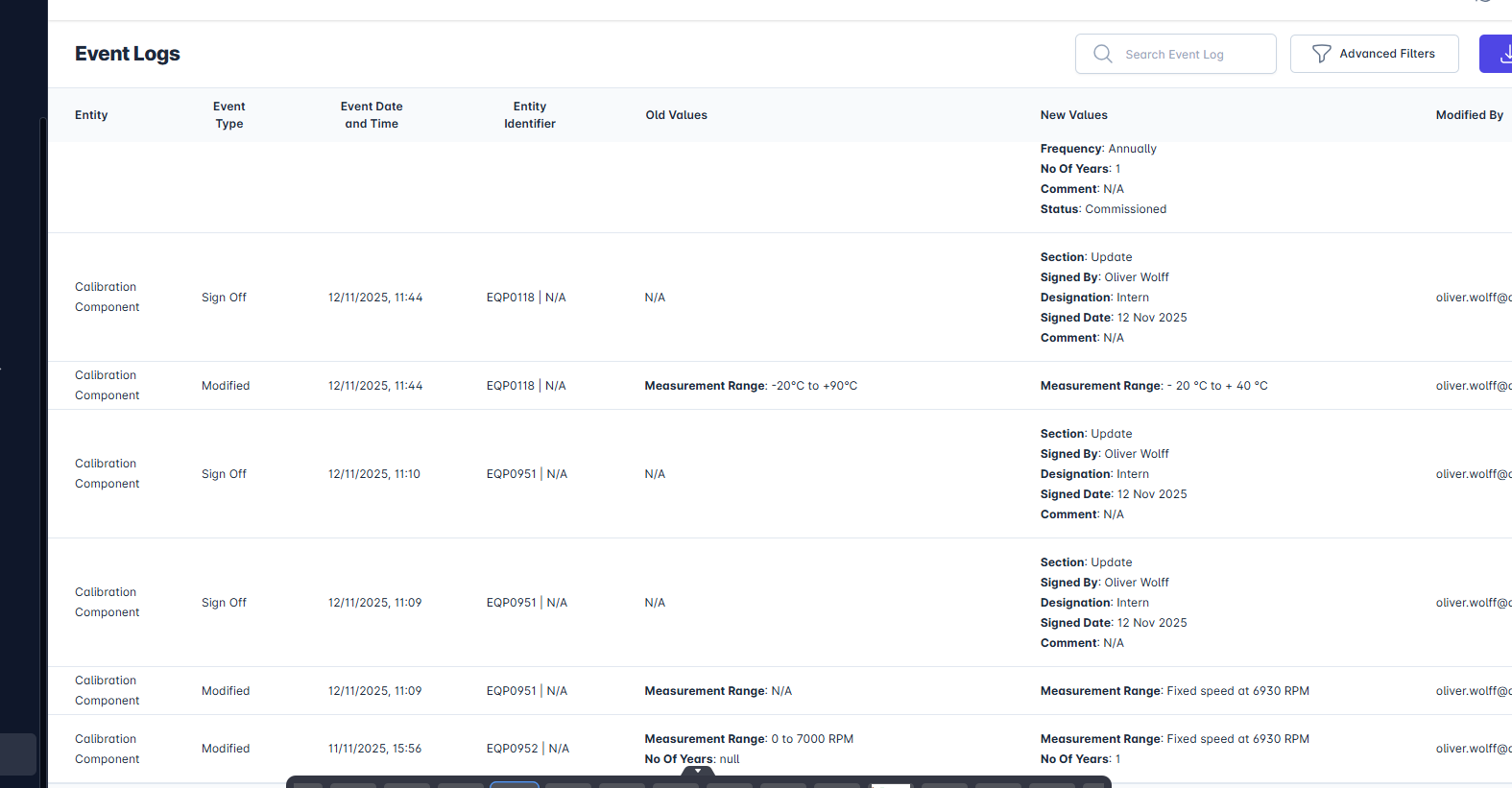
Now that we are in 2025, I would like to check whether anyone has found a reliable workaround for tracking changes at field level. Is anyone currently able to achieve, within Tadabase, an audit trail that captures the following for each updated field (see attached pic)?
Field Name, Old Value, New Value, Date/Time, Login User
I am specifically interested in capturing the Field Name, Old Value, and New Value. The timestamp and user details are the easy part — the value-level tracking is what I am trying to solve. I have already contacted support, and they referred me to the native Record History feature. While helpful, it does not meet my requirement.
My Use Case
I have a Change Control workflow in which users complete a form containing various fields, including field for assignee, reviewer, and approver (with validation rules applied to enforce role segregation of roles). Through Display Rules, I manage which fields are read-only or editable as the record moves through each workflow step.
What I need now is the ability to track exactly which fields were changed, and log the before/after values.
My Conceptual Approach
When a form is being edited:
-
Capture the existing values into temporary fields before any edits occur (“Old Values”).
-
When the user clicks SAVE, compare the old values with the new ones.
-
For each field that has changed, write a record into a separate Audit Trail table, storing:
- Field Name, Old Value, New Value, Date/Time, Login User
Question to the Community
Has anyone been able to implement something close to this using Tadabase workflows, pipes, or creative logic or any workaround that allows capturing field-level changes?
Any insights, examples, or best-practice ideas would be greatly appreciated.
Exemplary Audit Trail:
I have attached the typical and ideal audit trail in the image, showing what I need. It goes even further by consolidating the changes made under one SAVE session.
Thank you!